

Most lists of the best WordPress booking plugins are rewritten from pricing pages. We wanted numbers instead. So the WP ERP team installed six of the seven candidates on a clean WordPress 7.1 site, set up a service and made a real booking from the front end, and tested the seventh, Gravity Booking, on the vendor’s demo site because it runs inside Gravity Forms.
Then we measured what every plugin costs your site in files, kilobytes and database tables. Prices below were read from each vendor’s pricing page on October 15, 2026. Several vendors were running autumn sales that day, so we quote both the sale and the regular price.
Seven plugins made the cut. Here is the short version, then the details.
Quick comparison
| Plugin | Type | Booking Page Weight(Plugin files) | Free Limit that Matters | Paid From |
| Booknetic | Appointments | 439 KB (32 files) | 1 staff, 3 services, 20 bookings/month | $45/yr sale ($89) |
| Amelia | Appointments + events | 5,166 KB (10 files) | Square payments only, no calendar sync | $49/yr |
| Gravity Booking | Appointments (Gravity Forms add-on) | 84 KB (3 files), vendor demo, excludes Gravity Forms | needs a paid Gravity Forms licence; payments need Gravity Forms Pro | $79/yr + Gravity Forms |
| LatePoint | Appointments | 540 KB (5 files) | 1 agent, 1 location | $79/yr |
| Eventnetic | Event Tickets | 663 KB (8 files) | single-date events, offline payment | $99/yr |
| Bookly | Appointments | 1,218 KB (18 files) | 1 staff, 5 services, no online payment | $39/yr sale ($99) + add-ons |
| Simply Schedule Appointments | Appointments | 2,958 KB (18 files, iframe) | no payments, no Google Calendar | $99/yr sale ($129) |
How we tested
Our lab was a Docker container with WordPress 7.1.2, PHP 8.3, MariaDB 11 and the Twenty Twenty-Five theme, with no other plugins active. We activated one plugin at a time and ran its setup wizard where it had one. We created a 45-minute “Haircut” service (or a ticketed event for Eventnetic), published the booking form, and completed a booking as an anonymous visitor in headless Chromium. Then we checked that the booking appeared in the admin and in the database.
For every plugin we recorded the same things. Files and kilobytes added to a page without a form and to the booking page. Custom database tables and options created. Steps a customer clicks through. Behaviour on a 390 px phone. Outside hosts the visitor’s browser contacts. We also read the plugin code for hook counts, REST routes and the PHP version floor, and we read at least 25 recent reviews per plugin on WordPress.org or CodeCanyon.
Gravity Booking runs inside Gravity Forms, so we tested it on the vendor’s demo site; its page-weight figures cover the add-on only and were not measured in our lab. We ranked on the booking experience and the engineering behind it, not on feature-list length.
1. Booknetic: the most configurable appointment plugin we tested
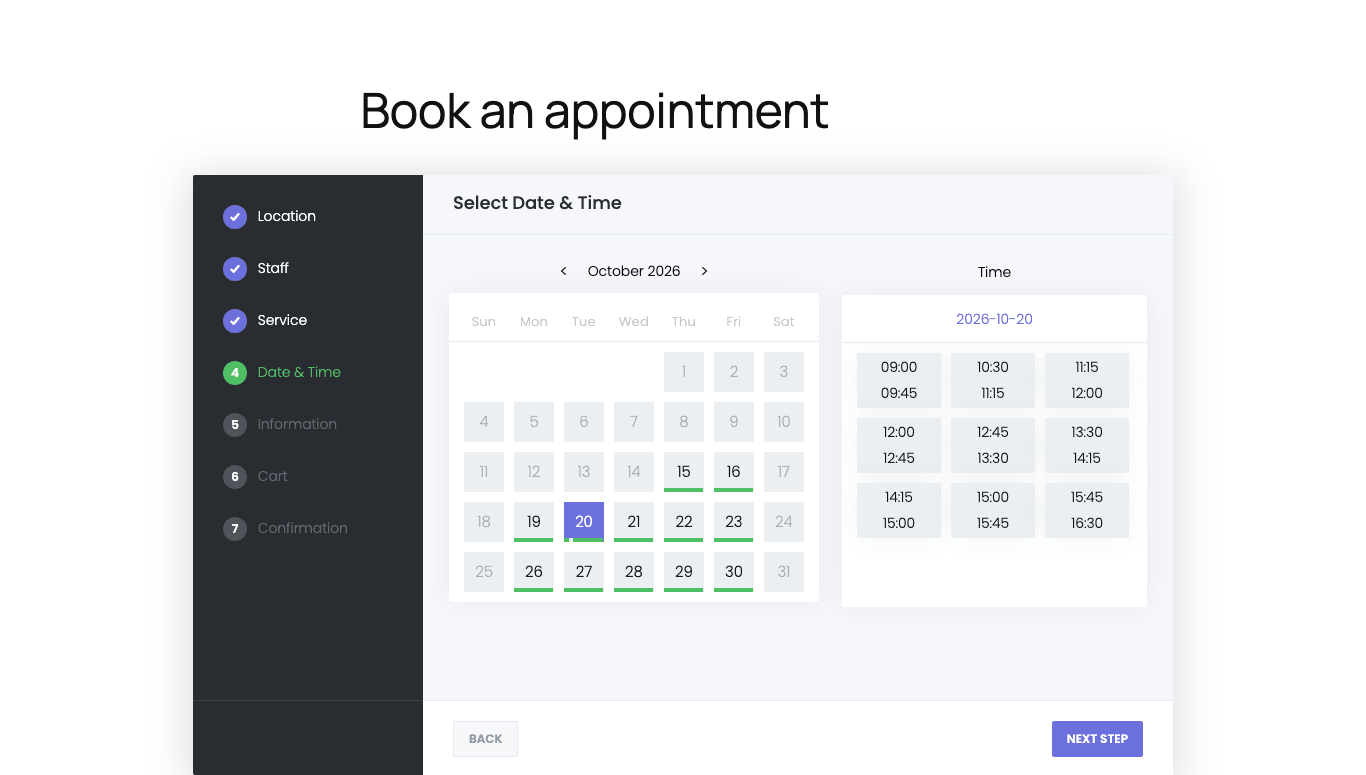
What we measured. The core plugin creates 25 tables and registers 195 REST routes, which is how its React admin talks to WordPress. The booking page pulled 32 plugin files, 439 KB, for a 616 KB page in total. A four-step wizard asked for a business name, a first service and a staff member with weekly hours, then created the booking page itself. We had a working form in about two minutes.
What we liked. Staff work in a full-screen desk with its own menu and a “back to WordPress” button, so nobody has to learn the WordPress admin. The Workflow module (trigger and action chains for email, SMS, WhatsApp, Telegram and webhooks) and conditional custom fields are part of the core data model rather than bolted on. The Appearance module styles every step of the eight-step panel separately. The finished screen hands the customer a confirmation number plus Google Calendar and iCal buttons.
Where it falls short. The free limits are hard-coded: 1 staff, 1 location, 3 services, 20 bookings a month. The Basic plan has no add-ons at all, so Stripe, PayPal and Google Calendar start at Standard. The panel loads its 424 KB on every page of the site, not only where the shortcode sits. And in the free build, the “Powered by Booknetic” badge is declared 980 px wide, which made a 390 px phone render the whole page at 675 px, zoomed out. The step bar collapses correctly, but the panel sits in half the screen until that rule is fixed.
Pricing. Basic $45/yr (regular $89, 1 site), Standard $99, Premium $149 (5 sites), Elite $299 (unlimited, all 50+ add-ons). Lifetime from $99. 14-day refund.
Best for: clinics, salons and other multi-staff businesses that need conditional booking forms, automations that reach customers on messengers, and a staff desk separated from WordPress. Budget for Standard or higher, because Basic ships without integrations.
2. Amelia: appointments and events in one admin
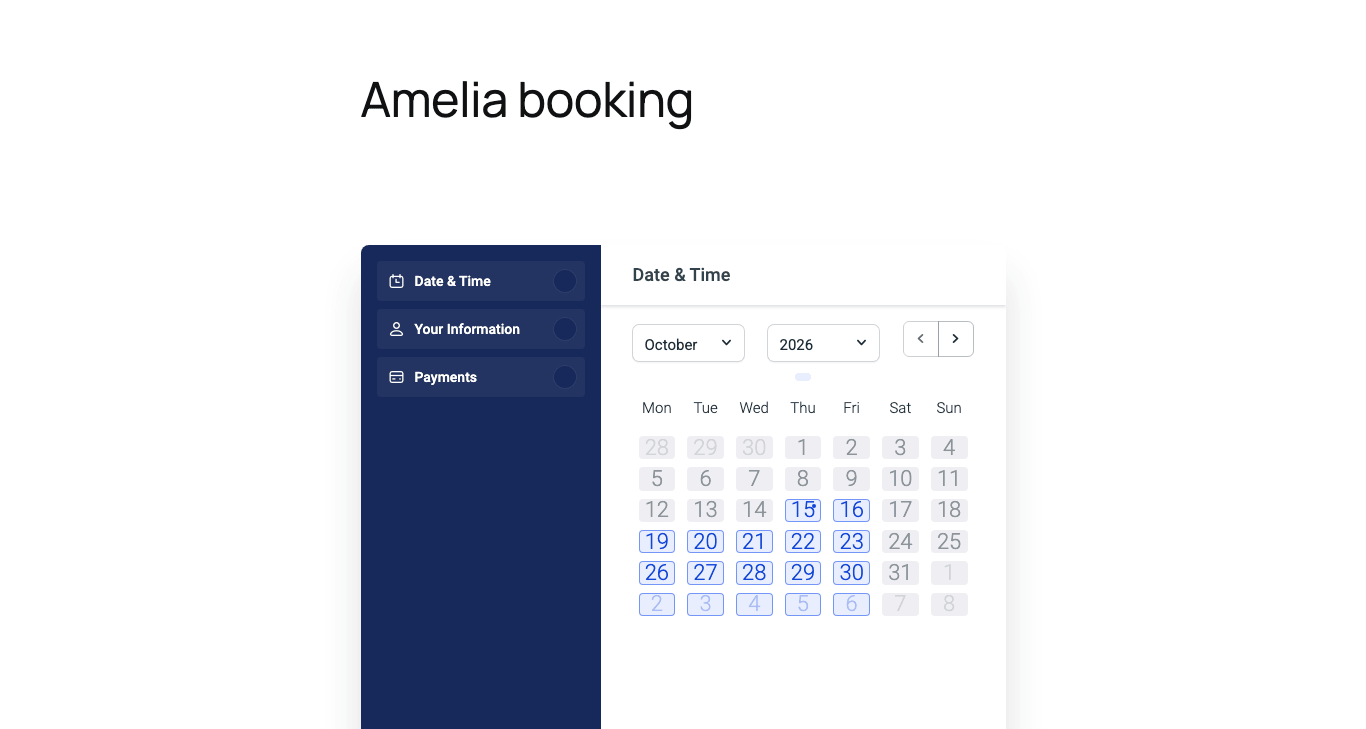
What we measured. Amelia installs 61 tables, the most in this test, because events, packages, resources and taxes each get their own schema. With one service and one employee the front form collapsed to three steps (date and time, your information, payment) and the booking was stored as approved. Pages without the form get no plugin files at all. The booking page is the heaviest here: 10 files, 5.2 MB, of which 2.35 MB is a single stylesheet. The admin dashboard weighs 10.7 MB.
What we liked. Event ticketing and appointments share one calendar, one customer list and one notification system. The admin lives inside the normal WordPress menu, employees get a default Monday to Friday 9 to 5 schedule, and the catalog shortcode lists services without a page builder. The developer documentation is the best of the seven: 48 pages covering hooks, 21 API endpoints and webhooks.
Where it falls short. The service duration list only offers multiples of the global time-slot step (30 minutes by default), so a 45-minute service means changing a site-wide setting first. The price field is cents-masked: typing 40 gave us $0.40. The Starter plan supports Square only. Among 64 recent WordPress.org reviews we read, bugs (17) and feature gaps (16) were the two most repeated complaints, and the December 2025 version 9 update is still cited for breaking sites.
Pricing. Starter $49/yr (1 site, Square), Standard $99, Pro $199 (1 site) or $329 (5), Elite $449 (20 sites). Lifetime from $299. 15-day refund.
Best for: sites that sell workshops or classes alongside appointments and want staff to manage both from the WordPress menu they already know. Cache the booking page and skip Starter.
3. Gravity Booking: booking fields inside Gravity Forms
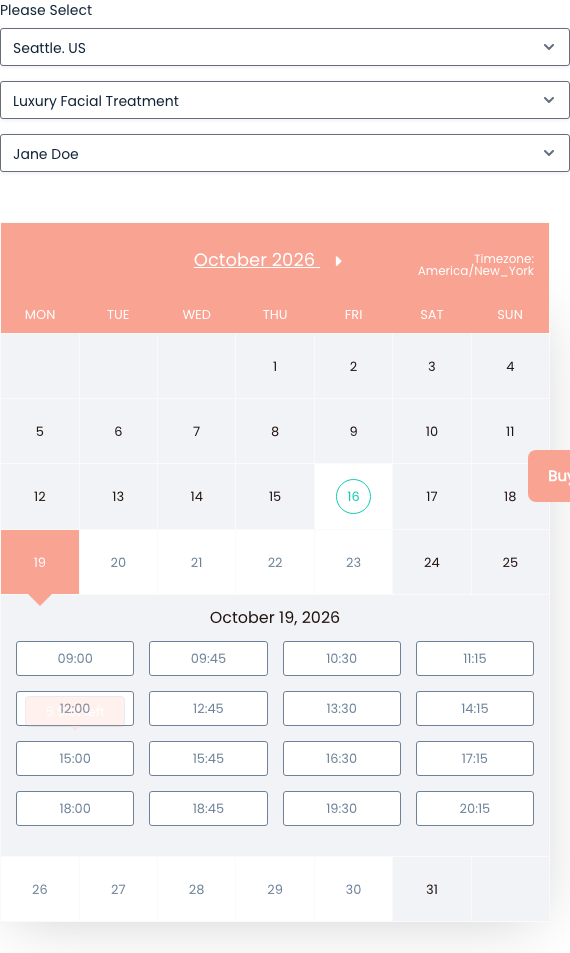
What we measured. Gravity Booking adds booking fields to Gravity Forms rather than shipping its own form, so we tested it on the vendor’s demo site (Pro 2.8.1, Stripe in test mode). The add-on stores bookings as five custom post types plus post meta, exposes no REST routes and handles 43 admin-ajax actions. On the demo’s form page it added 3 files, 84 KB, and nothing on other pages; Gravity Forms’ own assets come on top. The booking took four select boxes (service, provider, date, slot) and 10 admin-ajax round trips before the price appeared.
What we liked. The booking lives inside a normal Gravity Forms form, so everything you already use there applies: conditional logic, notifications, entry export, the payment add-ons and the styling your theme gives forms. Capacity is tracked per slot and dropped from 5 to 4 the moment our booking went through. Basic already includes Google Calendar, payment gateways and coupons; Professional adds Outlook 365 and multi-day bookings; Business adds two-way Google sync and location-based booking.
Where it falls short. The real cost is Gravity Forms plus the add-on. Gravity Forms has no free edition (Basic $59/yr, and its Stripe and PayPal add-ons need Pro at $159/yr), so you pay at least $59 + $79 a year, or $159 + $79 if you take payments. The free add-on’s WordPress.org listing has been closed since September 30, 2026, pending a review, so new users get it from the vendor. The confirmation page is Gravity Forms’ default text with no booking details unless you edit it. On a 390 px phone the calendar renders 352 px wide and scrolls sideways. There is no REST API and no uninstall routine, and the slot price only appeared after we typed a capacity for the slot.
Pricing. Basic $79/yr, Professional $99, Business $129, each for 1 site (3, 10 and 1,000-site licences cost more). Lifetime $199, $249 and $299 (listed at $799 to $1,299 before the current discount). 14-day refund. Gravity Forms is sold separately from $59/yr.
Best for: sites that already run Gravity Forms and want appointments as one more field type in the forms they have, with payments handled by the Gravity Forms add-ons they already pay for. If you do not own Gravity Forms, one of the standalone plugins here is cheaper.
4. LatePoint: multiple payment gateways in the free version
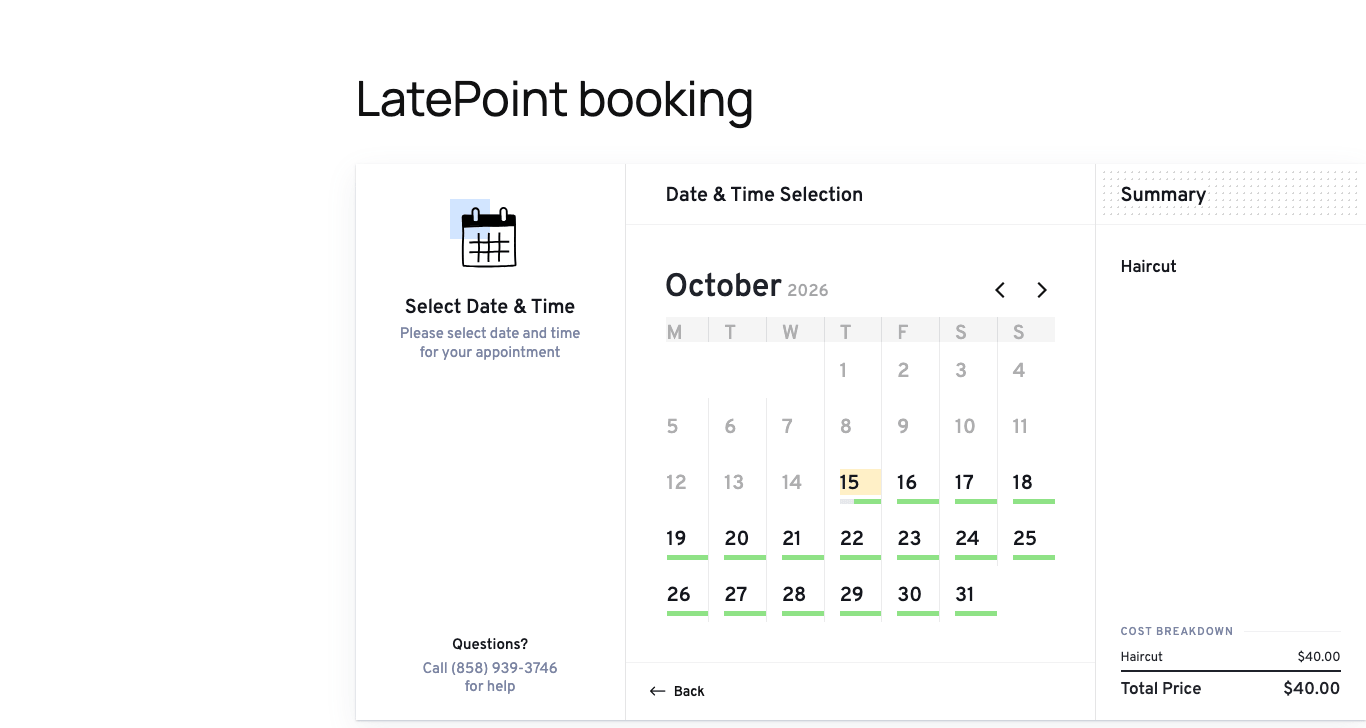
What we measured. The booking page needed only 5 plugin files, 540 KB, with no outside hosts: the fewest plugin asset requests among the standalone plugins in our test, though Booknetic’s form weighed less in kilobytes. Other pages still load 481 KB. Under the hood LatePoint uses an order model: 44 tables including orders, order items, transactions and refunds. Its code exposes 245 actions and 334 filters, the widest hook surface of the seven, with 117 of them documented.
What we liked. Stripe Connect, PayPal and Razorpay are included in the free plugin. Among the appointment plugins here only Amelia’s free version also takes card payments, and that is through Square alone. Every paid tier has the same features, so you pay for site count only. The confirmation screen issues an order code, a calendar link and a print view, and the customer is remembered for the next booking.
Where it falls short. “Allow Paying Locally” is off by default, so our first $40 booking failed at the final step with “The selected payment method is not available” until we switched it on. The setup wizard pre-checks a newsletter opt-in and the admin calls ipinfo.io to guess your country. Multiple agents, Google Calendar, custom fields and recurring bookings are all Pro. Nine of the last 28 releases carry security fixes, which shows active patching but also a steady stream of findings.
Pricing. Starter $79/yr (1 site, introductory; regular $99), Scale $149 (5 sites), Agency $299 (100 sites). Lifetime from $199. 14-day refund. Free-plan support replies in 2 to 3 working days.
Best for: one-person practices and small studios that need Stripe or PayPal on day one and want the fewest front-end requests, plus developers who extend through hooks. A second staff member means buying Pro.
5. Eventnetic: our pick for ticketed events
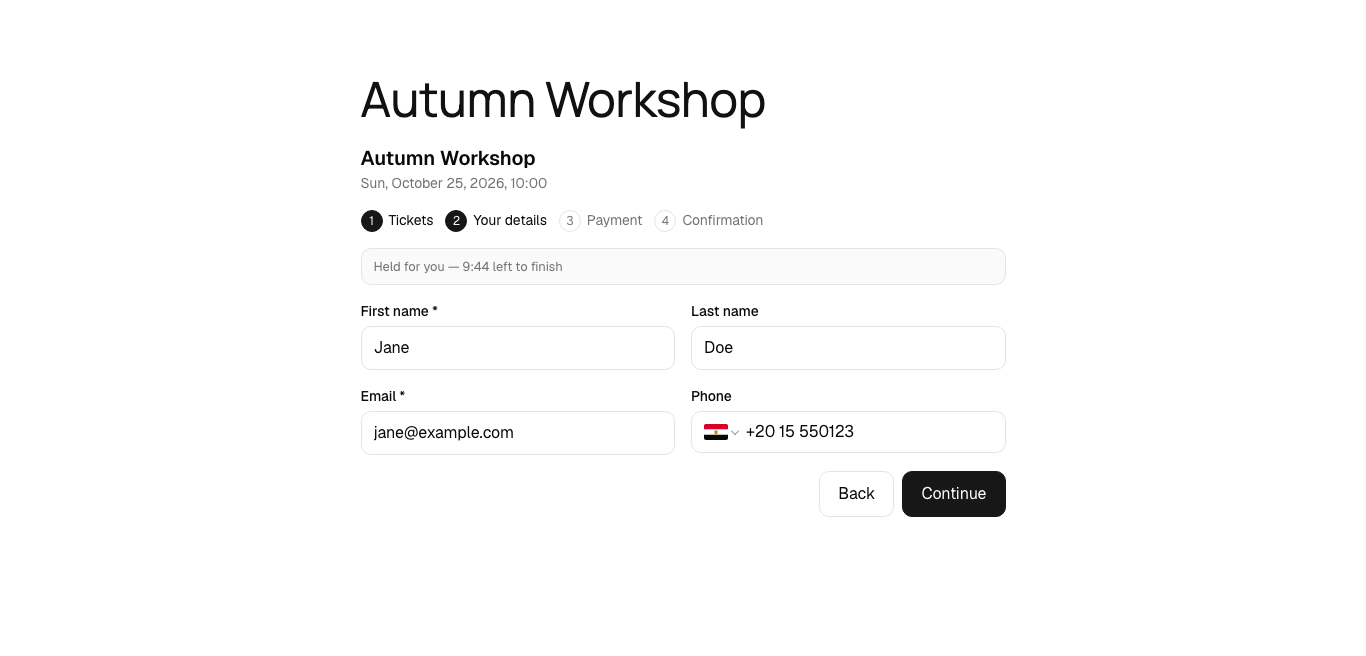
What we measured. The newest plugin in the test was listed on WordPress.org in September 2026 and shipped 10 releases in its first 27 days. It is also the smallest: 11.5 MB on disk, 31 tables, 118 REST routes, PHP 8.1 required. The event page pulled 8 files, 663 KB. Pages without a block get nothing. The booking flow has four steps and starts a ten-minute ticket hold the moment you pick a quantity.
What we liked. Ticket types carry their own price, capacity (shared with the event or an own limit), sale window, per-order limit and per-attendee questions. The wizard created the Events, My bookings and Thank you pages for us, and the thank-you page shows the order code, a ticket code per attendee and Google/ICS links. Email workflows with 15 triggers are in the free plan.
Where it falls short. It is young: 100+ installs and two reviews. “Create page” for an event produced a draft we had to publish ourselves, and until then the catalog card did nothing when clicked. The phone field defaulted to “International” and turned 2015550123 into an Egyptian number. Recurring dates, Stripe and PayPal, PDF and QR tickets are Starter and above.
Pricing. Starter $99 first year (renews at $199, 1 site), Pro $199 (5 sites), Elite $299 (25 sites, seat maps, WooCommerce). Lifetime from $199. 14-day refund.
Best for: workshops, conferences and performances that sell several ticket types and need attendee-level data at the door. It is not an appointment plugin; for time slots pick one of the others.
6. Bookly: the longest feature list, sold piece by piece
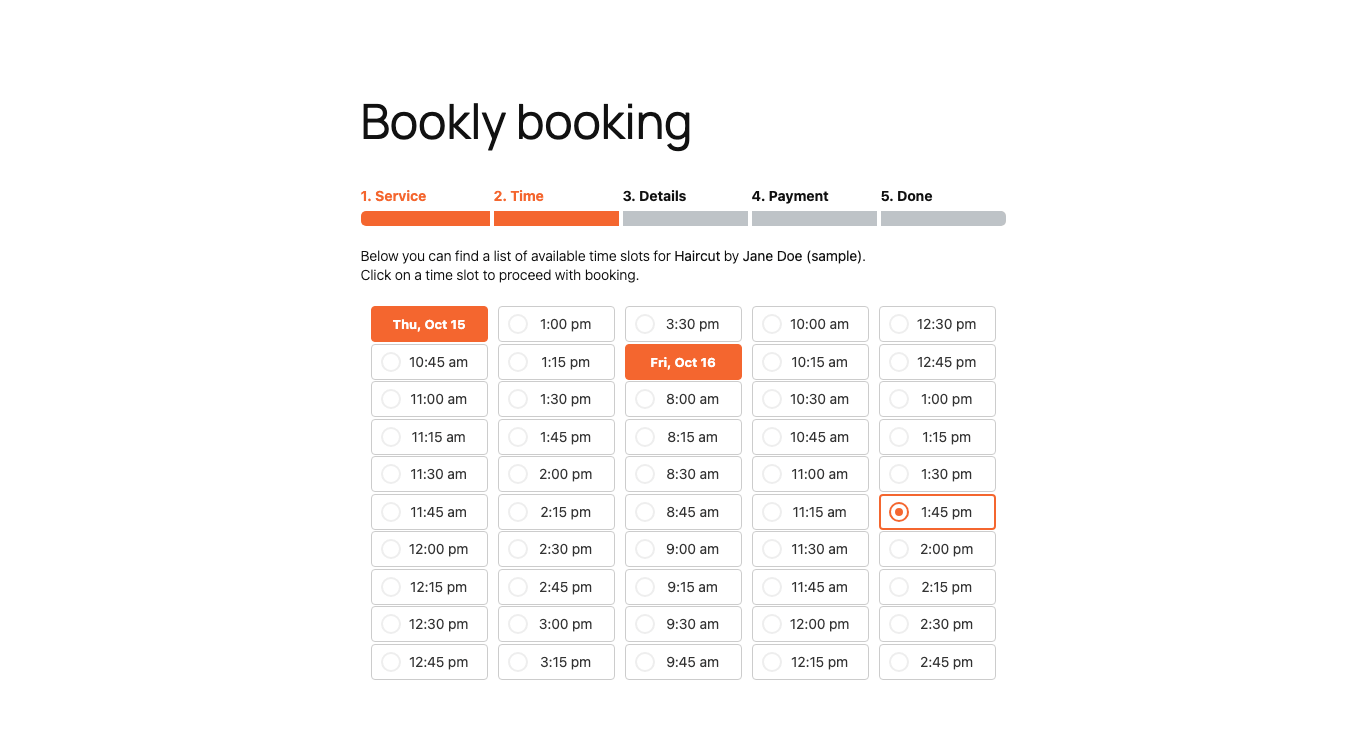
What we measured. Bookly has been in development since 2014. It creates 33 tables and 207 options, declares PHP 5.3.7 as its floor, and offers 28 actions, 25 filters and no REST routes, the least extensible code here. By default it loads 17 files, 1.2 MB, on every page of the site (a setting can restrict it to pages with the form). The form itself is five steps; step one is three native select boxes.
What we liked. The five-step wizard seeds sample services, staff and appointments so you see a working calendar within three minutes. Bookly Cloud sells SMS (from $0.10 per message in the US), WhatsApp and Stripe as a prepaid balance, so reminders work without API keys. The refund window is 30 days.
Where it falls short. On the Pro tier, paid features are 46 separate add-ons at $9.95 to $18.95 a year each: Stripe, PayPal, custom fields, recurring bookings and locations are all sold separately, and all 46 together cost $502.70 a year. Business bundles 16 of them and Ultimate 41, so the bundles are the cheaper route once you need more than a few. The visitor’s browser calls ipinfo.io to guess the phone country. The free plan allows one staff member and five services with no online payment. Low-star reviews repeat two themes: slot bugs that lost bookings, and features that moved from Pro into paid add-ons.
Pricing. Pro $39/yr sale ($99, 1 site), Business $69 ($129) with 16 add-ons, Ultimate $159 ($199) with 41 add-ons. Lifetime from $99. 30-day refund.
Best for: owners who want SMS and WhatsApp reminders through a prepaid balance rather than a Twilio account, and who will buy Business or Ultimate to avoid add-on arithmetic. Not our first choice for projects that require a documented REST API.
7. Simply Schedule Appointments: the simplest schedule, no payments for free
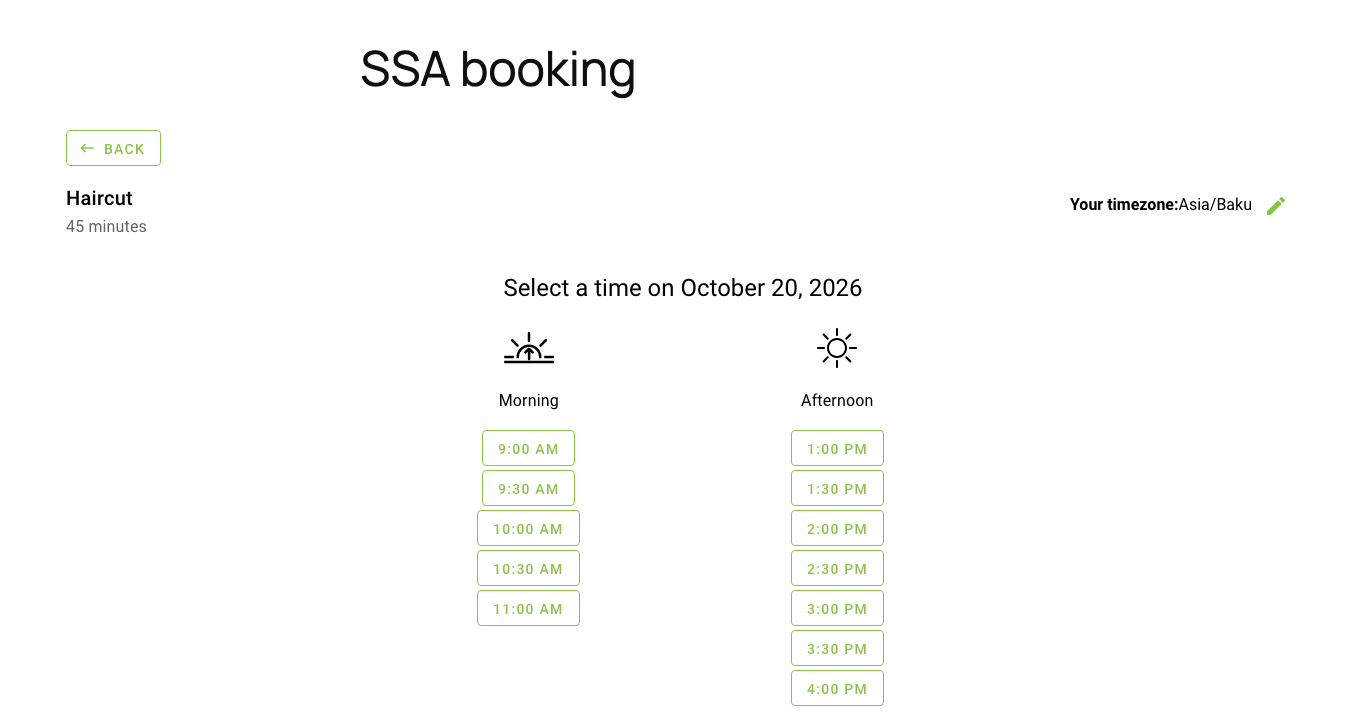
What we measured. The free Basic edition adds 1 KB of CSS to ordinary pages, the cleanest footprint in the test, and only 9 tables of its own. The booking form, however, renders inside an iframe served from a REST endpoint and weighs 2.96 MB. The admin app is 7.4 MB on first load. The appointment-type wizard has five steps and no price field, because payments start at Professional.
What we liked. The wizard detected our timezone, date format and week start before asking anything. Availability is a weekly 30-minute grid with a configurable start-time increment, and the confirmation page gives the customer reschedule and cancel links out of the box. The plugin ships a release almost every week and holds a 5.0 rating from 155 reviews.
Where it falls short. No tier offers recurring appointments, coupons, deposits, locations or WooCommerce checkout. Both the admin and the visitor’s browser call ip2c.org. The iframe makes the form harder to style than a shortcode. Patchstack lists 33 security advisories for the plugin in the last 12 months, and annual renewals are at full price.
Pricing. Plus $99/yr sale ($129), Professional $199 ($249, adds Stripe and PayPal), Business $399 ($499, adds team members), each for 1 site. Lifetime from $299. 30-day refund.
Best for: consultants and coaches with a weekly schedule and a Google Calendar, on sites where no plugin JavaScript may load outside the booking page. Teams need the Business tier.
Which one should you install?
- Booknetic is our best pick for a service business with staff: the deepest configuration and automation, with the caveat that Basic has no integrations and the free build needs its mobile badge fixed.
- Amelia if you sell events and appointments together and your team prefers the standard WordPress admin.
- Gravity Booking if your forms already run on Gravity Forms and you want bookings as one more field in them.
- LatePoint if you need Stripe or PayPal without a licence and the fewest front-end files.
- Eventnetic if you sell tickets rather than time slots.
- Bookly if prepaid SMS and WhatsApp matter more than code extensibility.
- Simply Schedule Appointments if a weekly availability grid is all you need and you do not take payments.
Frequently asked questions
Now, in this section we’ll answer some common questions usually found online regarding today’s topic.
All seven have free versions. Booknetic’s free version is available directly from its website rather than WordPress.org, and Gravity Booking’s free add-on only works with a paid Gravity Forms licence. The free plans differ in what they cut: staff count (Booknetic, Bookly, LatePoint) or payments (Simply Schedule Appointments has none, Eventnetic is offline only).
LatePoint includes Stripe Connect, PayPal and Razorpay for free. Amelia’s free version supports Square. Gravity Booking takes payments through the Gravity Forms Stripe and PayPal add-ons, which need Gravity Forms Pro. Booknetic, Bookly and Eventnetic accept offline payment only, and Simply Schedule Appointments has no payment step until the Professional tier.
On the booking page, Booknetic (439 KB of plugin files) and LatePoint (540 KB, in only 5 files) were the lightest. Amelia was the heaviest at 5.2 MB. Gravity Booking added 84 KB in 3 files on the vendor’s demo, excluding Gravity Forms’ own scripts, so that figure is not directly comparable. On pages without a form, Amelia, Eventnetic and Simply Schedule Appointments load nothing or close to it, while Bookly adds 1.2 MB everywhere unless you change its asset setting.
Every plugin here offers shortcodes or blocks that drop into Elementor. Five of the seven offer WooCommerce checkout as a paid feature: an add-on for Booknetic and Bookly, Standard and above for Amelia, Pro for LatePoint, Elite for Eventnetic. Simply Schedule Appointments does not offer it in any plan, and Gravity Booking takes payment through Gravity Forms instead.