




Hiring is usually the most exciting part of growing a business. It means you are expanding and doing well. But let’s be honest about the actual process. It often feels like a total mess. You end up with piles of resumes and way too many browser tabs open.
You might have looked at big hiring platforms like Workable or Greenhouse. They look nice, but they cost a lot of money. They want a big chunk of your budget just to list a few jobs. This is where your WordPress site can save the day.
You can turn your own website into a powerful hiring center. The right plugin lets you post jobs and track applicants in one place. You can see exactly where each candidate stands without jumping between different apps. You also avoid paying a “per-candidate” fee to another company.
Not every plugin does the same thing. Some are basic tools that just help you list a job on a page. Others are more like a command center for your entire HR team. I have looked at the best WordPress recruitment plugins for 2026. This list will help you find the right fit for your budget and your workflow.
Why Use a WordPress Recruitment Plugin vs. a SaaS ATS?
You might wonder why you should use a plugin instead of a big name like Workable. The biggest reason is cost. Most hiring platforms charge you every single month. They often charge more as you grow or post more jobs. A WordPress plugin usually has one flat price. You pay once and use it as much as you want.
Data ownership is another big factor. When you use a third-party site, they hold all your candidate data. If you use a plugin, that data stays on your own server. This makes it much easier to stay in control of your privacy. It also means you don’t have to worry about another company’s security rules.
You also keep your branding consistent. When a candidate applies for a job, they stay on your website. They don’t get redirected to a different site with a different look. This builds trust with your applicants. It makes your company look more professional from the very first click.
Finally, a plugin gives you better control over your workflow. You can change how the application form looks or how you track candidates. You aren’t stuck with the rigid rules of a cloud platform. You can make the system work for your business instead of changing your business to fit the software.
WordPress Recruitment Plugin vs SaaS Tool
| Feature | WordPress Recruitment Plugin | SaaS Recruitment Tool |
| Cost Structure | One-time or flat annual fee | Monthly fee per user or job post |
| Data Ownership | You own all your data on your server | The provider owns the platform |
| Customization | Unlimited design and workflow control | Limited to the provider’s settings |
| Branding | Applicants stay on your own domain | Often redirects to a third-party site |
| Setup Time | Takes a bit longer to configure | Fast and ready to use immediately |
| Maintenance | You handle updates and security | The provider handles everything |
5 Best WordPress Recruitment Plugins for Small Businesses in 2026

Choosing a plugin for your small business can feel overwhelming. There are many options available, and each one offers something different. You need a tool that fits your current team size but also allows you to grow. The following five plugins are the top choices for small businesses this year.
- WP ERP
- WP Job Manager
- Simple Job Board
- easy.jobs
- WP Job Openings
These five plugins cover everything from basic job listings to complete hiring systems. You should consider your specific needs and budget before making a final choice. The right tool will help you find great talent without making your daily work more complicated.
1. WP ERP
WP ERP is more than just a recruitment tool. It is a full-scale business management suite that lives inside your WordPress dashboard.
The Recruitment extension transforms your site into a professional Applicant Tracking System (ATS). It is designed for businesses that want to manage everything from the first job posting to the final hire, without ever leaving their website.
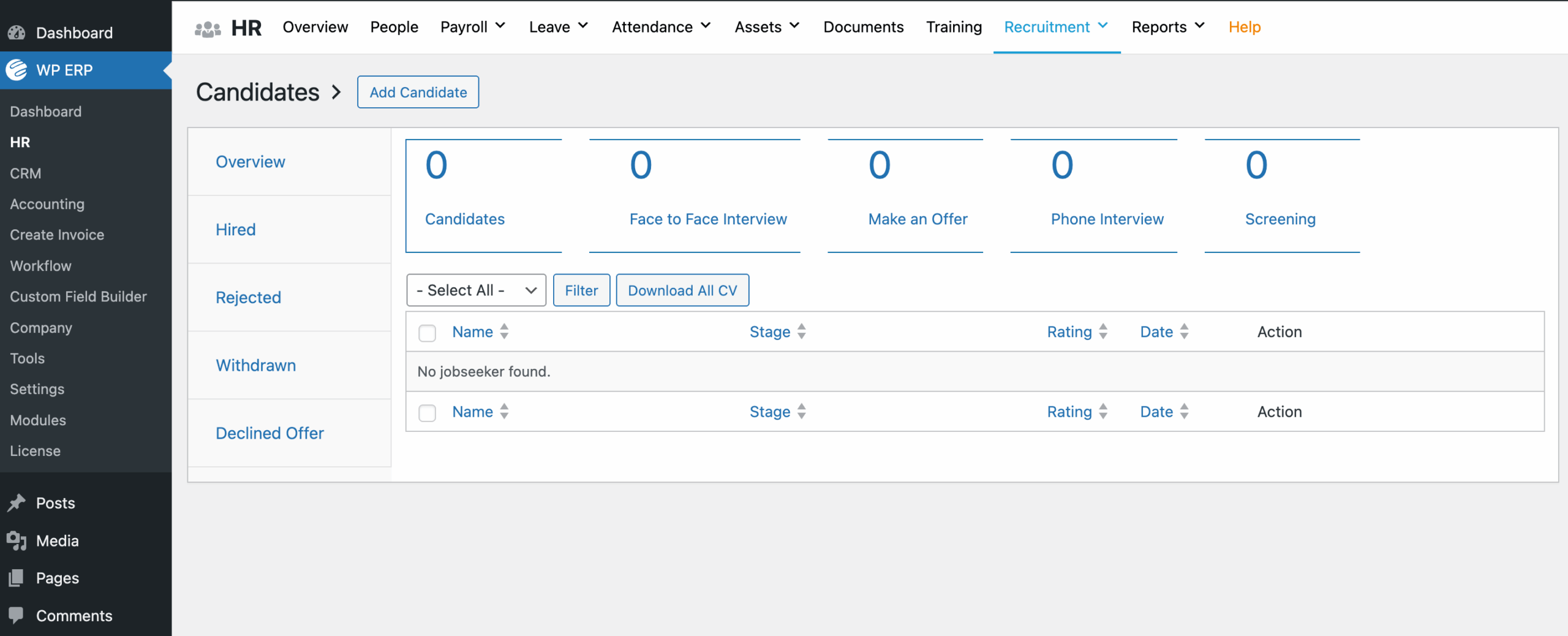
The interface is clean and organizes the complex steps of hiring into a simple and logical flow.
Key Features
- Complete Job Lifecycle: You can manage every step of an opening, including job descriptions, hiring workflows, and custom question sets.
- Visual Candidate Management: The system provides a clear overview of all candidates and their current status, such as “Screening” or “Face to Face Interview”.
- Built-in Recruitment Tools: A dedicated menu lets you quickly add openings, manage question sets, and view a recruitment calendar.
- Detailed Reporting: You can generate reports on specific job openings or candidate distributions to see how your hiring pipeline is performing.
- Seamless HR Integration: Once a candidate is hired, their data moves directly into your HR module for payroll and attendance tracking.
Shortcomings
Because it is a professional-grade tool, the initial setup can take a little more time compared to very basic plugins. It offers many options, so you will need a few minutes to configure your departments and hiring stages correctly.
Price
Recruitment is a premium extension of WP ERP. It costs $9.49 per month.
Who Should Use This Plugin
This is the best fit for growing companies that want a professional hiring process. It is perfect if you are tired of using multiple apps to manage your team. If you want your recruitment data to talk to your HR and payroll systems, this is the only logical choice.
2. WP Job Manager
WP Job Manager is a lightweight plugin designed for simple job boards. It is developed by the same team behind WooCommerce. The plugin is built with shortcodes, which means it can work with almost any WordPress theme. It focuses on keeping things simple and clean.
Key Features
- Frontend Job Submission: Employers can post and manage their job openings directly from the frontend of your site.
- Filterable Job Listings: Job seekers can search for jobs by category or location using a search bar.
- Modular Design: You only install the extra features you actually need through separate add-ons.
- Google Job Schema: Your job posts are automatically formatted to show up in Google Jobs search results.
Shortcomings
The core plugin is very basic. If you want important features like resume management or job alerts, you have to buy premium add-ons. This can make the total price higher as you add more functionality.
Price
The core plugin is free. Individual add-ons usually cost between $29 and $79 per year. A full bundle of add-ons starts at $125 or $159 per year.
Who Should Use This Plugin
This is a great choice for bloggers or community leaders who want to add a simple job list to their site. It is also good for developers who like to customize things with their own code.
3. Simple Job Board
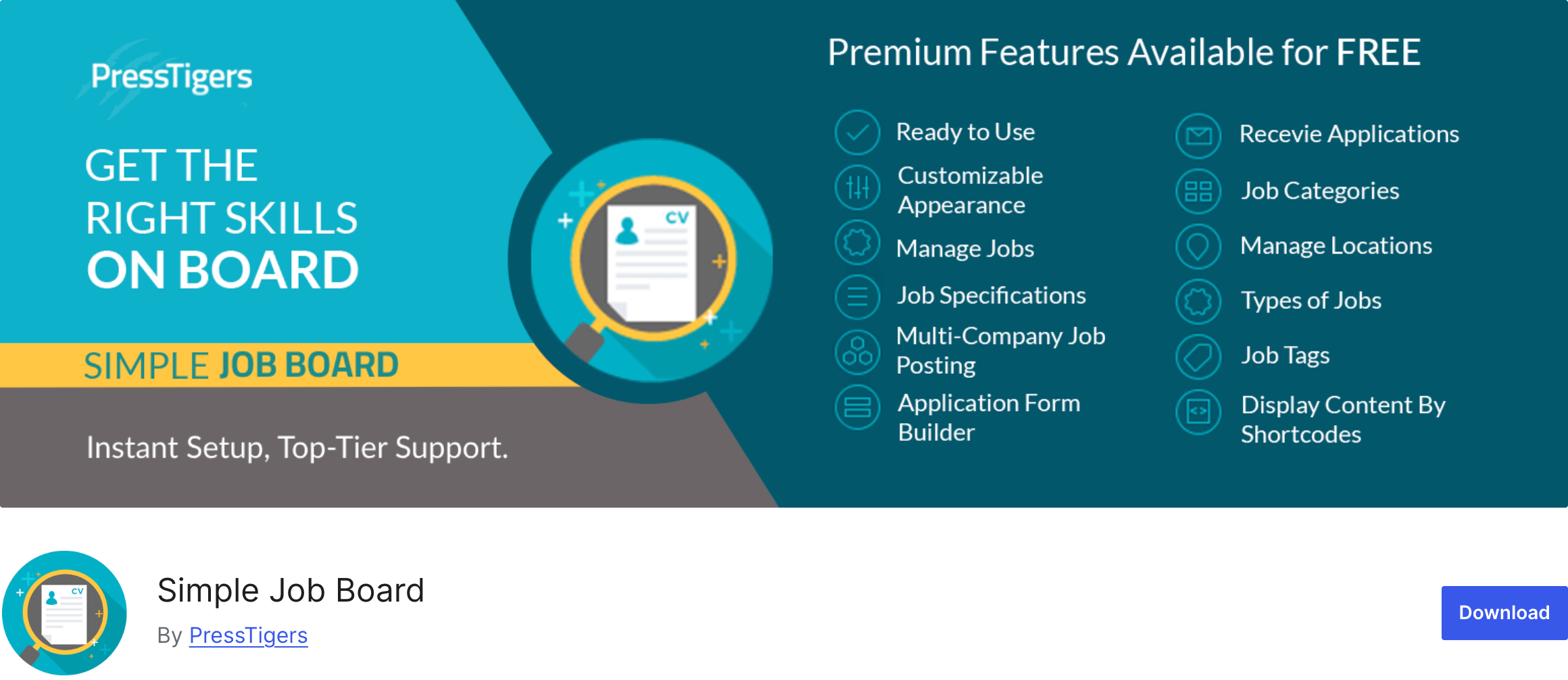
Simple Job Board is a lightweight and easy-to-use plugin for managing job openings. It is designed to be ready to use immediately after installation. The plugin uses the familiar WordPress interface, so you don’t have to learn a new system.
Key Features
- Unlimited Job Specifications: You can add as many details about a job as you want to attract the right people.
- Custom Application Forms: You can build different application forms for every individual job post.
- HR User Role: You can assign a specific user to an “HR Role” so they can manage candidates without having full access to your site.
- Anti-Hotlinking: This feature protects the security of your uploaded documents and resumes.
Shortcomings
The design is quite basic and does not include advanced visual tools like a Kanban pipeline. While it has many add-ons, managing several small plugins can become complicated over time.
Price
The core plugin is free. Most individual add-ons cost around $10 to $15.
Who Should Use This Plugin
This is a good fit for small businesses that hire people only once in a while. It works well if you need a simple and light solution without any complex menus.
4. easy.jobs
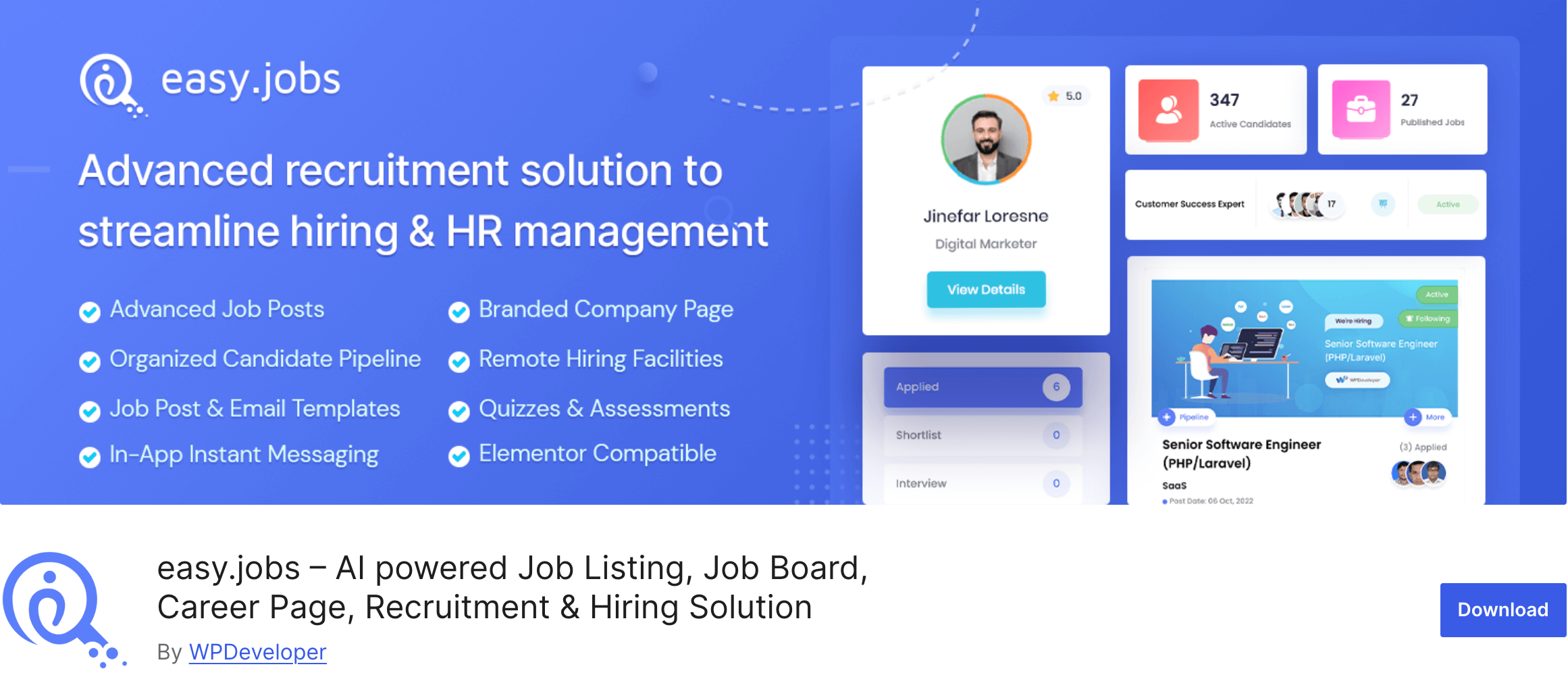
easy.jobs is a modern recruitment platform that works as a SaaS solution but integrates with WordPress. It provides a very smooth user experience that looks like high-end hiring software. It uses AI to help you filter and screen your candidates more effectively.
Key Features
- AI-Powered Screening: The system helps you identify the best candidates automatically based on their skills.
- Visual Pipeline: You can track your hiring process through a clear and modern visual interface.
- Integrated Messaging: You can talk to your candidates directly from the dashboard using built-in message templates.
- Candidate Quizzes: You can add engaging quizzes and assessments to your application process to test skills.
Shortcomings
Because it is a SaaS tool, some of your data lives on their servers instead of your own. The free version is also quite limited and only allows you to have one active job at a time.
Price
There is a free plan for basic use. Premium plan starts at $49.99 per month.
Who Should Use This Plugin
This is a great choice for tech startups that want a very modern and stylish hiring page. It is also good for those who want AI tools to help them find the right talent faster.
5. WP Job Openings
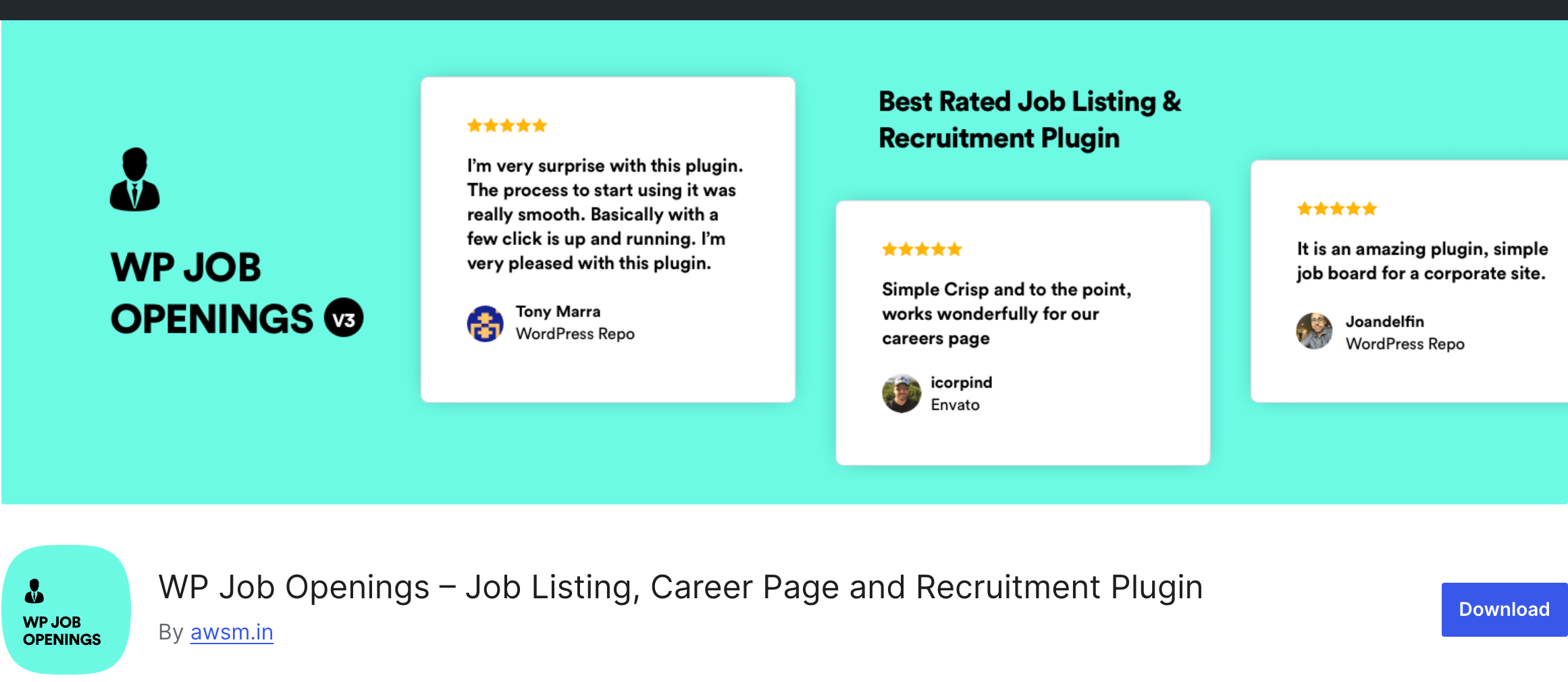
WP Job Openings claims to be the most powerful yet simple job board plugin for WordPress. It is designed to be very easy to set up and use right away. The plugin comes with clean and modern layouts that make your careers page look professional.
Key Features
- Two Modern Layouts: You can choose between a grid or list view for your job listings.
- Powerful Filtering: The plugin includes AJAX-powered search and filter options so users can find jobs quickly.
- Application Tracker: You can shortlist, reject, or select applicants directly from your dashboard.
- Custom Email Notifications: You can build and send personalized emails to applicants to keep them updated.
Shortcomings
The free version is somewhat limited. Important features like the form builder and the ability to rate applicants are only available in the Pro version.
Price
The basic version is free. The Pro version starts at $89 per year for a single site.
Who Should Use This Plugin
This is ideal for small to medium businesses that want a clean and professional careers page. It works well if you want a balance between ease of use and professional tracking features
Best WordPress Recruitment Plugins – Our Verdict
Choosing the right recruitment plugin depends on how you plan to grow your business. If you only need to post a job once a year, a simple list might work. However, if you want to build a real team, you need a system that handles the hard work for you.
WP ERP is our top recommendation for businesses that want a professional and integrated setup. Most plugins stop working once you hire a candidate. WP ERP is different because it connects your hiring process to your HR and payroll systems. This saves you from the headache of entering the same data twice.
If you are looking for a very lightweight and simple job board, WP Job Manager is a solid choice. It is easy to set up and works well with most themes. Just keep in mind that you will likely need to pay for extra add-ons to get advanced features like resume management.
For those who want a modern and “SaaS-like” experience, easy.jobs offers a great interface and AI tools. It is a good option if you want a stylish careers page. However, remember that some of your data will live on their servers instead of your own website.
Frequently Asked Questions on the Top WordPress Recruitment Plugins
A recruitment plugin, or Applicant Tracking System (ATS), is designed specifically to help you find and hire new people. It focuses on things like job postings, resume parsing, and interview scheduling. A Human Resources Information System (HRIS) is what you use after someone is hired. It handles employee records, payroll, and benefits. WP ERP is unique because it combines both into one system.
Many plugins allow you to push your job listings to several boards at once from your dashboard. This saves you from the tedious task of logging into different sites to post the same job multiple times. Some tools can even “learn” when to turn off a job post after you have enough applicants.
Privacy is a big concern when you collect resumes and personal info. Most WordPress plugins keep this data on your own server, which gives you full control over security. You should look for plugins that offer features like automated data deletion or consent checkboxes to help you follow local laws.
Some modern plugins now offer built-in video interview tools or quizzes to test a candidate’s skills. This helps you screen people more effectively before you meet them in person. If a plugin doesn’t have this built-in, you can often find add-ons that add these features.
Professional-grade plugins often sync with tools like Gmail and Outlook. This makes it much easier to schedule interviews and keep track of your conversations with applicants. You can send automated reminders to your team so nobody misses an important meeting.
Stop Paying Monthly Fees and Start Hiring Like a Pro
Hiring is one of the most important things you will do for your business. You do not need to spend a fortune on monthly SaaS tools to find the right people. Your WordPress site is already a powerful platform. By adding a recruitment plugin, you can take full control of your hiring process.
We have looked at the best options for 2026. If you want a simple list, there are great lightweight tools. But if you want a system that scales with your company, WP ERP is the clear winner. It is the only tool that bridges the gap between finding a candidate and managing an employee.
Keeping your data on your own server is a smart move for privacy. It also ensures that your brand stays front and center during the entire application process. You can move away from messy spreadsheets and cluttered inboxes for good.
Ready to transform your hiring workflow?
Get started with WP ERP Recruitment today and build the team your business deserves.