
Most WordPress HR plugins have the same problem. They were built to solve one narrow thing and left everything else hanging. You get employee profiles but no payroll.
Or you get leave management but nothing talks to your accounting. So you still end up juggling multiple tools, and that kind of defeats the point.
I have spent a fair amount of time working in the WordPress business software space. Looking at what small teams actually need, what plugins promise, and where the gaps are. The HR category in particular has a lot of noise.
So let me cut through it.
This post covers three plugins: WP ERP, HR Management Lite, and WP-HR Manager. I will tell you what each one does well, where each one falls short, and which type of business should be using it.
One thing upfront: I write for WP ERP. So I know that product better than the others on this list. I will be thorough about it. But I will also be honest, because putting a bad recommendation out there helps nobody.
What to Look for in an HR Plugin
The bar for a good HR plugin is not that high on paper. But a lot of plugins still miss it.
- It should not require a developer. Small business owners should be able to configure this themselves. If you need to touch code to set up a leave policy, that is a problem.
- Core features should actually be in the core. Employee profiles, leave management, and attendance tracking should not be locked behind a paywall.
- Pricing should scale with the business. A 10-person team and a 100-person team have different needs and different budgets. The pricing model should reflect that.
- Support should be reachable. Not a six-day ticket queue. Real support that responds when something goes wrong.
With that in mind, here are the three plugins worth knowing about.
1. WP ERP: The Only HR Plugin That Thinks Like a Business
I want to be direct about something before I get into the details. I write for WP ERP, so I know this product from the inside. I know why certain features were built the way they were. I know where the rough edges are. That context makes this section more useful, not less honest.
What WP ERP Actually Is
WP ERP is not just an HR plugin. That is the first thing people get wrong about it.
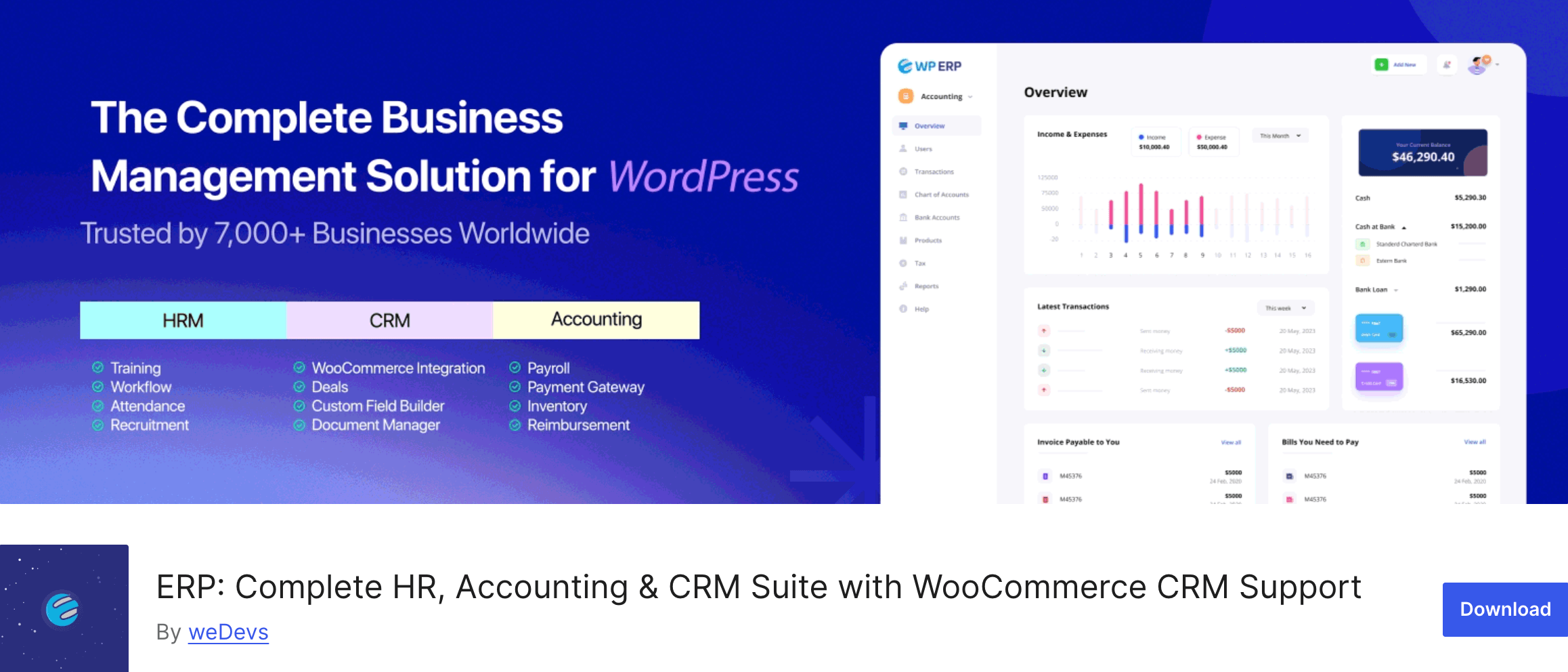
It is a full ERP system built inside WordPress. HR, CRM, and accounting all in one plugin, all sharing the same data layer. That architecture is what separates it from every other option in this space.
Most small businesses running on WordPress use at least three separate tools for these functions.
A dedicated HR tool, something for client management, and either a SaaS accounting platform or a separate accounting plugin. None of those tools talk to each other natively. Data lives in silos. Payroll does not connect to accounting. Client revenue does not connect to HR costs.
You end up doing manual reconciliation work that a properly integrated system would handle automatically.
WP ERP was built specifically to fix that. And it is the only WordPress plugin that does.
The Free Version Is Not a Demo
This is worth saying clearly because people assume the free version is a teaser.
It is not. WP ERP’s free core includes three complete modules: HR Management, CRM, and Accounting. No feature throttling, no user limits, no expiry timer. You can run a real business on the free version without ever upgrading.
The HR module covers employee profiles with department and designation management, leave policies by department or designation, attendance tracking, company announcements, and HR reports (age, gender, headcount, salary history, years of service). You can manage multiple office locations and control what individual employees can access in their own profiles.
The CRM module handles contact management with life stages (subscriber, lead, opportunity, customer), contact groups, activity logs, meeting scheduling, and smart filtering. For a small team managing client relationships, it covers the fundamentals cleanly.
The accounting module is where most people are genuinely surprised. Real-time financial dashboard, income statements, balance sheets, invoices, vendor bills, tax management, journal entries, and support for 44+ currencies. All free. All inside WordPress.
If you are currently paying for separate HR, CRM, and accounting tools, there is a good chance you can replace all three with WP ERP’s free version and come out ahead.
Where the Pro Extensions Come In
The free version handles daily operations well. The paid extensions are for teams that have outgrown the basics.
WP ERP Pro starts at $9.99/month on a yearly plan. On top of that, each counted user (employees, HR managers, CRM agents, accounting managers) adds $3.00/month. The extensions are sold separately.
The ones that matter most for small businesses:
- Payroll ($9.49/month) is probably the most impactful upgrade on the list. It handles salary automation, pay calendars, and deductions. The part that makes it genuinely useful is that payroll transactions are automatically recorded in the accounting module. No manual entries. No reconciliation headaches at the end of the month. The two modules just stay in sync.
- Recruitment ($9.49/month) gives you a proper hiring workflow inside WordPress. Job postings, applicant tracking, interview stages, offer management. It is not going to replace a dedicated ATS for a company that hires at scale. But for a small business running two or three open positions at a time, it handles the full process without needing a separate tool.
- Advanced Leave Management ($9.99/month) is for teams with more complex leave structures. Multiple leave types, carry-forward rules, leave balance management by department. If your default leave policy is straightforward, the free version handles it fine. If you need more control, this extension is worth it.
- Deals for CRM ($9.49/month) adds a visual sales pipeline to the CRM module. Stage-based deal tracking with values and close dates. It makes the CRM feel like an actual sales tool rather than just a contact database.
There is a 14-day money-back guarantee on paid plans if you want to test without committing.
The Honest Limitations
The CRM is functional but not deep. If you need email marketing automation, behavior-based triggers, or advanced segmentation, WP ERP’s CRM is not going to cut it. WP ERP’s CRM is built for managing relationships, not running campaigns.
Non-admin employees cannot access CRM or accounting from the frontend. The HR Frontend extension lets staff handle leave requests, view their own profiles, and access HR features without logging into the WordPress backend. But that same frontend access does not exist for accounting or CRM. Those require backend access.
Who Should Use WP ERP
WP ERP is the right fit for small to medium businesses running on WordPress that want one system connecting HR, client management, and finances. It works especially well for WooCommerce store owners, businesses that want to move off multiple SaaS subscriptions, and teams where payroll needs to stay in sync with accounting records.
If you want to see it before you commit to anything, the live demo at requires no credit card.
2. HR Management Lite – Simple, Free, and Does One Thing
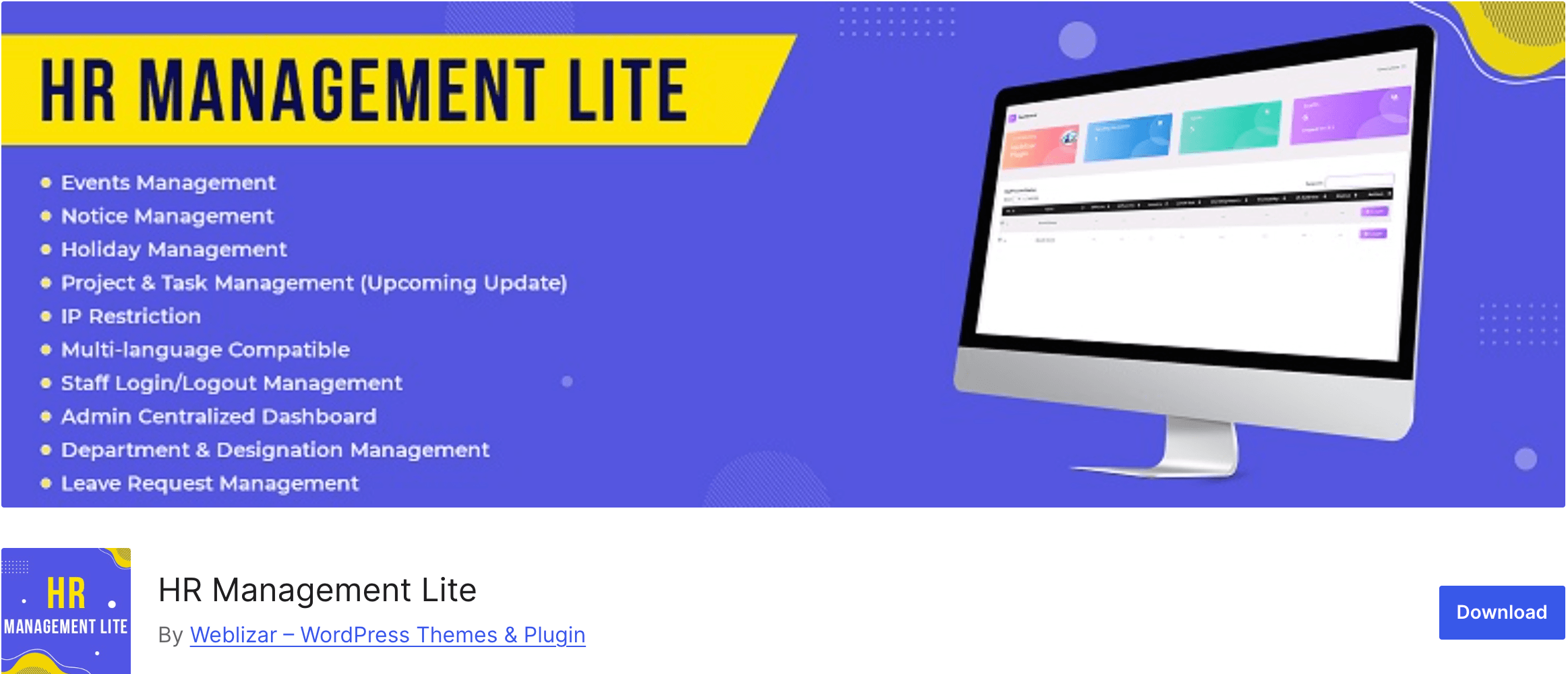
HR Management Lite is not trying to be an ERP. It is a focused plugin for basic employee management and nothing more.
What It Is Good For
The plugin handles employee profiles with personal and job details, leave request and approval workflows, and basic HR records. The setup is quick. The interface is clean. If you have never used an HR plugin before, you will not feel lost.
For a very small team that just wants a central place to manage employee records and process leave requests, this works without friction.
Where It Stops
Once you need payroll, recruitment, reporting, CRM, or accounting, HR Management Lite has nothing to offer. It is a one-room tool in a world where most businesses eventually need more rooms.
The other issue is migration. If your business grows and you need to move to a more complete system, pulling data out of any plugin and into another is never clean. Starting simple is fine. Just know what you are signing up for.
Who Should Use It
Teams under 15 people who need clean employee records and leave management, nothing more. If you are confident your needs will stay that way, this is a reasonable free option. If there is any chance you will need more in the next year or two, you are better off starting with something that can grow with you.
3. WP-HR Manager – More Than Lite, Less Than ERP
WP-HR Manager sits between HR Management Lite and WP ERP in terms of depth. It covers HR management with more configuration options than Lite, but it is still HR-only with no CRM or accounting.
What It Covers
Employee management with more detailed profile options, leave management with policy configuration, and basic reporting. The free core is functional and the interface is straightforward. There are paid add-ons for extended features.
Where It Falls Short
The documentation is thin. When you hit a configuration question that is not immediately obvious, finding the answer takes longer than it should. Support response times were slower than I expected when I tested it.
Like HR Management Lite, it does not connect to CRM or accounting. If you are already using separate tools for those and want to keep them separate, that is fine. But if integration matters to you, WP-HR Manager does not offer it.
Who Should Use It
Teams in the 15 to 50 employee range that need more HR depth than Lite provides but are not ready for a full ERP. Works best when CRM and accounting are already covered by other tools.
Quick Comparison
| WP ERP | HR Management Lite | WP-HR Manager | |
|---|---|---|---|
| Free version | Yes (full featured) | Yes | Yes |
| HR module | Yes | Yes | Yes |
| CRM module | Yes | No | No |
| Accounting module | Yes | No | No |
| Payroll | Yes (paid extension) | No | No |
| Recruitment | Yes (paid extension) | No | No |
| WooCommerce sync | Yes (paid extension) | No | No |
| Starting paid price | $9.99/month | Free | Free / paid add-ons |
| User limit | None | Limited | Limited |
| Best for | Growing SMBs on WordPress | Very small teams | Small HR-only needs |
Which One Should You Pick?
If your business has employees, clients, and finances to track, and you are running it on WordPress, WP ERP is the answer. Start with the free version. Use it for a month. Then decide which extensions your team actually needs rather than buying everything upfront.
If you have under 15 people and genuinely only need employee records and leave management, HR Management Lite is a clean free option.
If you are somewhere in the middle and already have CRM and accounting covered, WP-HR Manager is worth testing.
The honest reality is that most small businesses end up needing more than HR alone. Payroll connects to accounting. Client data connects to revenue. HR costs connect to financial reporting. WP ERP is the only WordPress plugin that keeps all of that in one place.
Final Thoughts
Picking an HR plugin is not just about what you need today. It is about what you will need in 12 months when your team is bigger and your operations are more complex.
Tools that are too simple force you to migrate. Tools that are too complex slow you down before you are ready. WP ERP hits that middle ground well, and the free version means there is no financial risk in finding out for yourself.