
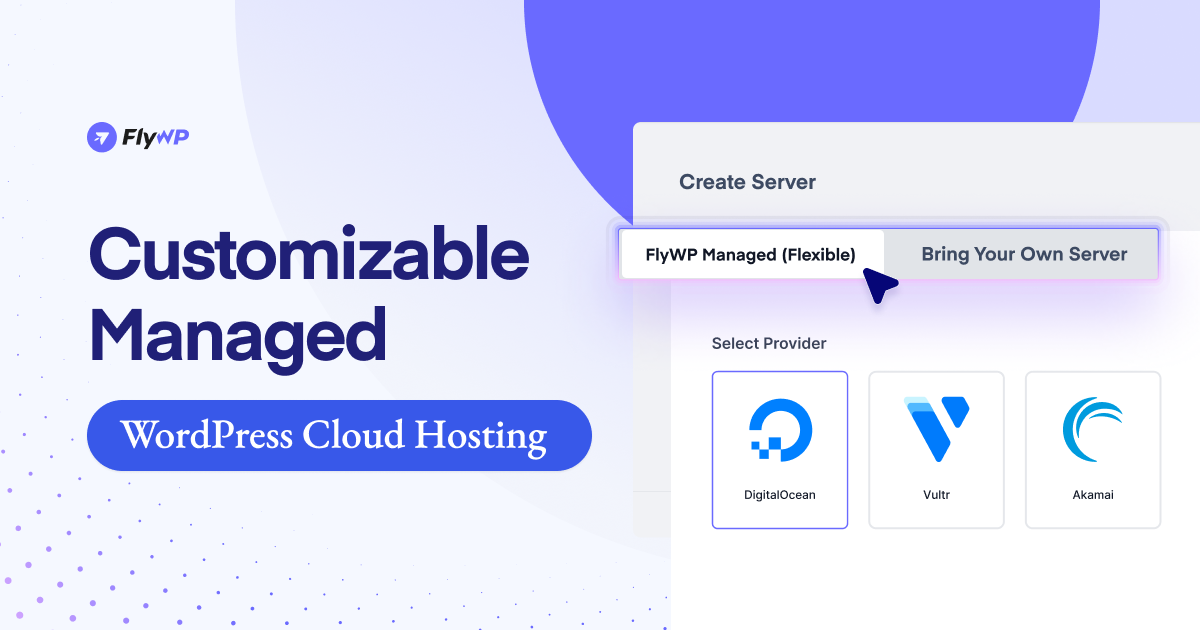
Running both a business website and the server behind it at the same time can become difficult as operations grow. Along with managing your website, you may also need to monitor site health, keep plugins updated, maintain server performance, review security settings, and handle regular backups.
At the beginning, these tasks may feel manageable. But as your team grows, workflows become more active, and business data increases, the technical side often needs more time and attention than expected.
For example, employee management tools rely on responsive dashboards. CRM activities depend on stable database performance. HR workflows, internal records, accounting processes, and day-to-day admin tasks all work better when the hosting environment remains consistent and reliable.
This is where having a more structured hosting setup can make a difference.
FlyWP has evolved into a managed WordPress cloud hosting solution designed to simplify server management while preserving flexibility and control.
It offers a centralized way to manage WordPress infrastructure, helping businesses handle performance, security, backups, and scaling more efficiently as their systems expand.
In this article, we’ll give you a quick overview of FlyWP and how it can support WordPress-based business operations. It’s easier to handle scaling, security, and performance as your business systems expand.
When Infrastructure Starts Slowing Down Your Business Operations

Many businesses focus on features, workflows, and team processes, which is natural. But behind every smooth internal system is an infrastructure layer that needs to remain dependable.
As your WordPress-based operations handle more users, records, tasks, and integrations, common issues may begin to appear:
- Slower admin dashboards during busy periods
- Increased server load from multiple active users
- Delayed background processes or scheduled tasks
- Growing database complexity over time
- Backup and recovery are becoming harder to manage
- Security is becoming more important as data increases
These challenges are not always caused by the business software itself. In many cases, they come from hosting environments that were not designed for growing operational workloads.
When internal systems become slow or unreliable, team efficiency can be affected.
That’s why infrastructure matters more than many businesses expect.
Introducing FlyWP: A Better Way to Manage WordPress Infrastructure
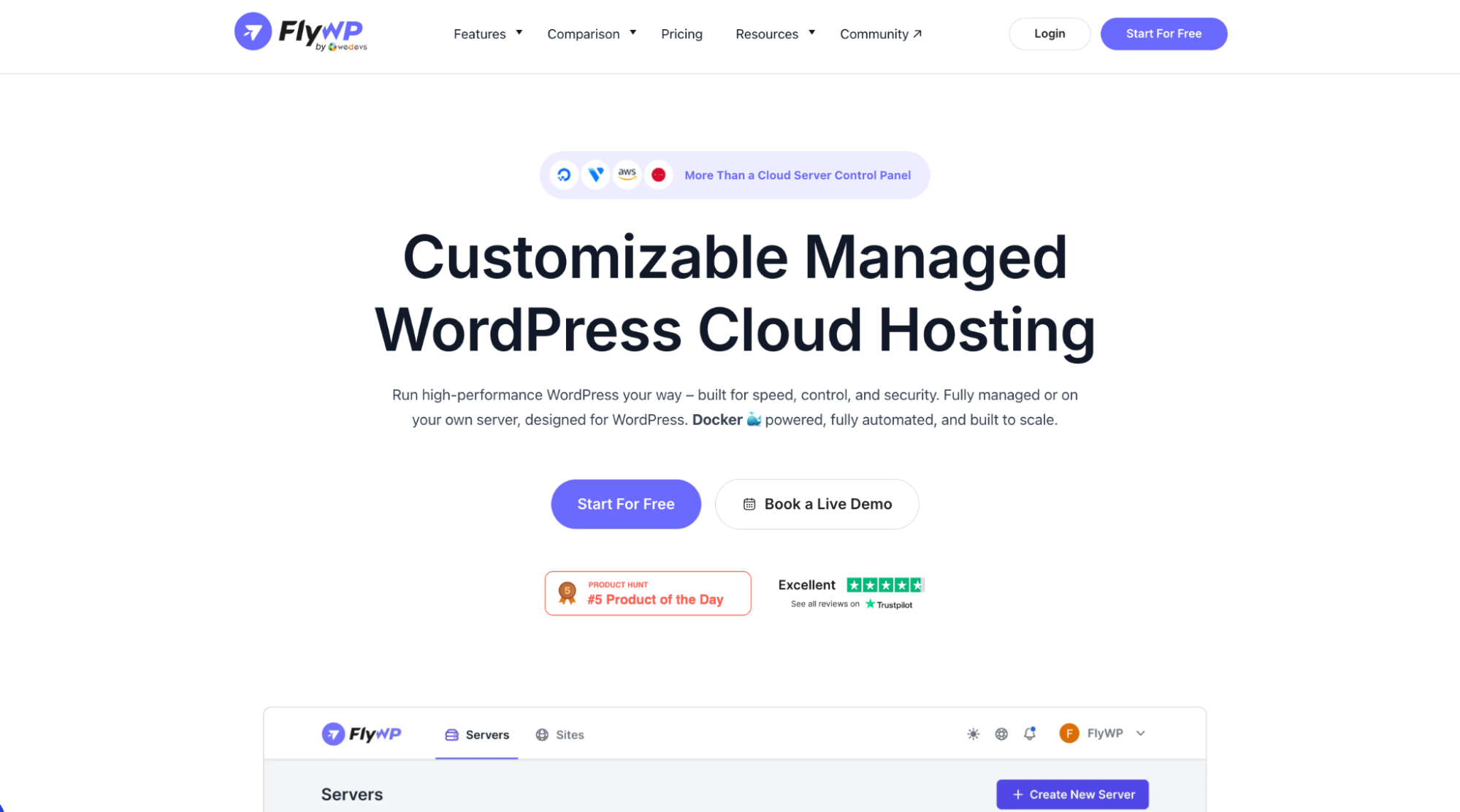
FlyWP started as a WordPress cloud server control panel. Today, it has evolved into a complete managed WordPress cloud hosting platform that combines infrastructure management, performance optimization, security, and modern server controls in one place.
FlyWP is a customizable managed WordPress hosting platform and cloud server control panel. You can either use FlyWP Managed Hosting or connect your own server and manage everything from one unified dashboard.
Instead of using separate tools for servers, monitoring, backups, and optimization, FlyWP centralizes everything into a single system.
It helps WordPress users maintain a cleaner hosting workflow while keeping the flexibility of cloud infrastructure.
Two Ways to Host FlyWP
One of the key strengths of FlyWP is flexibility. Different businesses have different hosting needs, so FlyWP supports multiple approaches.
FlyWP Managed (Fully Managed Hosting)
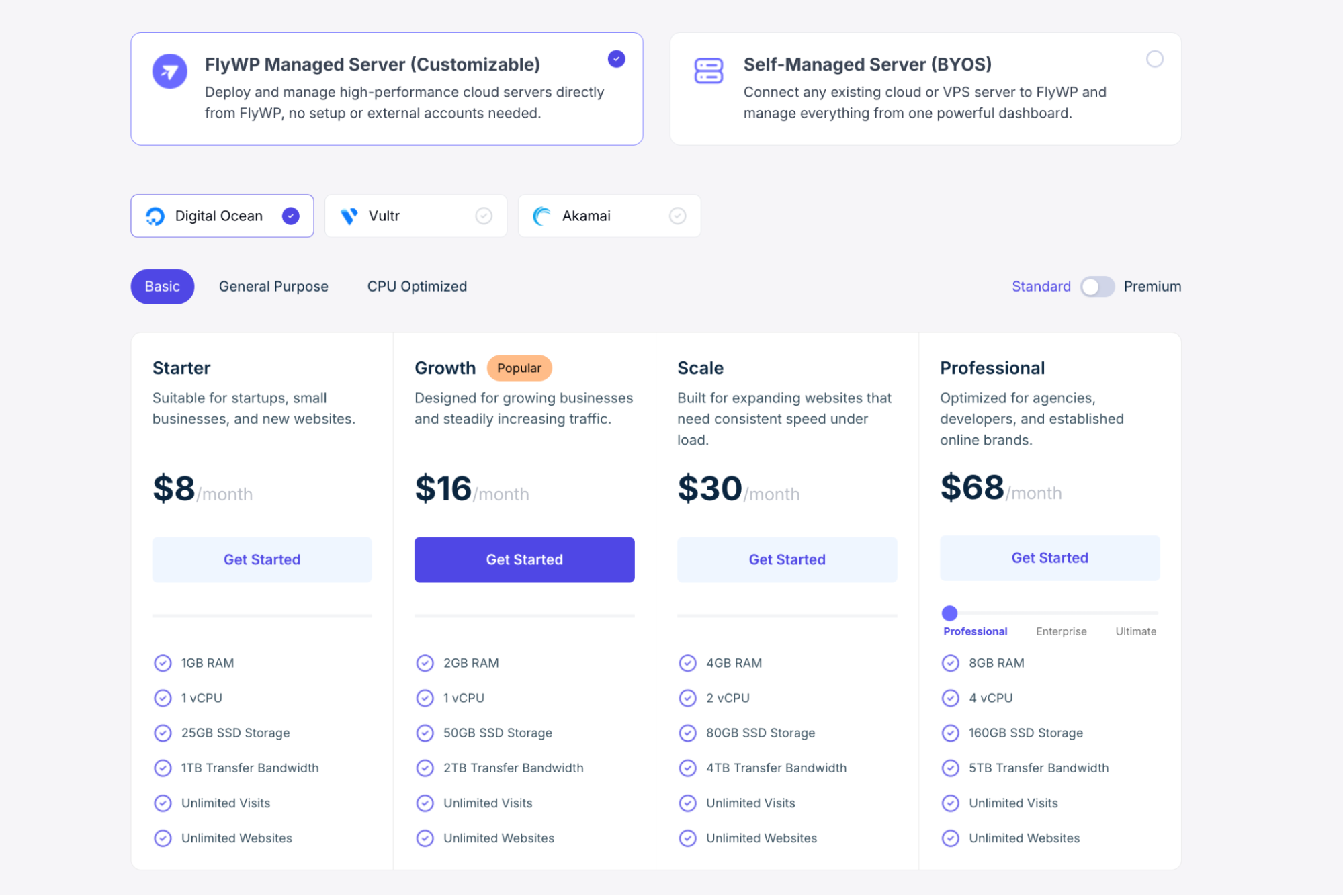
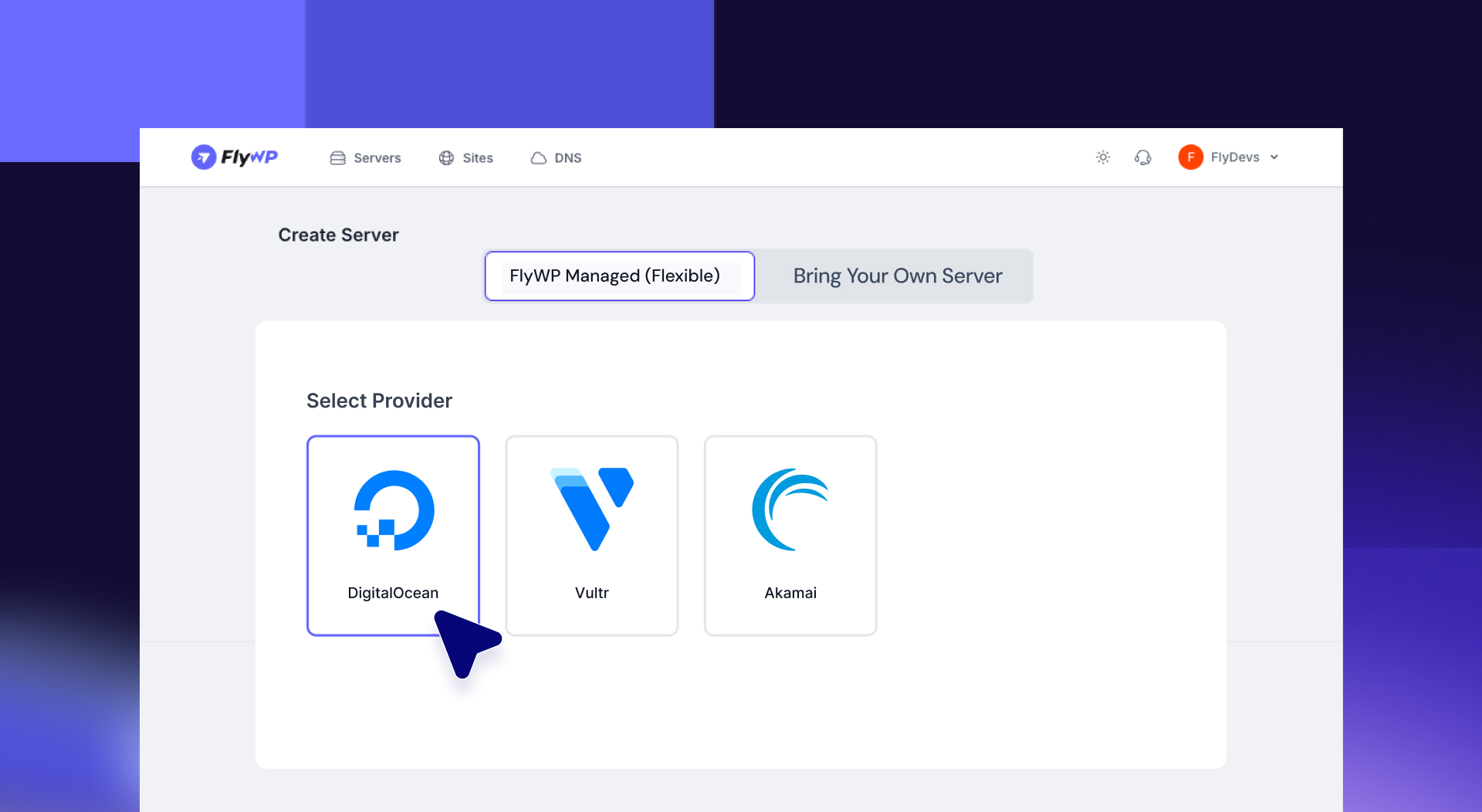
If you prefer a simpler setup, FlyWP offers fully managed hosting. You can deploy servers directly from the dashboard, choose your preferred provider, and let FlyWP handle provisioning, optimization, monitoring, and maintenance.
This reduces the need to manually manage cloud accounts or server-level tasks.
Pricing: Managed hosting starts from $7/month and includes both infrastructure and the control panel. Supported providers currently include DigitalOcean, Vultr, and Akamai.
Self-Managed (Bring Your Own Server)
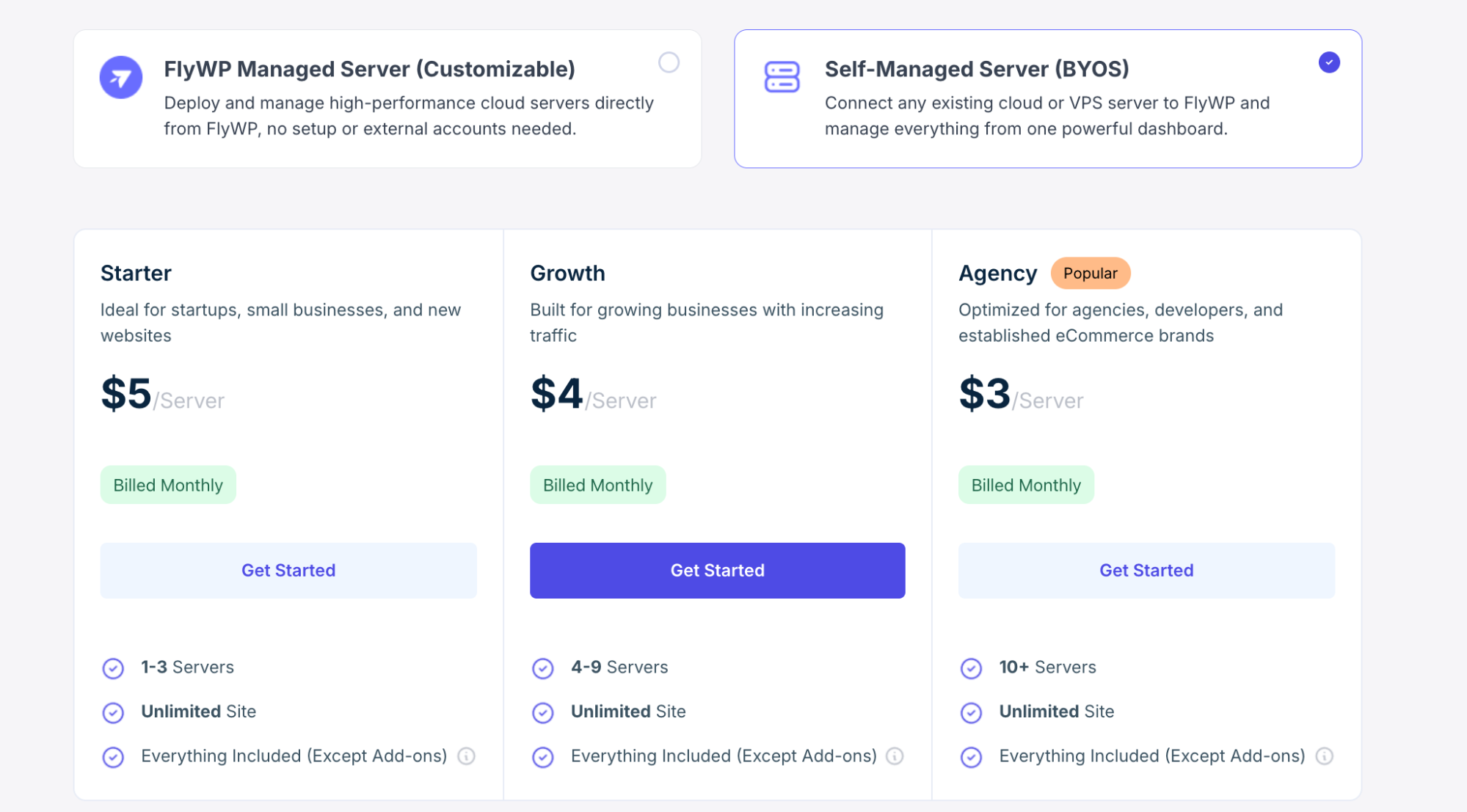
If you already use providers such as AWS, Google Cloud, or DigitalOcean, FlyWP also supports a Bring Your Own Server (BYOS) model.
You can connect your existing servers and manage them from FlyWP while keeping full control of the infrastructure itself.
Pricing: Starts from $5/server/month, with all core features included. Pricing becomes more efficient as you manage additional servers.
For the most up-to-date pricing details, visit the FlyWP pricing page.
Which One Should You Choose?
If you want minimal setup and easier maintenance, the managed option may be the better fit.
If you already use cloud servers and want to retain more direct control, the BYOS model offers flexibility with centralized management. For new users, a free plan is also available to explore the platform before scaling.
How FlyWP Supports WP ERP Performance
For users of WP ERP, a reliable infrastructure can support smoother daily business operations.
Employee management systems often involve multiple users accessing dashboards, records, and workflows at the same time. A structured hosting environment helps keep these admin areas responsive and stable.
CRM activities such as contact management, customer notes, and communication tracking also rely on consistent database performance. With optimized infrastructure, these processes feel smoother as records grow over time.
HR operations such as attendance, leave management, and internal workflows benefit from dependable uptime and responsive backend performance.
For finance and accounting workflows, stable hosting helps reduce interruptions during reporting, invoicing, and operational tasks.
As teams grow, FlyWP can also make it easier to scale resources, manage backups, and monitor infrastructure without adding unnecessary complexity.
In short, FlyWP helps create a more dependable environment for WordPress-based business operations.
Why This Matters for Business Growth
As businesses grow, operational reliability becomes just as important as software features.
You may have the right workflows and capable team systems, but if dashboards become slow, processes lag, or hosting creates interruptions, productivity can gradually suffer.
A more structured cloud-based WordPress management system helps reduce that friction.
With FlyWP, businesses can spend less time dealing with hosting issues and more time focusing on operations, team productivity, and growth.
Core Features That Power FlyWP
FlyWP combines several practical infrastructure tools into one platform.
- At the center of the experience is a centralized dashboard where you can manage servers and WordPress sites from a single interface, reducing the need to switch between multiple tools or provider panels.
- FlyWP connects directly with major cloud providers such as DigitalOcean, Google Cloud, AWS EC2, Vultr, Hetzner, Akamai, and custom servers. This gives you the flexibility to choose the infrastructure that best fits your budget, region, or performance needs.
- Performance optimization is built into the system. Support for FastCGI caching, Redis, and WordPress-optimized server configurations helps websites stay responsive as traffic and activity increase.
- Security is handled through isolated Docker environments for each site, helping reduce cross-site risks and improve overall stability. Additional protections include SSL management, firewall controls, and monitoring tools.
- Backup management is designed to be practical and reliable, with automated schedules, manual backup options, and quick restoration when needed.
- For developers and advanced users, FlyWP includes staging environments, deployment workflows, command-line access, and integration options that support modern development practices.
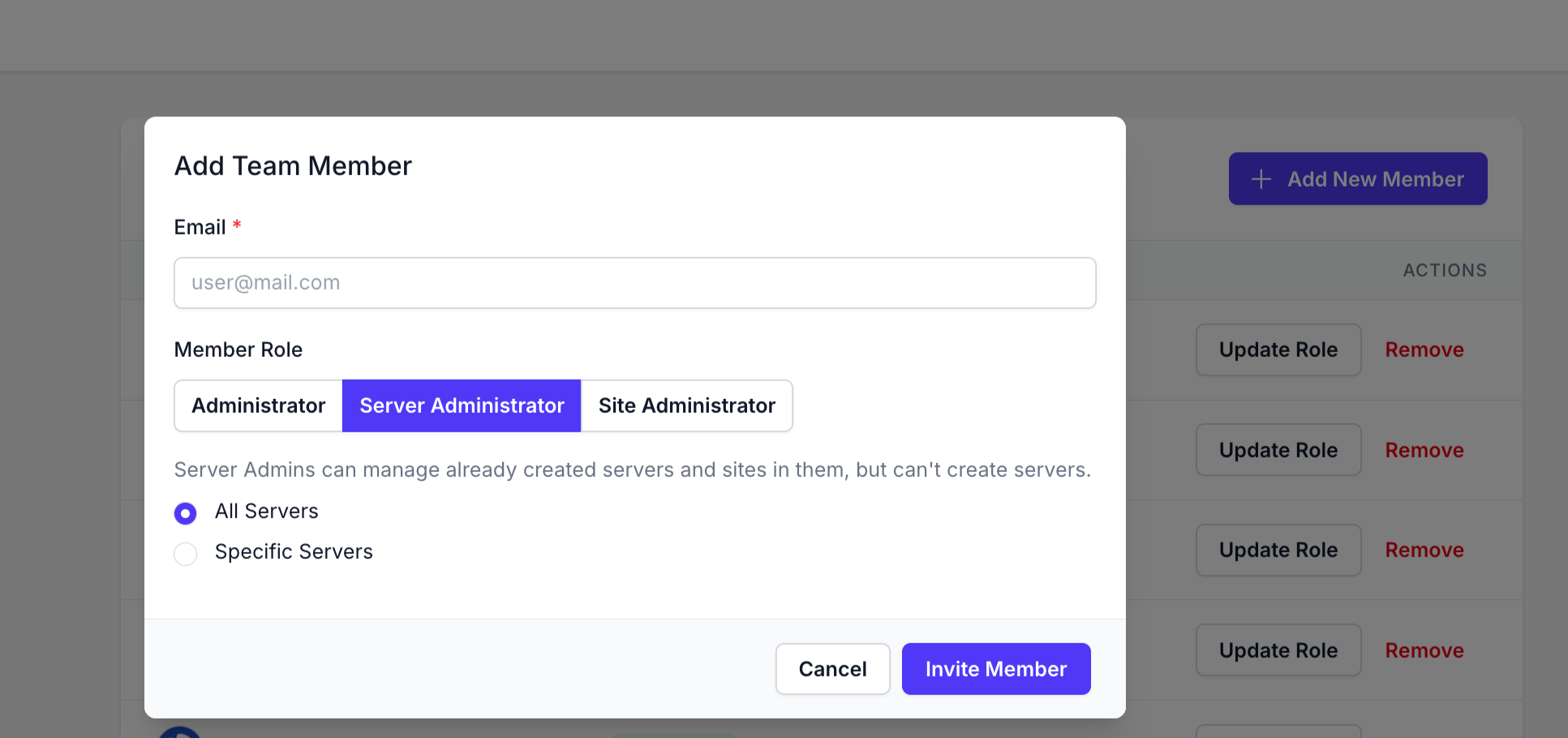
- Team collaboration is also built in through role-based access controls. You can assign permissions such as Super Admin, Server Admin, and Site Admin, giving each team member the right level of access.
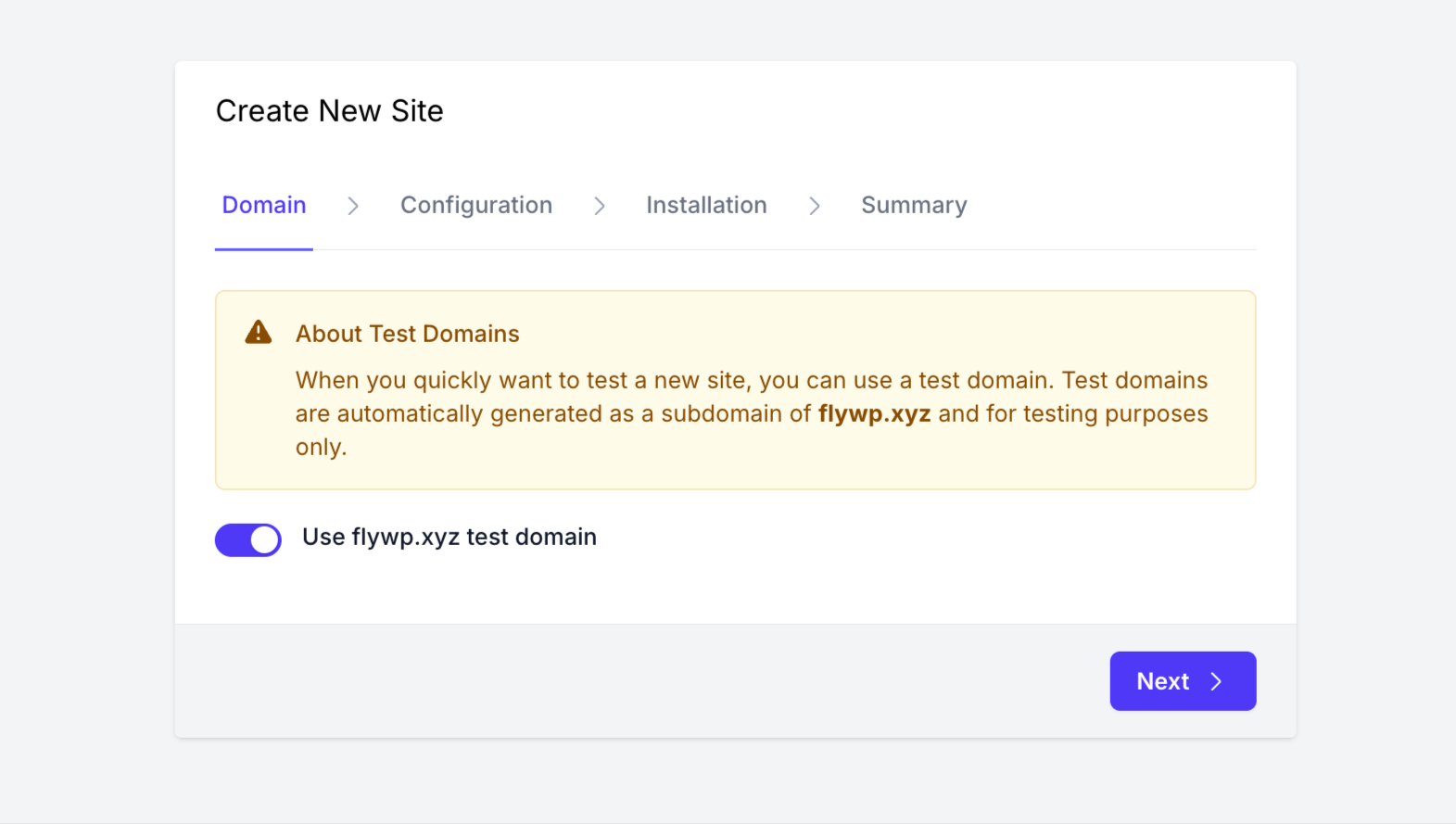
- For WordPress-specific management, FlyWP supports centralized bulk updates, WP Config control, Multisite support, WP-CLI access, and Magic Login for quick dashboard access.
- It also supports multiple server stacks, including Nginx and OpenLiteSpeed, allowing you to choose the setup that best matches your performance and workflow preferences.
Together, these features create a hosting environment that is structured, flexible, and easier to manage as your WordPress operations grow.
Is FlyWP the Right Fit for Your Business?
FlyWP can be a strong fit for businesses that rely on WordPress for internal operations and want more structure around hosting.
It is especially useful for growing teams, agencies, multi-site businesses, and organizations running CRM, HR, or operational systems through WordPress.
If you only run a very small informational website or prefer extremely basic shared hosting, a simpler plan may still be enough.
FlyWP is best suited for users who want a balance between flexibility, performance, and easier management.
Frequently Asked Questions (FAQ) About FlyWP
Is FlyWP a hosting provider?
FlyWP works as both a managed WordPress hosting solution and a cloud server management platform. You can either use FlyWP Managed Hosting, where infrastructure is handled for you, or connect your own server and manage everything from one unified dashboard.
What’s the difference between Managed Hosting and Bring Your Own Server (BYOS)?
With FlyWP Managed Hosting, you can deploy and run servers directly through FlyWP. Server setup, optimization, and management are handled within the platform.
With Bring Your Own Server (BYOS), you connect an existing server from providers like DigitalOcean, AWS, Google Cloud, or others, then manage it using FlyWP.
Both options include access to FlyWP’s core features. The main difference is whether FlyWP manages the infrastructure for you or you bring your own.
Does FlyWP support PHP apps other than WordPress?
FlyWP is built specifically for WordPress hosting and management. This WordPress-first approach helps deliver better performance, smoother workflows, and a more focused feature set for WordPress users.
Support for additional PHP applications may be considered in the future, but the current priority is optimizing the WordPress experience.
Does FlyWP support WordPress Multisite?
Yes. FlyWP supports WordPress Multisite installations. You can create and manage multisite networks directly from the FlyWP dashboard using either subdomains or sub-directories.
Can I host multiple websites on one server with FlyWP?
Yes. FlyWP allows you to host and manage multiple WordPress websites on a single server.
The number of sites you can run depends on your server resources, traffic levels, and workload requirements. This makes FlyWP a practical option for agencies, developers, and businesses managing multiple websites.
Do I pay the cloud provider directly, or does FlyWP include hosting costs?
It depends on which model you choose. With BYOS, you continue paying your cloud provider directly and pay FlyWP separately for platform access.
With FlyWP Managed Hosting, you pay one combined fee to FlyWP that includes both infrastructure and the control panel. No separate server billing is required.
What changed in FlyWP pricing?
FlyWP has moved from traditional tier-based plans to a more flexible usage-based pricing model. You now pay based on the number of servers you manage, and all core features are included across plans (excluding optional add-ons).
What does “pay per server” mean?
It means your cost is based on how many servers you actively manage with FlyWP. There are no forced feature-tier upgrades. Pricing scales with actual usage, making it easier to grow gradually.
Are there feature limitations on lower pricing plans?
No. All core FlyWP features are available regardless of server count or lower pricing levels. Optional add-ons may be separate, but the main platform features remain available across plans.
What is Customizable Managed Hosting?
Customizable Managed Hosting lets you deploy servers directly through FlyWP while choosing your preferred cloud provider.
Currently supported options include DigitalOcean, Vultr, and Akamai. You choose your configuration, and FlyWP handles setup, optimization, and integrations from one place.
Is FlyWP suitable for agencies and teams?
Yes. FlyWP is designed to support agencies, developers, and growing teams. Features such as team access, role-based permissions, centralized management, and support for multiple sites make it suitable for collaborative workflows.
Does FlyWP handle OS-level security updates?
Yes. FlyWP automatically configures unattended operating system security updates where applicable.
This helps ensure critical security patches are applied promptly, reducing manual maintenance and improving baseline server security.
How do I get support?
FlyWP users can access support through several channels, including:
Live chat from the FlyWP dashboard
Email support
Documentation and setup guides
Community resources
This gives users multiple ways to get help based on their needs and workflow.
Ready to Simplify Your WordPress Hosting?
Managing WordPress infrastructure does not need to become more complicated as your business grows.
With FlyWP, you get a structured managed WordPress cloud hosting solution designed to help you handle performance, scaling, and server management more efficiently.
Whether you run internal business systems, CRM workflows, HR processes, or multiple WordPress projects, FlyWP offers a more organized way to manage the hosting side of growth.
Start with the free plan or explore the platform further to see how it fits your workflow.







Your blog is a treasure trove of useful information. Thanks a bunch for generously sharing your expertise.
Thanks for the compliments