





Hey, I am Rajuan Islam, Head of HR & Admin.
I’ve been managing HR and Admin at weDevs for a while now, and if there’s one thing that comes up every time someone finds out what I do, it’s curiosity. Not just about the job itself, but about how things actually work here.
- How do we hire?
- How do we keep track of everyone?
- What does a company that builds software products actually look like from the inside?
weDevs is a 90-plus-person team. We have engineers, designers, product managers, marketers, support specialists, QA engineers, and accounts – a full house across different departments, all working out of our office.
And behind all of that is an HR function that needs to keep up with the pace of a company that’s constantly growing and hiring.
In this post, I want to give you an honest look at what my day actually looks like.
How we hire people, how we onboard them, how we manage leave and attendance, and how I keep everything from falling through the cracks.
No fluff, just how things actually run.
How a Typical Morning Starts
I get to the office, settle in, and the first thing I do is open up the HR dashboard. Before I get into emails or meetings or anything else, I want to know the state of the team.
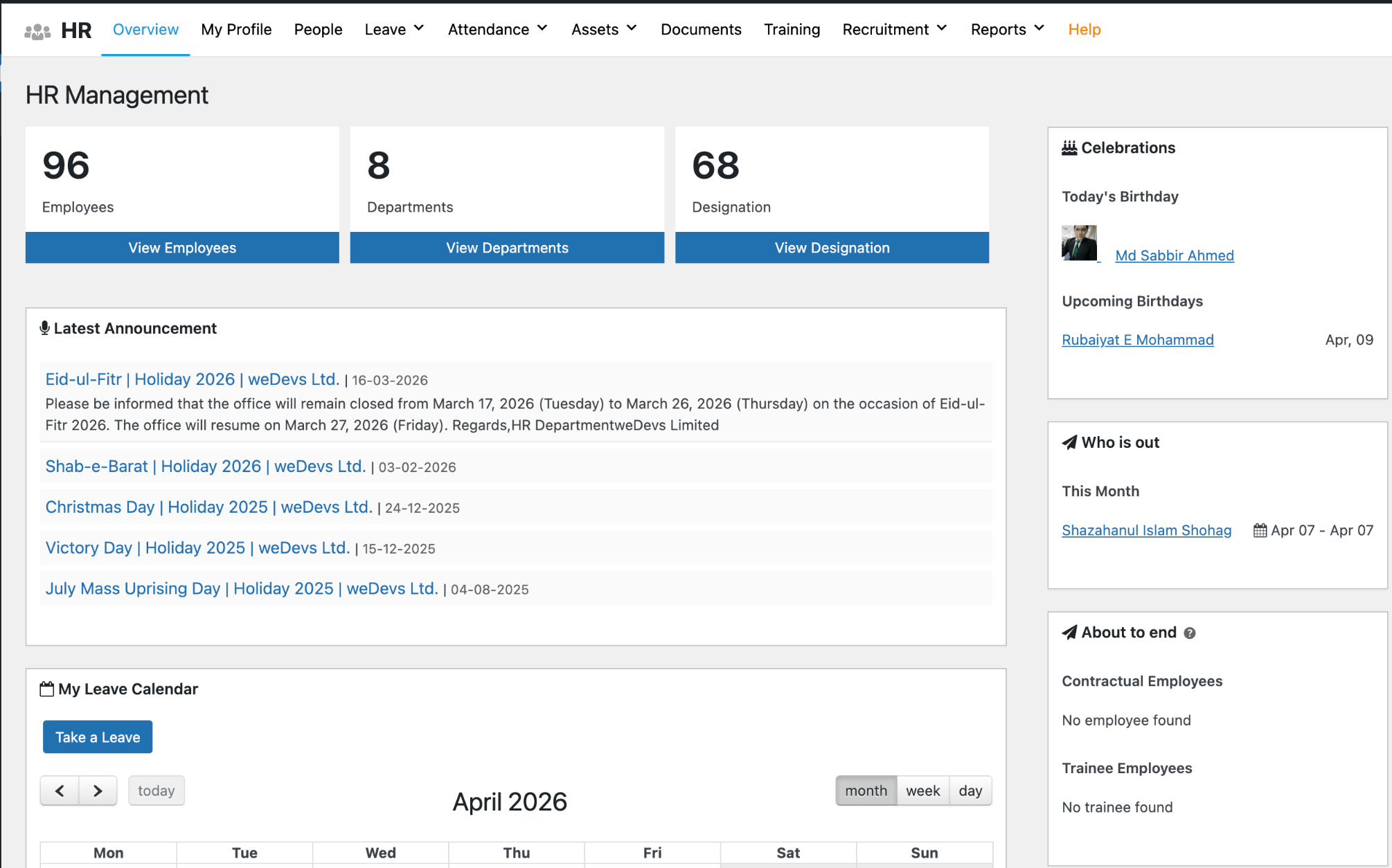
The dashboard gives me exactly that. Who’s in, who’s on leave today, any leave requests that came in since yesterday, announcements, and my calendar for the day. It all surfaces in one place, and within a few minutes, I have a clear picture of what the day looks like.
The first thing I actually act on is leave requests. If someone submitted a request the evening before or early that morning, I review it and handle it before the day gets busy. It takes maybe five to ten minutes, and then it’s done.
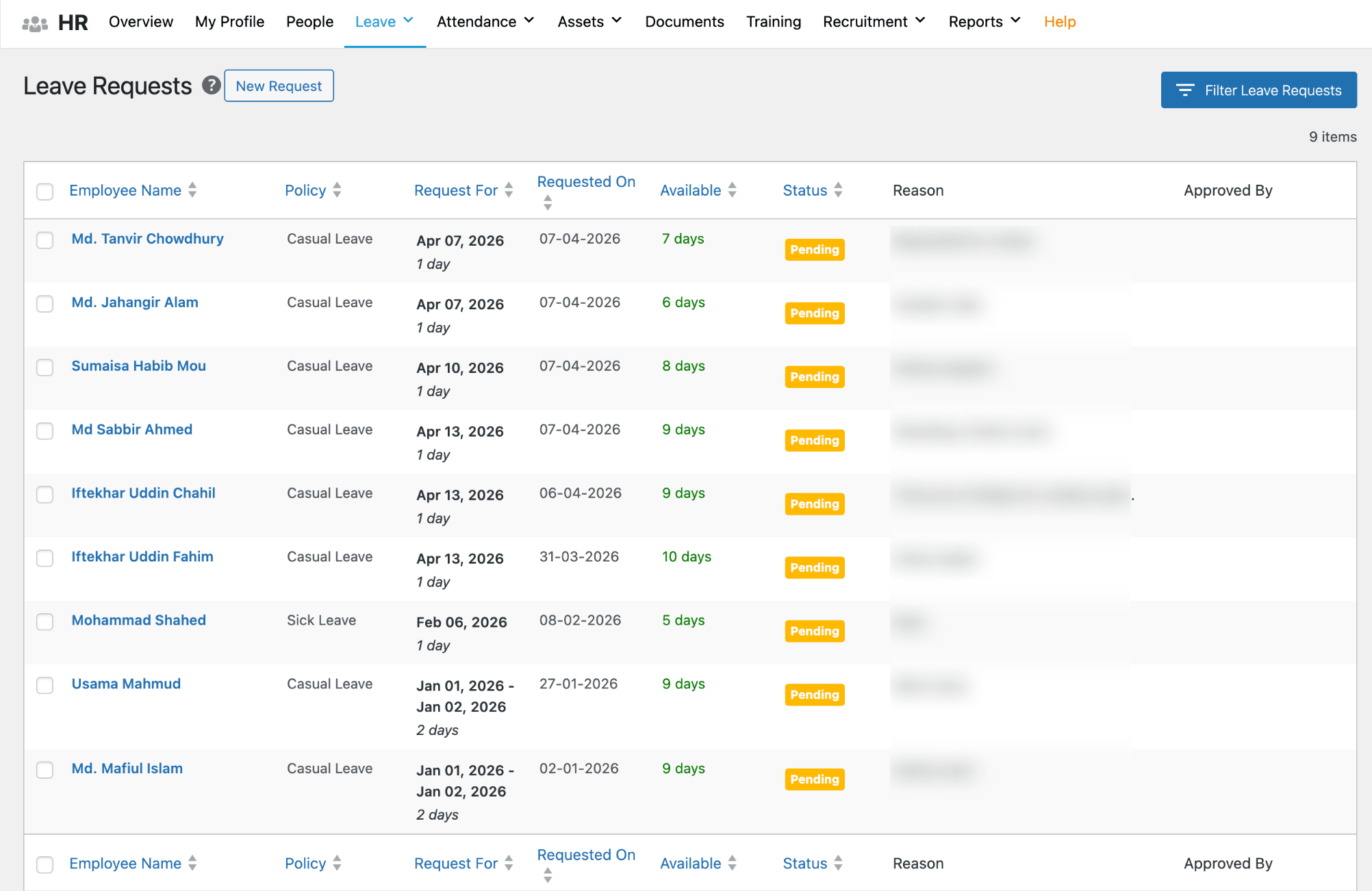
The employee gets notified automatically, their leave balance updates on its own, and I can move on.
After that, I take a quick look at attendance. We’re an office-based team, so I like to know early if something looks off – someone absent without a leave request, or a check-in that’s unusually late.
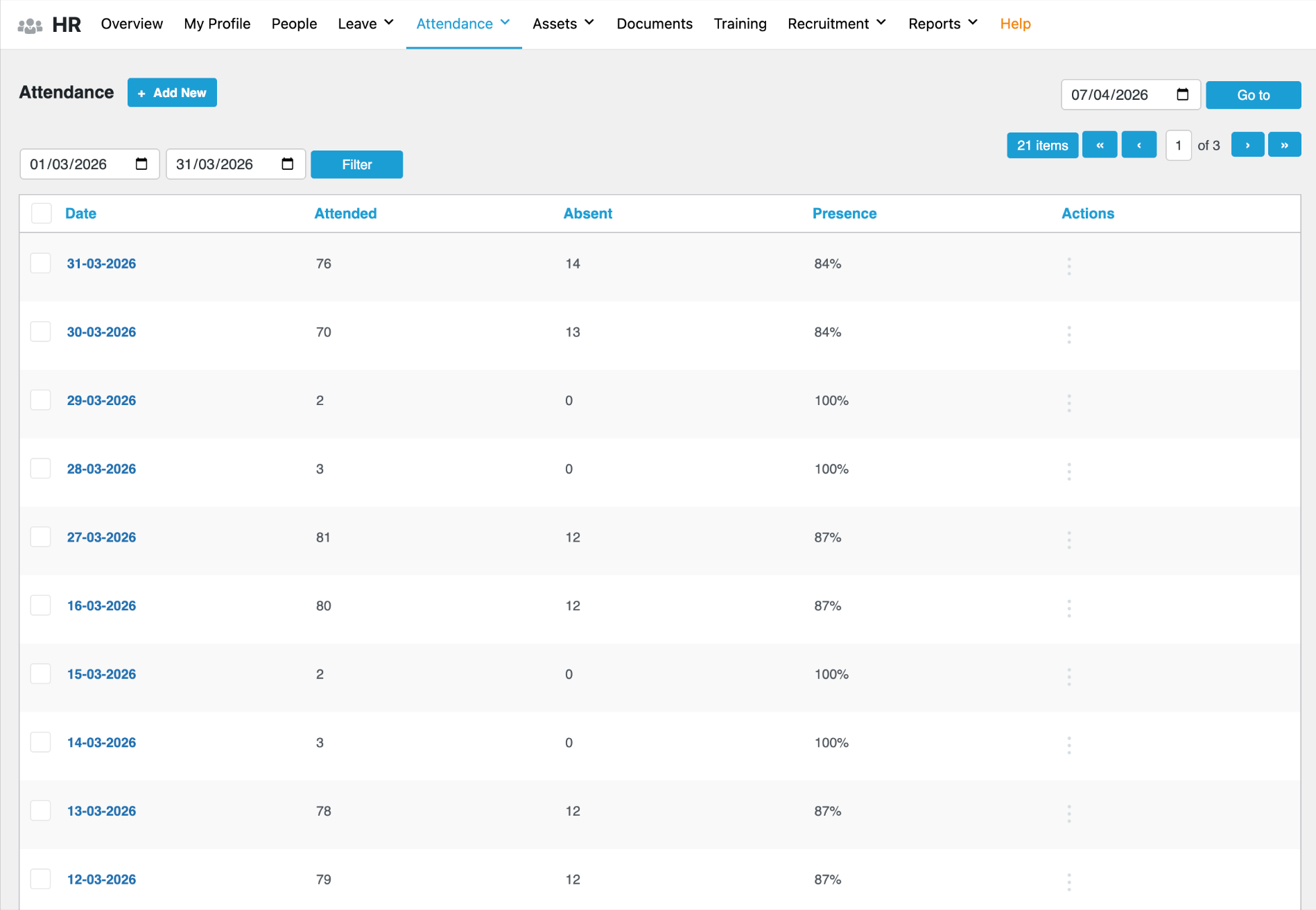
Most days, everything is fine, but having that visibility first thing means I’m not finding out about something at 3 in the afternoon when it’s harder to follow up.
That’s really how the morning starts. It sounds simple, and it is. But that kind of structured start only works when your data is clean, connected, and all in one place. When it’s not, and I remember those days, the morning looks a lot more chaotic.
Posting a Job and Finding the Right People
When a department head comes to me and says they need someone, that’s where the hiring process begins. We sit together, figure out the role, what we’re looking for, and then I get the job post ready.
We publish job openings directly from our HR system, and they go live on the weDevs site. No third-party job board dependency, no copy-pasting the same post across five different places. I set it up once, it goes up, and applications start coming in.
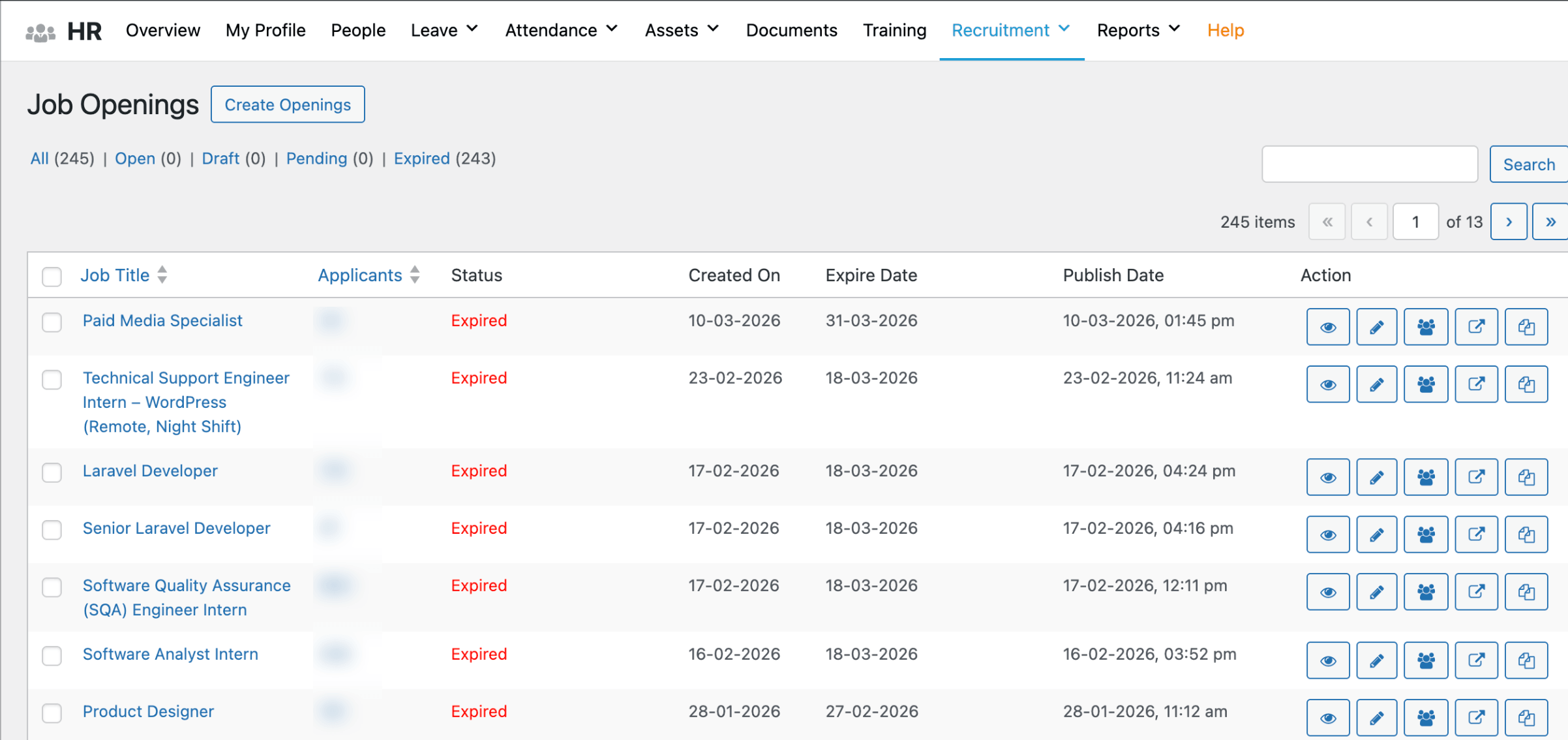
What I like about how this works is that every application lands in the same system where I manage everything else. Candidates apply through the listing, their information is captured automatically, and I can see everything in one place – name, application, CV, responses to screening questions, all of it organized by position.
Speaking of screening questions – for most roles at weDevs, we include a set of questions as part of the application itself. Depending on the role, these might be about the candidate’s experience, their approach to certain situations, or something more practical.
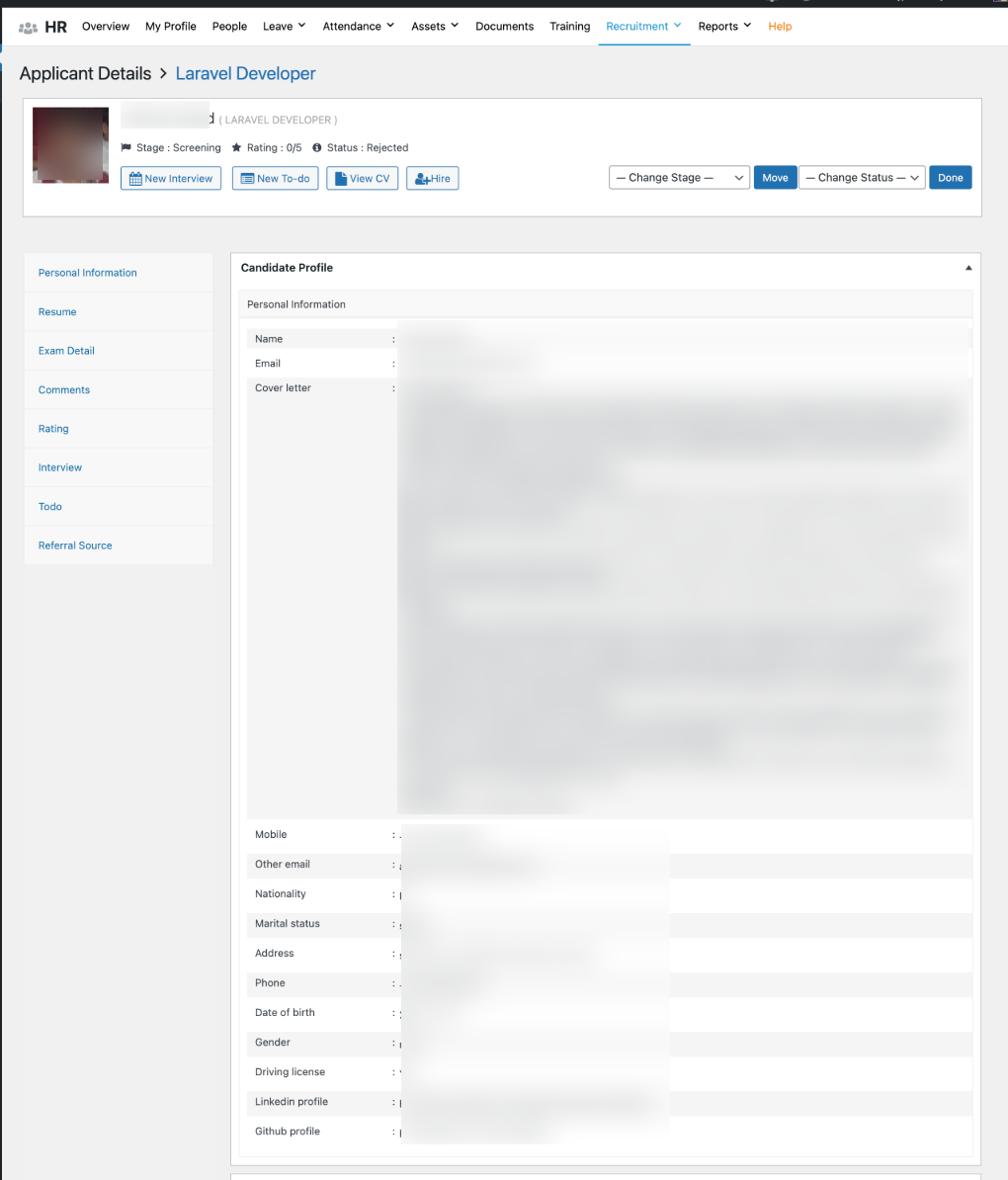
It helps the hiring team do a first-level filter before we even get to interviews. I set these up inside the recruitment module and attach them to the relevant job post. Simple to configure, and it saves the team a significant amount of time in the early stages.
Once applications are in, the relevant department head and team lead get visibility into the pipeline.
Everyone can see where each candidate stands, leave notes, and discuss without it all happening over a scattered email thread. It keeps the hiring process moving without anyone having to chase anyone else for an update.
The Interview and Selection Process
Once we’ve gone through the applications and shortlisted candidates, the real evaluation begins.
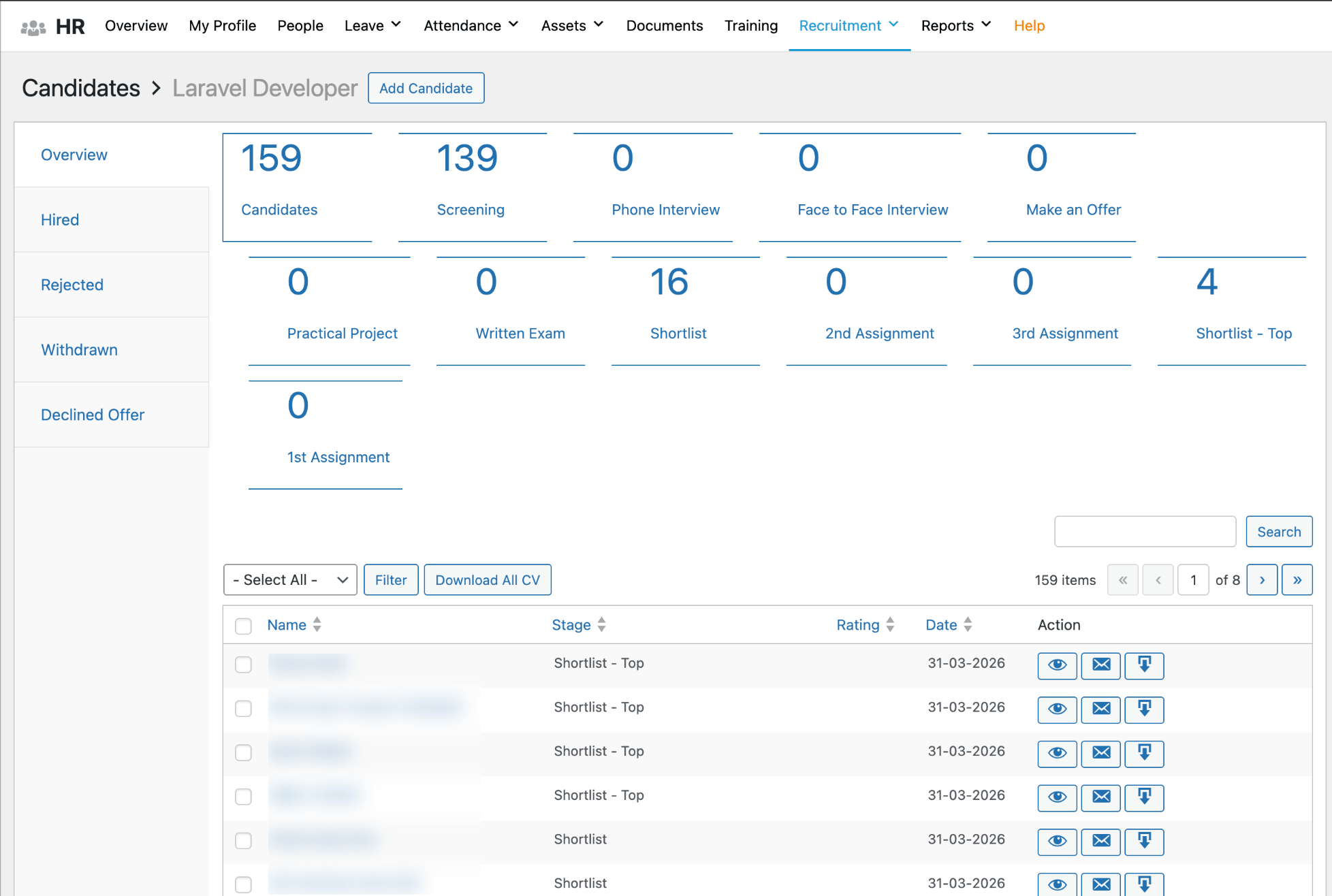
At weDevs, hiring is never just an HR decision. The department head and the relevant team lead are involved from this point. My job is to coordinate – making sure interviews are scheduled, everyone knows their role in the process, and things move forward without unnecessary delays.
Depending on the role, candidates typically go through more than one round. There’s usually an initial interview to assess the basics – communication, attitude, general fit – and then a more technical or role-specific round with the team.
For some positions, we also give candidates a practical task or assessment, something that gives us a sense of how they actually work rather than just how they talk about their work.
Throughout all of this, the hiring team tracks everything inside the recruitment pipeline. Notes from interviews, feedback from the team lead, assessment results – it all gets logged against the candidate’s profile.
So when we’re ready to make a decision, we’re not trying to piece together feedback from three different conversations. It’s already there.
When we agree on someone, I move them forward in the system. Their status updates, and from that point, they transition from candidate to incoming employee.
And because all their information was already captured during the application stage, I’m not starting from scratch when I set up their employee profile. The groundwork is already done.
Bringing Someone New into weDevs
The moment we confirm a hire, the onboarding process starts on my end. And honestly, this is one of the parts of my job I care about the most. The first few days at a new company stick with people. If it’s disorganized, it leaves an impression.
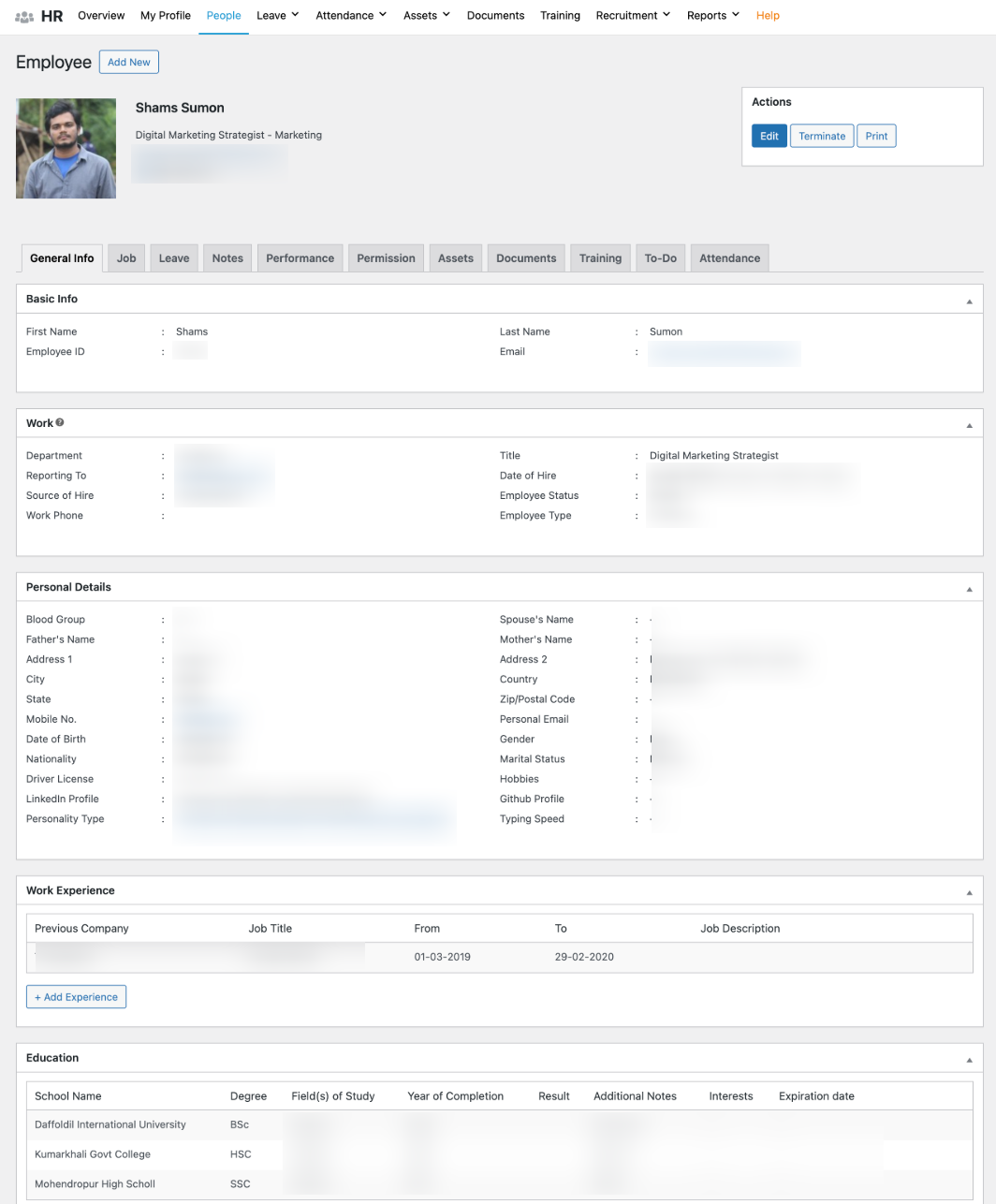
Because the new hire’s information is already in the system from the recruitment stage, I’m not re-entering anything from scratch.
I set up their employee profile, assign their department and designation, and they’re in the system as an official weDevs team member before they even walk through the door on day one.
Documents are the next thing I handle. Offer letter, contract, any internal paperwork that needs to be signed and stored – all of it goes into the Document Manager, attached directly to their profile.
Everything is labeled, organized, and accessible. No hunting through email threads six months later trying to find a contract. It’s in the system, right where it should be.
Before they arrive, I also make sure their direct manager and team lead are looped in and ready.
At weDevs, we want a new hire’s first day to feel structured, not like they’re figuring things out on their own. Their department is assigned, their team knows they’re coming, and the basics are already taken care of.
Once they’re in and settled, training kicks in. But that deserves its own section.
Training and Getting Up to Speed
Once a new hire is in and their profile is set up, the next thing I focus on is making sure they have a clear training path from day one.
At weDevs, training isn’t a one-size-fits-all thing. A new engineer goes through a completely different program than a new marketing specialist or a support engineer.
So we assign training based on department and designation. I set up the relevant courses in the Training module – title, skill focus, expected duration, description – and they get assigned to the right people automatically.
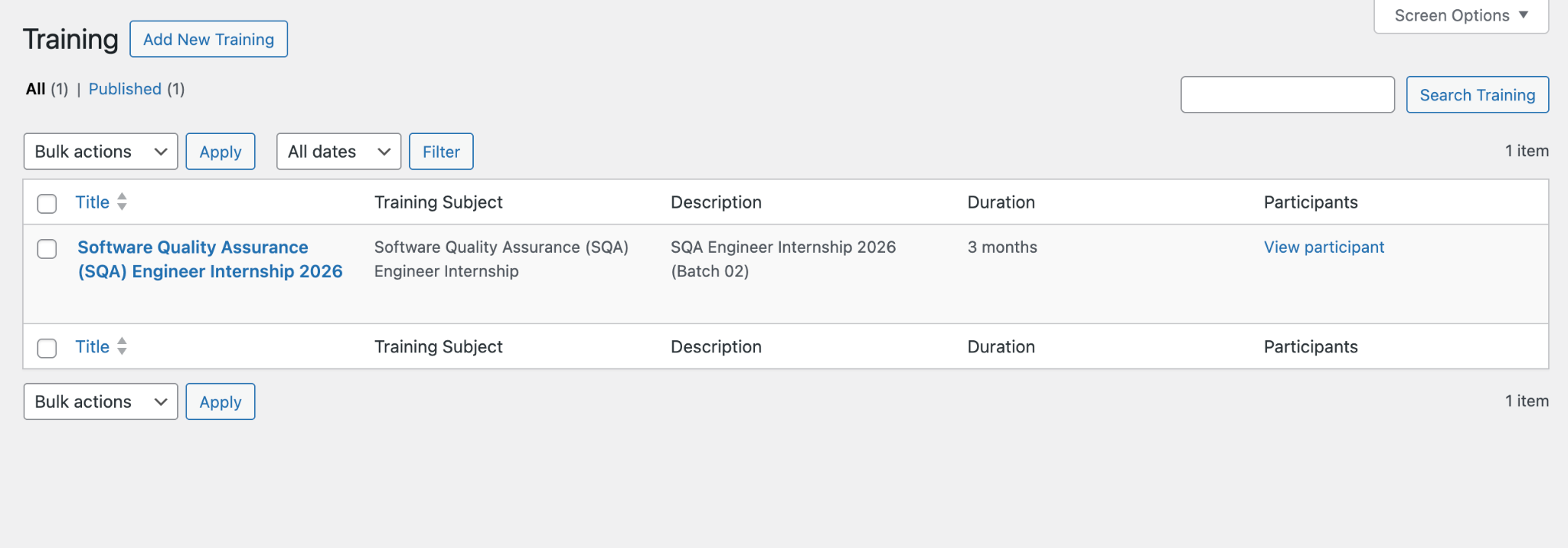
What I find useful is that the system tracks everything. Completion status, training hours, trainer notes – it’s all logged against the employee’s profile. So if a team lead asks me where a new hire stands in their onboarding training, I can tell them immediately. I don’t have to ask around or wait for someone to send me an update.
This also helps beyond just new hires. When we roll out a new internal process or tool and the whole team needs to get up to speed, I can assign training across departments at once.
Everyone gets what’s relevant to them, and I can monitor progress without following up individually with each person.
For a team that’s constantly bringing in new people and evolving how it works, having training tracked properly isn’t a nice-to-have. It’s what keeps the team sharp and makes sure nobody falls behind without anyone noticing.
Day-to-Day: Leave and Attendance
This is probably the part of my job that has the highest daily volume. Leave requests and attendance are things I deal with every single day, without exception.
The leave process at weDevs is simple from the employee’s side, which is how it should be. Someone needs a day off, they log into the system, submit a request, pick the leave type, select the dates, add a note if needed, and that’s it.
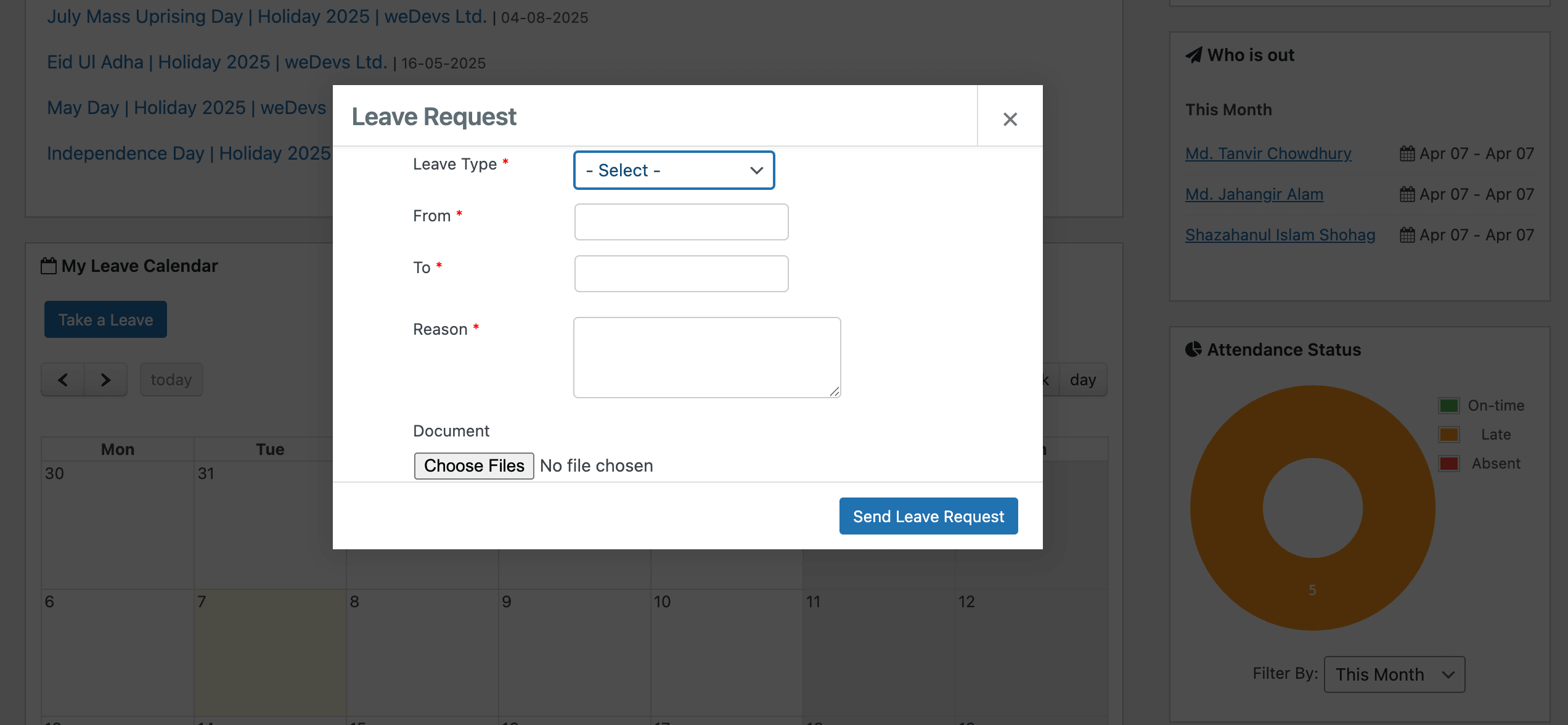
I get notified, review it, and approve or decline it from the dashboard. They get updated automatically. The whole thing takes a couple of minutes on both ends.
We have different leave types configured with their own rules and entitlements. For example,
- casual leave,
- sick leave,
- annual leave,
- paternity leave,
- maternity leave,
- marriage leave, and
- bereavement leave.
Each one has its own policy, and the system handles the balance calculations automatically. I set these up once, and they just run. I’m not manually counting how many days someone has used or figuring out whether a particular leave type carries forward. The system knows.
Attendance runs alongside this. Every employee checks in and checks out, and that data is logged in real time.
I can see attendance by individual or by date, and it connects directly with leave records. So if someone’s attendance shows a gap on a particular day, I can immediately see whether it lines up with an approved leave or whether it’s something I need to follow up on.
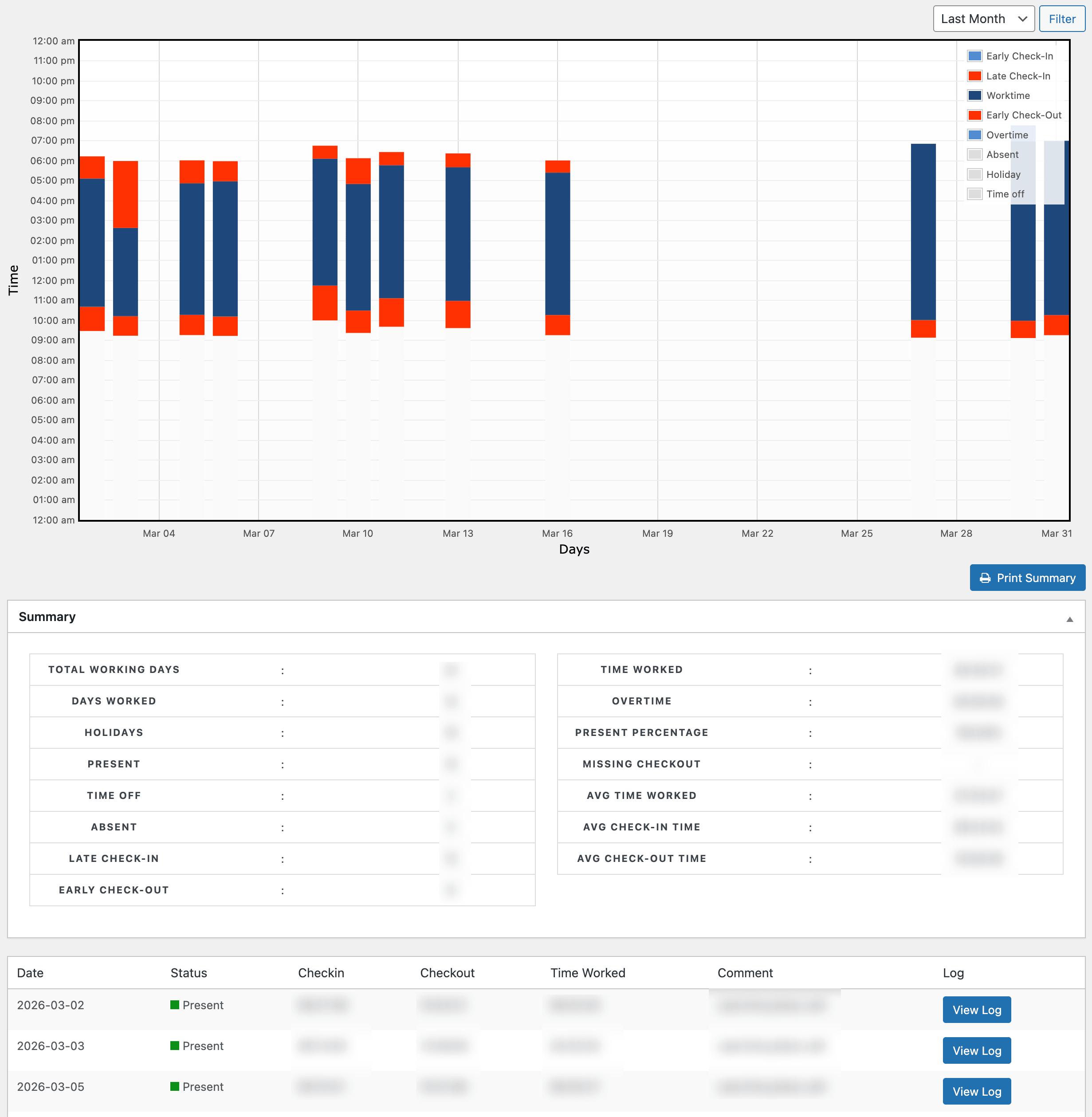
With 90-plus people, that connection between attendance and leave data is what keeps things honest and accurate without me having to babysit the numbers every day.
Keeping Employee Records in Order
With a team this size, employee records can get out of hand quickly if there’s no proper system behind them. Designations change, people move between departments, salaries get revised, performance reviews happen – all of that needs to be on record and easy to find.
Every employee at weDevs has a full profile in the system. Not just their basic information but their complete history. Joining date, department, designation, promotions, increments, performance records, documents – everything is there, and it stays updated.
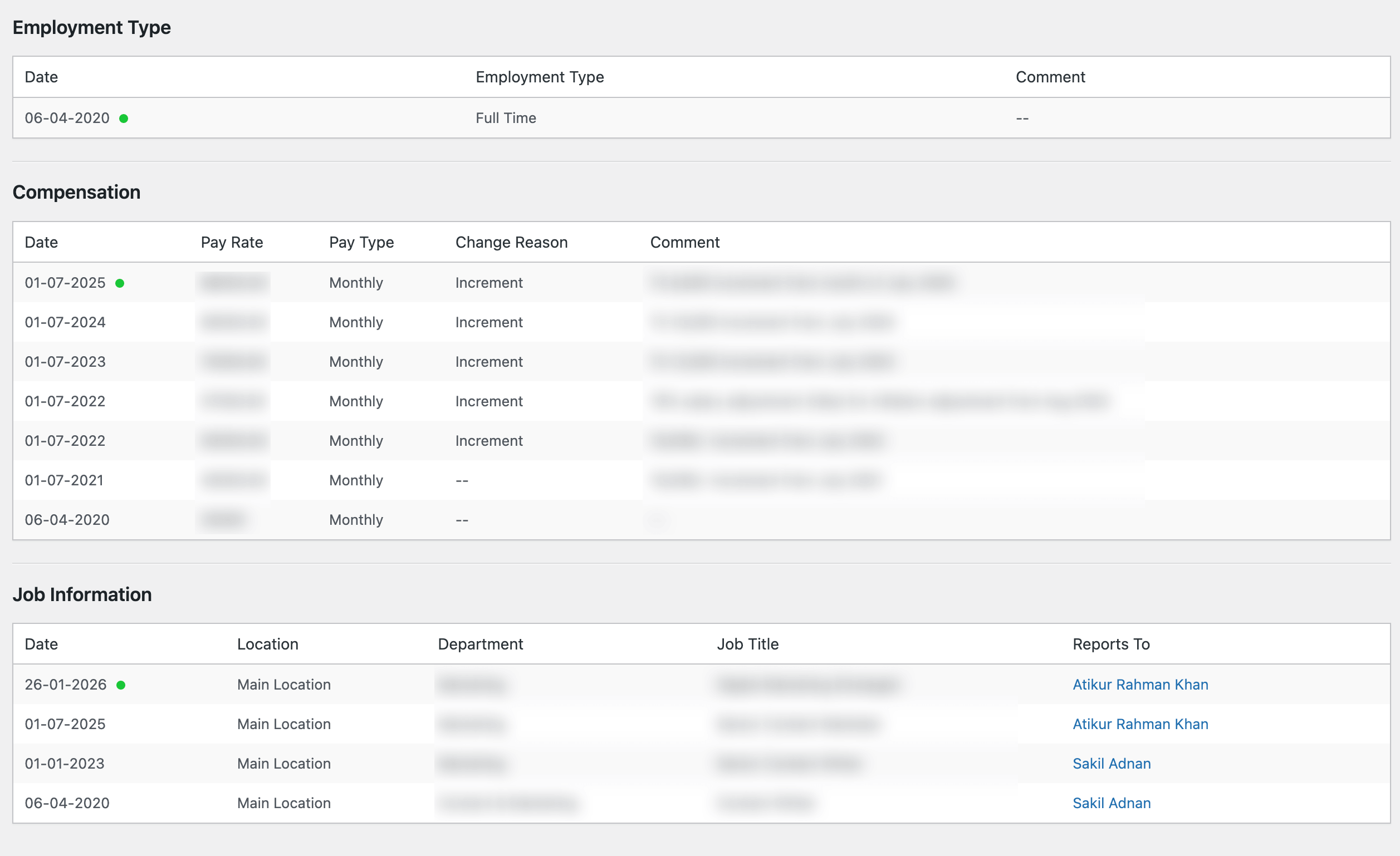
When something changes, I update it in one place, and it reflects across the board.
One thing that has made a real difference for us is the Custom Field Builder. Standard employee profile forms cover the basics but they don’t always account for things that are specific to how a particular company runs.
At weDevs, we have certain internal fields that don’t exist in a default HR form. With the Custom Field Builder, I can add those fields myself – choose the type, set validation rules if needed, and they show up on the employee profile just like any other field. No developer involvement, no waiting for something to be built.
When we bring in new hires in batches, I use the import feature to get them into the system quickly. Departments and designations get mapped automatically from the import file, so I’m not manually setting up each profile one by one. It’s clean, it’s fast, and everyone starts from the same organized baseline.
Assets, Reimbursements, and the Smaller Things That Add Up
Running an office for 90-plus people means there’s a whole layer of operational work that doesn’t always get talked about but takes up real time if you don’t have a handle on it.
Every time a new hire joins weDevs, they get assigned equipment. Laptop, monitor, accessories – whatever their role requires. I log each asset against their profile in the system at the time of assignment.
So at any point, I can tell you exactly who has what, when it was assigned, and what needs to be returned if someone leaves. Nothing is tracked in a separate sheet, and nothing relies on someone’s memory.
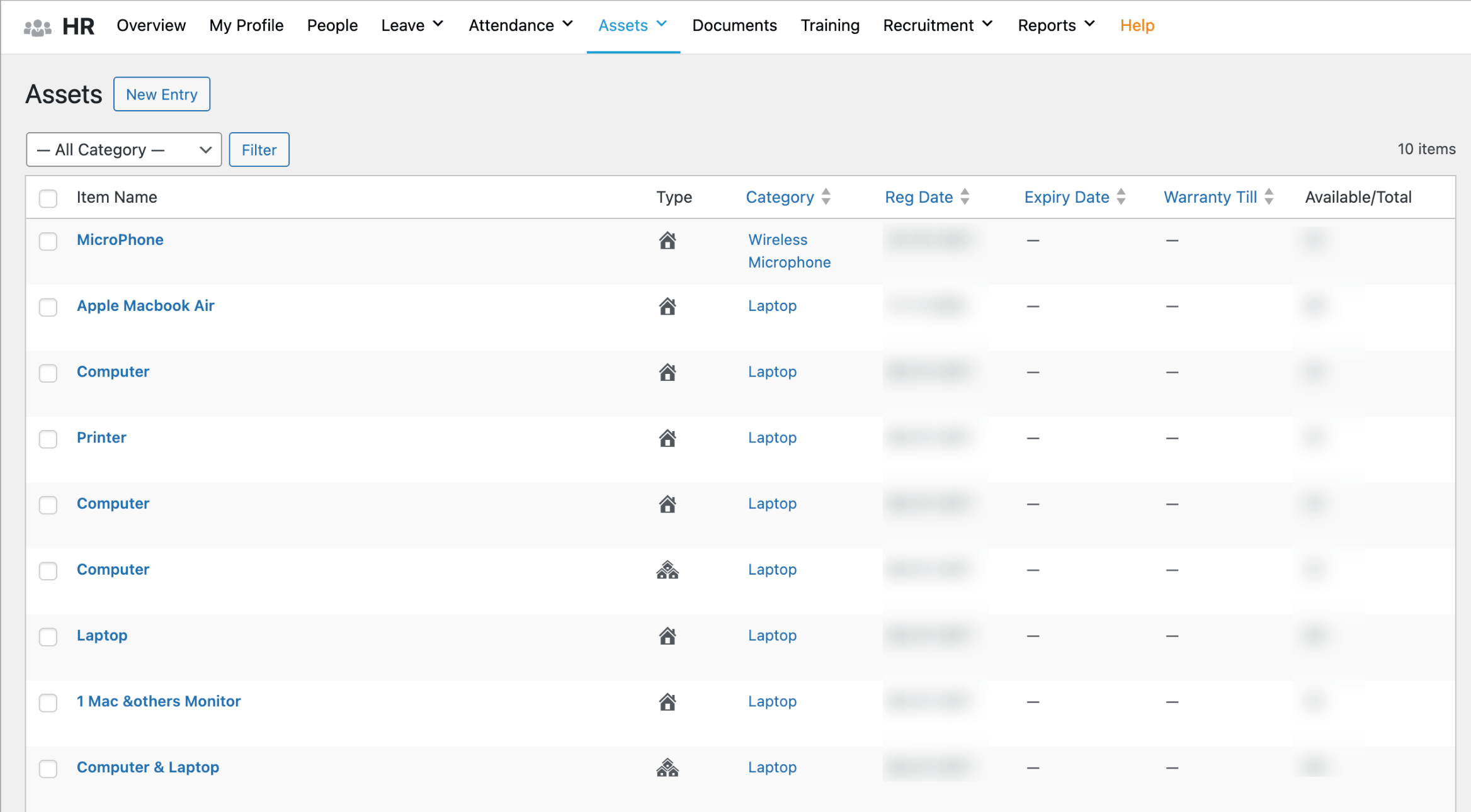
When equipment gets returned or reassigned, I update the record. It takes a minute, and the asset history stays clean. For a growing team, this kind of tracking matters more than people realise.
Things go missing, handovers happen quickly, and without a proper record, it’s very easy to lose track of what the company actually owns and where it is.
Reimbursements work in a similar way. Employees sometimes have work-related expenses – travel, supplies, something they bought for a project.
Instead of collecting paper receipts or managing it over email, they submit a reimbursement request through the system. I review it, process it, and it’s done. Everything is logged, there’s a clear trail, and neither I nor the employee is chasing anyone for anything.
These things individually seem small. But at scale, they add up. And having them managed in the same place as everything else means they don’t become a separate problem I have to deal with outside of my normal workflow.
Reporting and Keeping Leadership Updated
Every now and then, leadership needs a clear picture of where the team stands. Headcount, leave trends, attendance patterns, salary history, how long people have been with the company – these conversations come up regularly, especially when we’re planning for growth or reviewing how departments are structured.
The part I appreciate most is that I don’t have to build these reports manually.
There are ready-made graphical reports available directly in the system covering most of what leadership typically asks for. Leave reports, head count, years of service, gender profile, salary history, asset reports, attendance broken down both by data and by employee – they’re all there, automatically generated, and up to date.
When a meeting comes up, and someone needs numbers, I pull the relevant report, and I’m ready. No spreadsheet to format, no data to compile from three different places, no morning spent putting together something that should have taken five minutes.
What this also means is that the conversations I have with leadership are grounded in accurate data. I’m not estimating or going off the top of my head. The numbers are right there, and everyone in the room is looking at the same thing.
For an HR function that’s supporting a team of 90-plus people and still growing, that kind of reporting capability is what makes it possible to stay on top of things without dedicated analysts or extra overhead. The data is always ready. I just have to show up.
The Automation Running in the Background
There’s a part of how we run HR at weDevs that most people don’t see, and that’s the automation layer sitting behind everything.
When a leave request gets approved, the employee gets notified automatically. When a new employee profile is created, the relevant people get looped in. When a document needs attention, the right person gets alerted. I set these workflows up once and they just run.
At 90-plus people, the volume of small routine touchpoints is significant. Automating them means my time goes toward things that actually need a human – the conversations, the decisions, the situations that need real judgment. Not confirmation emails.
And just to be clear, everything I’ve described in this post, from posting a job to tracking an asset, is handled through WP ERP. It’s the system we built, and it’s the system we trust enough to run our own company on. If you’re managing a growing team and your HR processes are starting to feel scattered, it’s genuinely worth a look.
What It All Adds Up To
Recruitment, onboarding, training, leave, attendance, records, assets, reimbursements, reporting – and that’s just the recurring stuff.
But my day doesn’t feel overwhelming because everything lives in one place. Recruitment flows into onboarding. Leave ties into attendance. Records feed into reports. I’m not juggling tools or keeping parallel sheets. The full picture of the team is always right there.
That’s the thing about having a proper HR system. You stop spending energy managing the system and start spending it on your people.
If your team is growing and HR is starting to feel like it’s slipping out of control, try WP ERP. There’s a free plan to start with, and you’ll figure out pretty quickly why we trust it enough to run weDevs on it.