



-
AuthorSearch Results
-
July 27, 2018 at 12:30 pm #19743
In reply to: Errors in deals
 rafinParticipant
Dear marcosmamg,
Please follow the ticket #103423 for all the updates.
Thank you.
July 25, 2018 at 5:07 am #19658Topic: Errors in deals
in forum CRMmarcosmamgParticipantHello, The company I worked for bought the deals plugin, and now I am testing it and I found an error, when I try to add an attachment in deals I get this error in the console:
Uncaught TypeError: Cannot read property ‘controller’ of undefined
at FeedEditorAttachment.uploadFiles (erp-deals.js?ver=1.0.0:46)
at HTMLButtonElement.<anonymous> (vue.min.js?ver=20150314:6)I checked your demo and I don’t see this error, please advise
July 24, 2018 at 8:50 am #19581rafinParticipantDear johnmax,
You will need to activate WP ERP every time for each subdomain of your site.
So, a single license for WP ERP add-ons will not work for all the subdomains of your site.
You can use one ERP installation on 1 database. That means one WordPress installation can have only one ERP activation. You can definitely install and activate the plugin on a single subsite of a network installation. But WP ERP cannot be used across multiple subsites of a network installation.
I hope this helps you out.
Thank you.
July 15, 2018 at 9:57 am #19239In reply to: Email or Export Contact Groups
rafinParticipantHello Michel,
Contact Groups allow you to send emails, SMS, or schedule calls and meetings with multiple people together who fall under the same category.
For example, you want to schedule a meeting with all business partners with whom you have partnered in the past 6 months. Or you want to send a system update email to all your customers of your every product who have been using the product for the past 1 year.
You can bulk email the Contact Groups through our “Email Campaign” Add-on.
Here’s the documentation of “Email Campaign” add-on:
https://wperp.com/docs/crm-add-ons/email-campaign/Regarding exporting Contact Groups, you can only export Contacts/Companies/Employee through this:
wp-admin -> ERP Settings -> Tools -> Export.Here’s the screenshot: https://prnt.sc/k6kyu0
Hope this will help you out.
Thank you.
July 9, 2018 at 3:28 am #18968In reply to: Changing HRM Frontend Logo
Jazib ZamanParticipantIt’s not there. Here is the screenshot.
https://www.awesomescreenshot.com/image/3474755/020bdc1d060a06ce23eec76f4ecdb04bJuly 6, 2018 at 9:11 am #18877In reply to: User Update bug
rafinParticipantDear ian.tyssen,
I have replied to your Support Ticket #102099. So, please check that one. We will be having discussions through that.
Thank you for your patience.
July 4, 2018 at 9:01 pm #18789In reply to: erp accounting for canadians
ananthvssParticipantI’m experiencing similar issues.
I’ve recommended this for our clients and got it installed. But when we are recording an expense, invoice doesn’t show the tax break up at all. Here is what I did. Let me know if m missing something.
1. Created a Sales Tax called TDS in India which is 10% in ERP > Accounting > Sales Tax
2. Under Expenses tried to record a new expense and selected TDS.
3. It doesn’t show the tax calculation and instead records the overall cost.July 3, 2018 at 9:44 am #18723In reply to: Leave Policy by hours?
Shawon ChowdhuryModeratorBy default, this is not possible.
To make hourly leave you will need to customize the plugin by a developer.Thanks 🙂
June 28, 2018 at 10:31 pm #18666In reply to: Employee editing:
Shawon ChowdhuryModeratorSorry for this. This issue is already fixed in the developed version.
Please download it from here –
https://drive.google.com/open?id=1DvpW2QARMY0EhSGnMeNCRqDnI_TuZDLfNow, delete current ERP from your site and install this one.
Your issue should be fixed.Thanks 🙂
June 28, 2018 at 10:26 pm #18663In reply to: Blank screen when trying to access HR Frontend
Shawon ChowdhuryModeratorSeems we need to have a closer look at your site.
Please contact our support “www.wperp.com/contact” from your customer email account so that we can help you.Regards 🙂
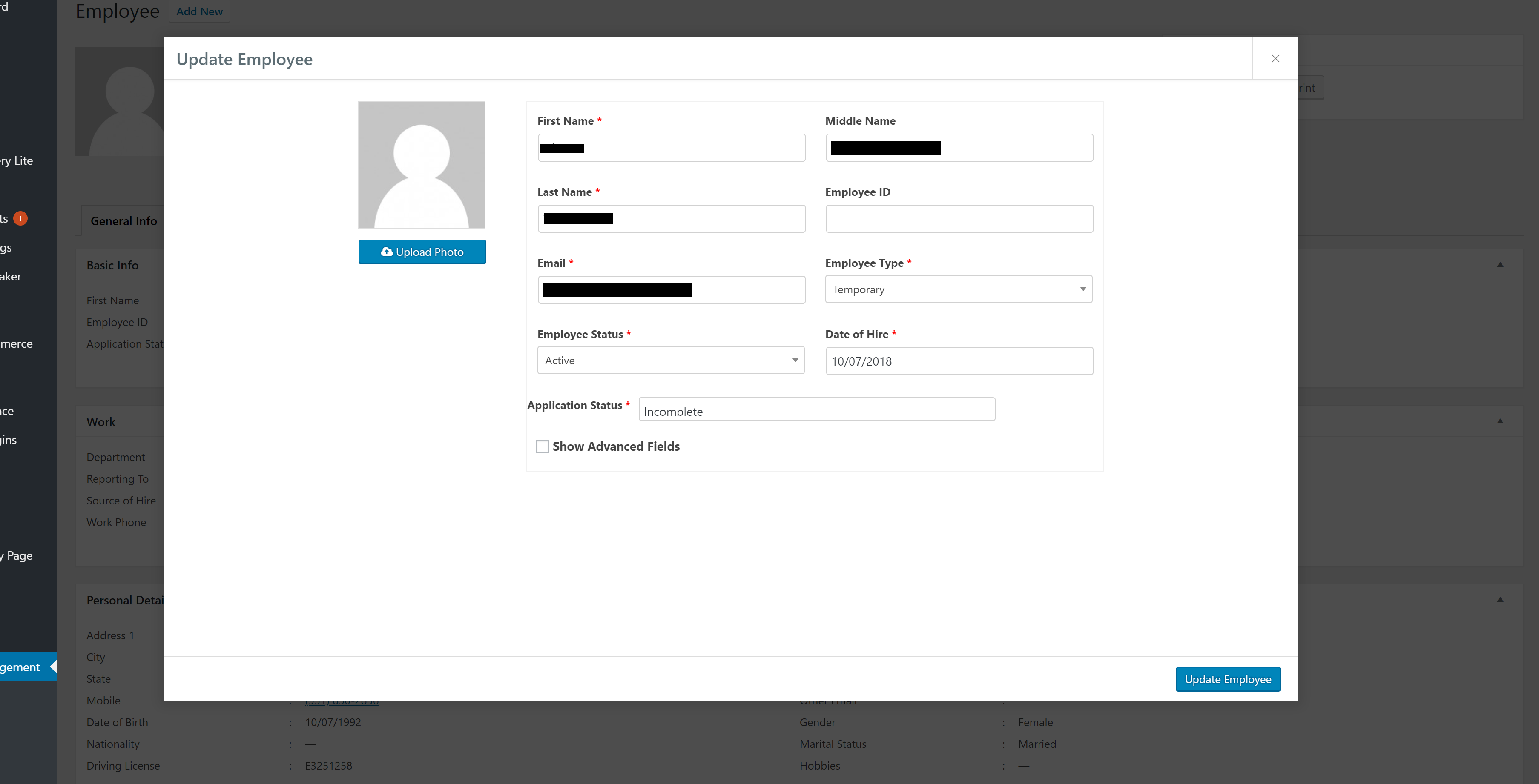
June 15, 2018 at 10:39 pm #18346[email protected]ParticipantHi To help with this issue, I assigned the notes to the Phone Number field so I could see that there was content, The field does not wrap so it is not really a good solution . also the field is limited to 15 characters aproxx. I cannot see another workaround
-
This reply was modified 7 years, 9 months ago by
 [email protected].
June 14, 2018 at 1:09 pm #18316In reply to: Field Builder Errors
Care Staffing ProfessionalsParticipantHere’s a screenshot of what we’re seeing
https://carestaffingprofessionals.com/wp-content/uploads/2018/06/wp-erp-field-error.png
May 31, 2018 at 4:45 pm #17815In reply to: Recruitment – Job opening issue
queenieParticipantHi Shawon,
Now I’m getting this error https://www.dropbox.com/s/4m03rhwhd62w9qt/Job-opening-error.png?dl=0 after I delete the job opening.
Also after I created a new job opening and when I edit, there’s a SQL showing at Hiring workflow – https://www.dropbox.com/s/0y1i2la6vesg6df/hiring-workflow.png?dl=0
Is the recruitment module stable? or any new revision/update?
Cheers,
QueenieMay 30, 2018 at 4:36 am #17653Topic: Recruitment – Job opening issue
in forum HRMqueenieParticipantHi There,
Wonder if you can give me some pointers.
I’ve create 2 jobs opening. 1 I didn’t completely finish it and the other is completed. When look at the Job opening dash board, it only show 1 job but when you see All link , it indicated 2. so how can I view those are draft? Screenshot here : https://www.dropbox.com/s/b9yp5q4mdf25072/HR-Opening.png?dl=0Then when I try to view the active job opening , I got a page not found.
Screenshot 1: https://www.dropbox.com/s/1o4xjhnpodanz34/Job-opening-page.png?dl=0
Screenshot 2: https://www.dropbox.com/s/uqrs80gmqam9ide/Job-opening-page-not-found.png?dl=0Any idea?
Also one more thing, can i swap the CV upload to allow image upload without changing the plugin itself but using a hook?
Thanks,
QueenieMay 28, 2018 at 2:13 pm #17612In reply to: HRM CSV Upload Not Working
muhadbk0ParticipantHello all,
Here the problem with Date Formats, You can add the data by avoiding the date format column as empty ( Hiring Date ,Date Of Birth) .
For more reference to the developers :
InvalidArgumentException Object ( [message:protected] => Data missing [string:Exception:private] => [code:protected] => 0 [file:protected] => HOME_DIR/wp-content/plugins/erp/vendor/nesbot/carbon/src/Carbon/Carbon.php [line:protected] => 836 [trace:Exception:private] => Array ( [0] => Array ( [file] => HOME_DIR/wp-content/plugins/erp/vendor/illuminate/database/Eloquent/Concerns/HasAttributes.php [line] => 709 [function] => createFromFormat [class] => Carbon\Carbon [type] => :: [args] => Array ( [0] => Y-m-d H:i:s [1] => 1-1-1998 ) ) [1] => Array ( [file] => HOME_DIR/wp-content/plugins/erp/vendor/illuminate/database/Eloquent/Concerns/HasAttributes.php [line] => 732 [function] => asDateTime [class] => Illuminate\Database\Eloquent\Model [type] => -> [args] => Array ( [0] => 1-1-1998 ) ) [2] => Array ( [file] => HOME_DIR/wp-content/plugins/erp/vendor/illuminate/database/Eloquent/Concerns/HasAttributes.php [line] => 526 [function] => fromDateTime [class] => Illuminate\Database\Eloquent\Model [type] => -> [args] => Array ( [0] => 1-1-1998 ) ) [3] => Array ( [file] => HOME_DIR/wp-content/plugins/erp/vendor/illuminate/database/Eloquent/Model.php [line] => 234 [function] => setAttribute [class] => Illuminate\Database\Eloquent\Model [type] => -> [args] => Array ( [0] => date_of_birth [1] => 1-1-1998 ) ) [4] => Array ( [file] => HOME_DIR/wp-content/plugins/erp/vendor/illuminate/database/Eloquent/Model.php [line] => 462 [function] => fill [class] => Illuminate\Database\Eloquent\Model [type] => -> [args] => Array ( [0] => Array ( [location] => MUTLAA [hiring_source] => LOCAL MARKET [date_of_birth] => 1-1-1998 [pay_rate] => 445 [pay_type] => CASH [status] => ACTIVE ) ) ) [5] => Array ( [file] => HOME_DIR/wp-content/plugins/erp/modules/hrm/includes/class-employee.php [line] => 424 [function] => update [class] => Illuminate\Database\Eloquent\Model [type] => -> [args] => Array ( [0] => Array ( [location] => MUTLAA [hiring_source] => LOCAL MARKET [date_of_birth] => 1-1-1998 [pay_rate] => 445 [pay_type] => CASH [status] => ACTIVE ) ) ) [6] => Array ( [file] => HOME_DIR/wp-content/plugins/erp/modules/hrm/includes/class-employee.php [line] => 355 [function] => update_employee [class] => WeDevs\ERP\HRM\Employee [type] => -> [args] => Array ( [0] => Array ( [designation] => [department] => 5 [location] => MUTLAA [hiring_source] => LOCAL MARKET [date_of_birth] => 1-1-1998 [reporting_to] => CHIEF ENGR [pay_rate] => 445 [pay_type] => CASH [type] => permanent [status] => ACTIVE [first_name] => PARMINDER [last_name] => SINGH [phone] => 122345 [work_phone] => 122345 [mobile] => 65657 [address] => AL QATAMI STRT [gender] => MALE [marital_status] => SINGLE [nationality] => INDIAN [driving_license] => DL122345 [hobbies] => READING [user_url] => JOBININTERNATIONAL.ONLINE [description] => SITE [street_1] => AL QATAMI STRT [street_2] => DALMIA [city] => KUWAIT CITY [country] => KUWAIT [state] => KUWAIT STATE [postal_code] => 3434545 ) ) ) [7] => Array ( [file] => HOME_DIR/wp-content/plugins/erp/modules/hrm/includes/functions-employee.php [line] => 35 [function] => create_employee [class] => WeDevs\ERP\HRM\Employee [type] => -> [args] => Array ( [0] => Array ( [personal] => Array ( [first_name] => PARMINDER [last_name] => SINGH [phone] => 122345 [work_phone] => 122345 [mobile] => 65657 [address] => AL QATAMI STRT [gender] => MALE [marital_status] => SINGLE [nationality] => INDIAN [driving_license] => DL122345 [hobbies] => READING [user_url] => JOBININTERNATIONAL.ONLINE [description] => SITE [street_1] => AL QATAMI STRT [street_2] => DALMIA [city] => KUWAIT CITY [country] => KUWAIT [state] => KUWAIT STATE [postal_code] => 3434545 ) [user_email] => [email protected] [work] => Array ( [designation] => [department] => 5 [location] => MUTLAA [hiring_source] => LOCAL MARKET [date_of_birth] => 1-1-1998 [reporting_to] => CHIEF ENGR [pay_rate] => 445 [pay_type] => CASH [type] => permanent [status] => ACTIVE ) ) ) ) [8] => Array ( [file] => HOME_DIR/wp-content/plugins/erp/includes/functions.php [line] => 1717 [function] => erp_hr_employee_create [args] => Array ( [0] => Array ( [personal] => Array ( [first_name] => PARMINDER [last_name] => SINGH [phone] => 122345 [work_phone] => 122345 [mobile] => 65657 [address] => AL QATAMI STRT [gender] => MALE [marital_status] => SINGLE [nationality] => INDIAN [driving_license] => DL122345 [hobbies] => READING [user_url] => JOBININTERNATIONAL.ONLINE [description] => SITE [street_1] => AL QATAMI STRT [street_2] => DALMIA [city] => KUWAIT CITY [country] => KUWAIT [state] => KUWAIT STATE [postal_code] => 3434545 ) [user_email] => [email protected] [work] => Array ( [designation] => [department] => 5 [location] => MUTLAA [hiring_source] => LOCAL MARKET [date_of_birth] => 1-1-1998 [reporting_to] => CHIEF ENGR [pay_rate] => 445 [pay_type] => CASH [type] => permanent [status] => ACTIVE ) ) ) ) [9] => Array ( [file] => HOME_DIR/wp-includes/class-wp-hook.php [line] => 286 [function] => erp_process_import_export [args] => Array ( [0] => ) ) [10] => Array ( [file] => HOME_DIR/wp-includes/class-wp-hook.php [line] => 310 [function] => apply_filters [class] => WP_Hook [type] => -> [args] => Array ( [0] => [1] => Array ( [0] => ) ) ) [11] => Array ( [file] => HOME_DIR/wp-includes/plugin.php [line] => 453 [function] => do_action [class] => WP_Hook [type] => -> [args] => Array ( [0] => Array ( [0] => ) ) ) [12] => Array ( [file] => HOME_DIR/wp-admin/admin.php [line] => 156 [function] => do_action [args] => Array ( [0] => admin_init ) ) ) [previous:Exception:private] => )
-
This reply was modified 7 years, 9 months ago by
-
AuthorSearch Results
Search Results for '1'
-
Search Results
-
Topic: Errors in deals
Hello, The company I worked for bought the deals plugin, and now I am testing it and I found an error, when I try to add an attachment in deals I get this error in the console:
Uncaught TypeError: Cannot read property ‘controller’ of undefined
at FeedEditorAttachment.uploadFiles (erp-deals.js?ver=1.0.0:46)
at HTMLButtonElement.<anonymous> (vue.min.js?ver=20150314:6)I checked your demo and I don’t see this error, please advise
Hi There,
Wonder if you can give me some pointers.
I’ve create 2 jobs opening. 1 I didn’t completely finish it and the other is completed. When look at the Job opening dash board, it only show 1 job but when you see All link , it indicated 2. so how can I view those are draft? Screenshot here : https://www.dropbox.com/s/b9yp5q4mdf25072/HR-Opening.png?dl=0Then when I try to view the active job opening , I got a page not found.
Screenshot 1: https://www.dropbox.com/s/1o4xjhnpodanz34/Job-opening-page.png?dl=0
Screenshot 2: https://www.dropbox.com/s/uqrs80gmqam9ide/Job-opening-page-not-found.png?dl=0Any idea?
Also one more thing, can i swap the CV upload to allow image upload without changing the plugin itself but using a hook?
Thanks,
Queenie