
Turn Modules On or Off
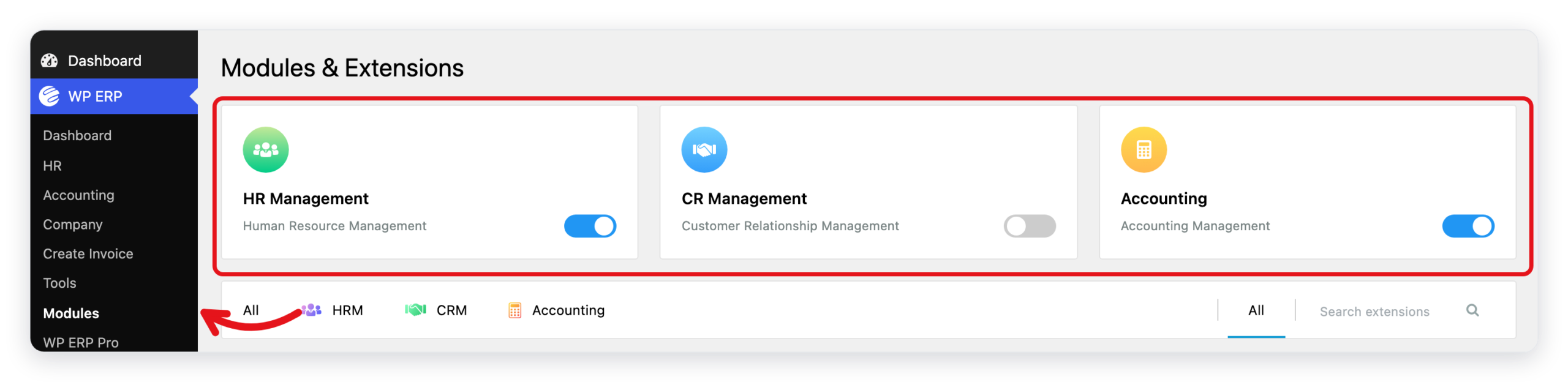
WP ERP has three modules: HR Management, CR Management (CRM), and Accounting. Turn on only the modules that you use. The menus and dashboard parts of a module that is off do not show.
Before you start
- You must be a WordPress administrator.
- A new site starts with only the HR module on.
- When you turn a module off, WP ERP keeps its data. When you turn the module on again, your data comes back.
Step 1: Open the Modules page
In your WordPress admin, go to WP ERP → Modules. The Modules & Extensions page opens. The three modules are at the top of the page.
Step 2: Turn a module on or off
Click the switch on the card of the module. A blue switch means that the module is on. A grey switch means that the module is off.
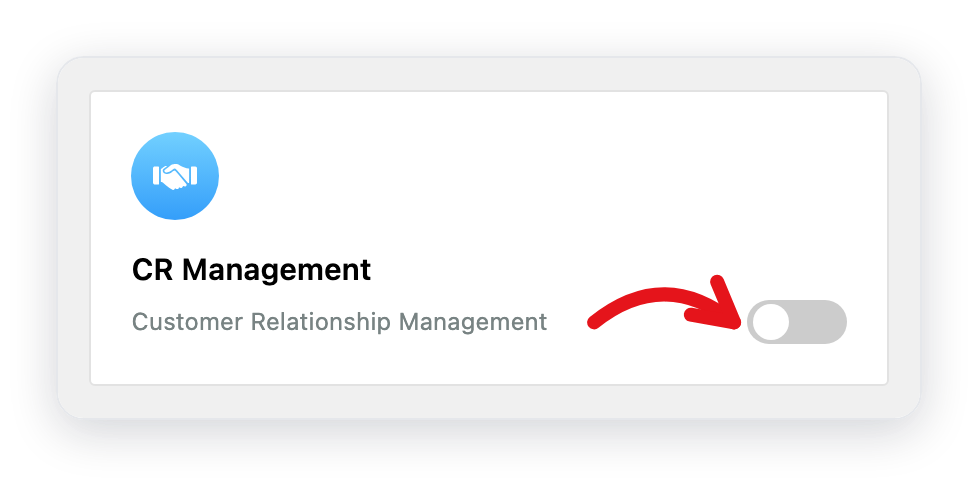
WP ERP shows Please wait!, then reloads the page.
Result
- When you turn a module on, its menu shows under WP ERP, for example WP ERP → CRM. Its part shows on the WP ERP dashboard.
- When you turn a module off, its menu and its dashboard part do not show. Users cannot open its pages.
CAUTION: If you use WP ERP Pro, turn a module off only when you are sure. When a module goes off, WP ERP also turns off all the Pro extensions of that module. For example, if you turn off Accounting, the Reimbursement extension also goes off. When you turn the module on again, turn its extensions on again on the same page.
Which modules do the Pro extensions need
Each Pro extension needs its module. Some extensions need two modules.
| Extension | Module that must be on |
|---|---|
| Payroll | HR Management and Accounting |
| Reimbursement | HR Management and Accounting |
| WooCommerce | CR Management and Accounting |
| Other HR extensions, for example Attendance or Recruitment | HR Management |
| Other CRM extensions, for example Deals | CR Management |
| Inventory, Payment Gateway | Accounting |
To learn about extensions, see Extensions and WP ERP Pro.
What changed from the old doc
- The old doc said ERP Settings → Modules. The page is now at WP ERP → Modules, and its title is Modules & Extensions.
- The three modules now have switches at the top of the page. The Pro extensions are below them on the same page.
- This page did not change in 2.0.