
Managing Employees
All your employees are on one list. From this list, you can add employees, open their profiles, and change their status.
To open the list, go to WP ERP → HR → People → All Employees.
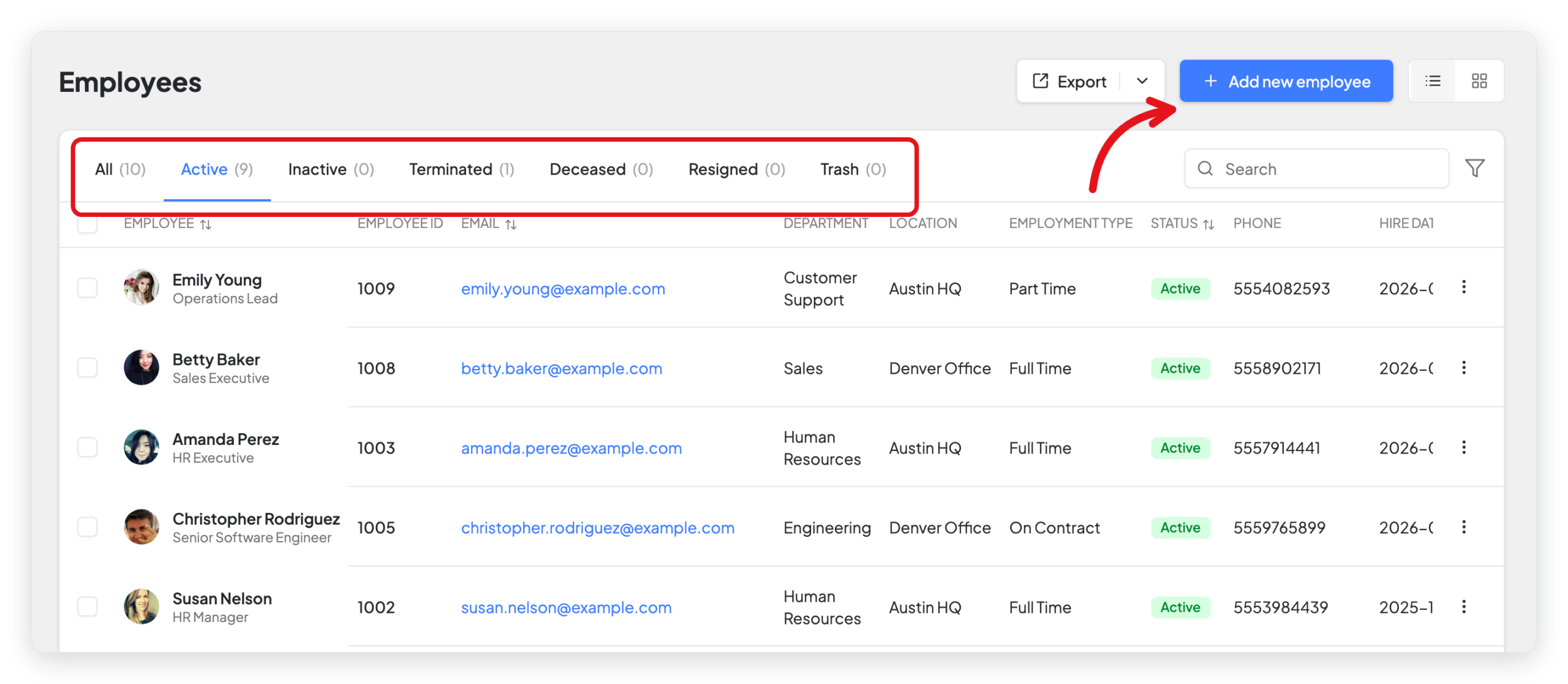
What is on the Employees list
- Status tabs: All, Active, Inactive, Terminated, Deceased, Resigned, and Trash. Each tab shows the number of employees in it.
- Search: Type a name to find an employee.
- Filter: Click the filter icon to show only one department, designation, location, or employee type.
- Add new employee: Opens the form to add an employee.
- Export: Saves the list of employees to a file. The arrow beside Export shows more import and export options.
- List view and grid view: The two buttons at the top right change how the list looks.
Click the ⋮ menu at the end of a row to View profile, Edit, Terminate, or Move to trash the employee. To move many employees to the trash at one time, select them, then click Move to trash.
The HR dashboard shows the numbers for your team. For more information, read Set Up HR and Learn the HR Dashboard.