
Give HR or Accounting Access to an Employee
By default, an employee has limited access in WP ERP. You can make an employee a manager of a module. A manager can manage all the data in that module, but cannot change the core settings of WP ERP.
Before you start
- You must be a WordPress administrator or an HR manager.
- The Accounting Manager switch shows only when the Accounting module is active and you are an accounting manager.
- The CRM Manager and CRM Agent switches show only when the CRM module is active and you are a CRM manager.
Give access
- Go to WP ERP → HR → People → All Employees.
- Click the name of the employee.
- Click the Permission tab.
- Click the switch of the access that you want to give.
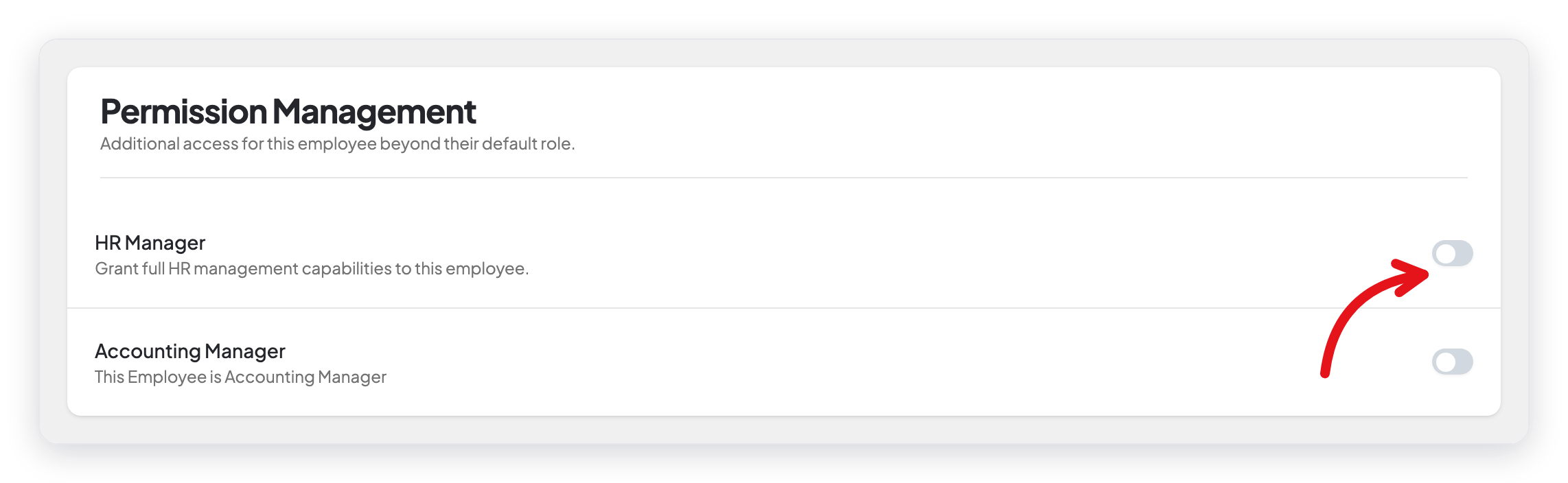
WP ERP saves the change immediately and shows a message, for example "HR Manager access granted." There is no update button.
The access types
| Switch | What the employee can do |
|---|---|
| HR Manager | Manage all of HR: employees, departments, designations, leave, and reports. |
| Accounting Manager | Manage the Accounting module. |
| CRM Manager | Manage the CRM module. |
| CRM Agent | Work in the CRM module as an agent. |
Remove access
Click the same switch again. WP ERP removes the access immediately.
What changed from older versions
In older versions, you selected check boxes and clicked Update Permission. In WP ERP 2.0, each access type has a switch that saves the change immediately.