
Create Leave Types
A leave type is a kind of leave that employees can request, for example Sick Leave, Casual Leave, or Maternity Leave. You must have a leave type before you can make a leave policy for it.
Before you start
- You must be a WordPress administrator or an HR manager.
Step 1: Open the Leave Types page
- In your WordPress admin, go to WP ERP → HR.
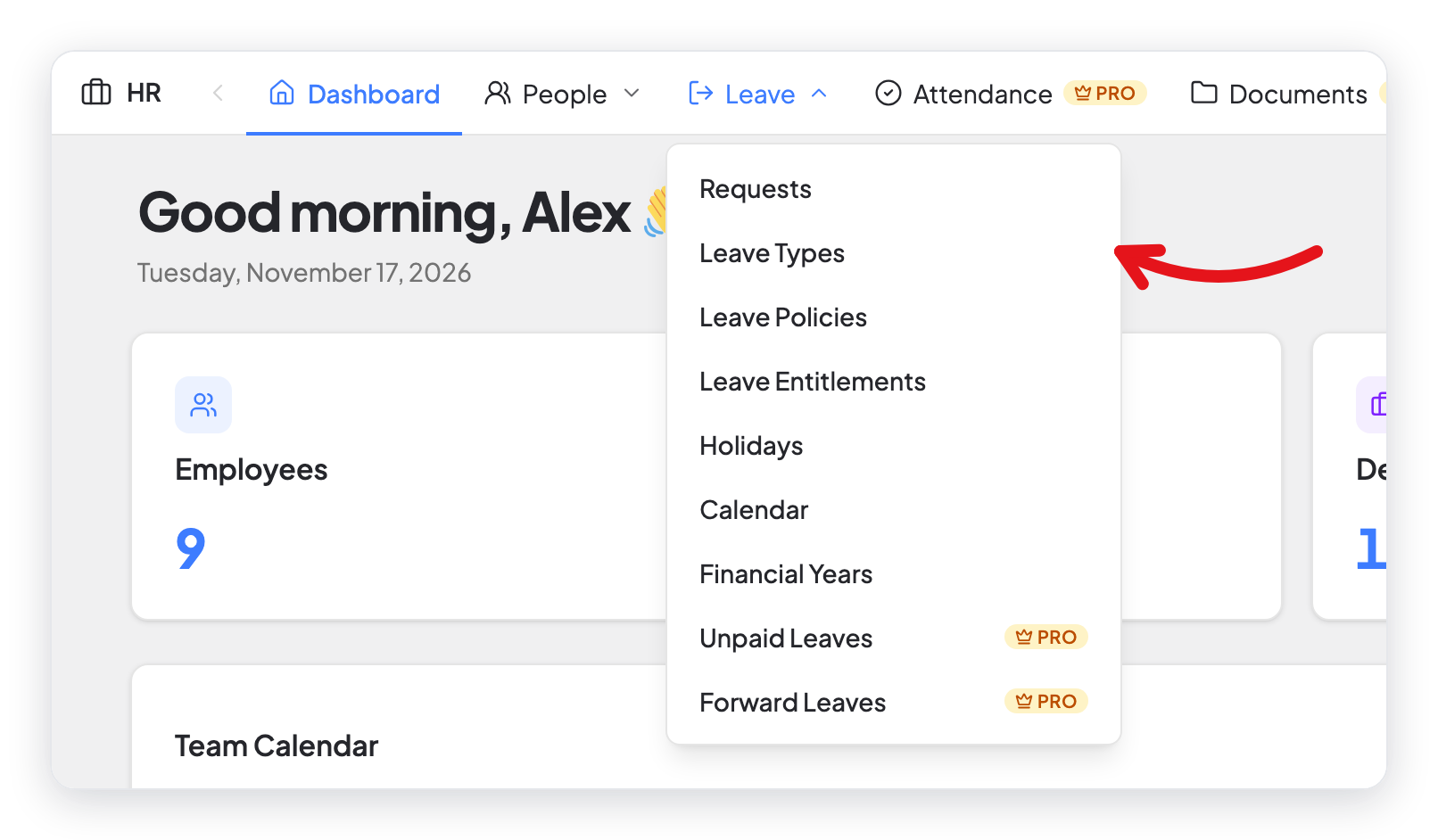
- In the top menu, open Leave.
- Click Leave Types.
Step 2: Add a leave type
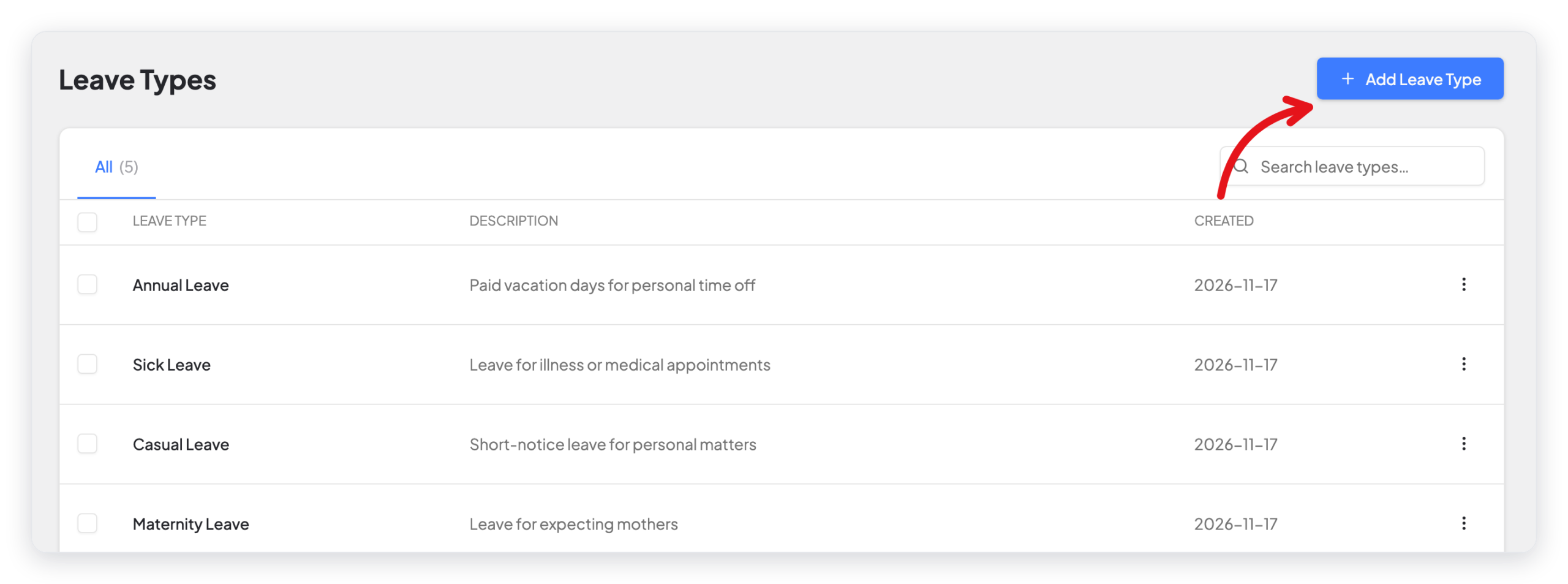
- Click Add Leave Type at the top right.
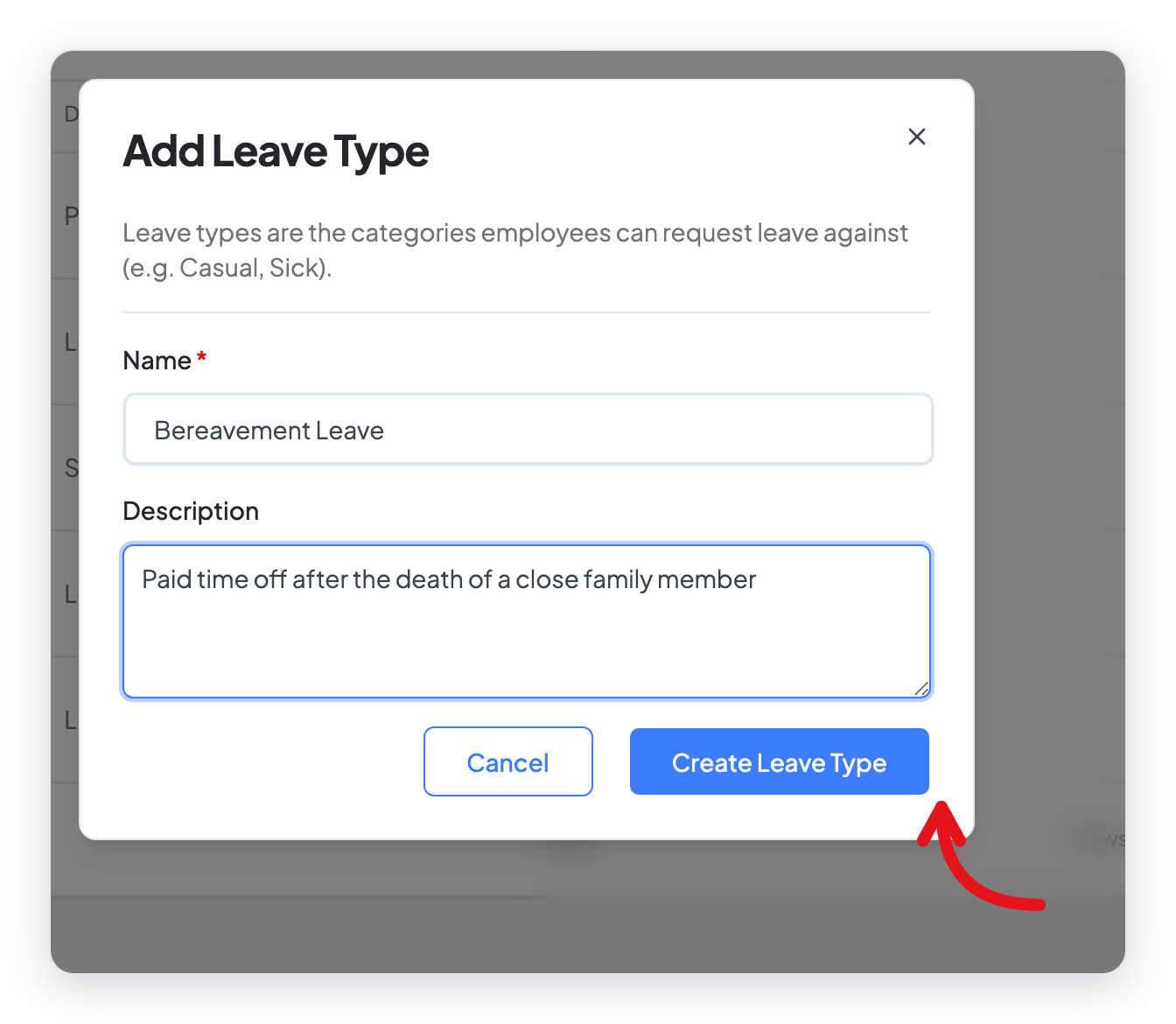
- Type the Name of the leave type, for example Bereavement Leave.
- Type a short Description. This field is optional.
- Click Create Leave Type.
Result
WP ERP shows the message "Leave type created." The new leave type is in the list. You can now use it in a leave policy.
Edit or delete a leave type
- Click the three dots (⋮) at the end of the row.
- Click Edit to change the name or the description. Click Delete to remove the leave type.

You cannot delete a leave type that a leave policy uses. Delete the policy first.