
Leave Entitlements
An entitlement gives the leave days of a policy to an employee. An employee can request leave only from their entitlements. If you do not assign a policy, its days do nothing.
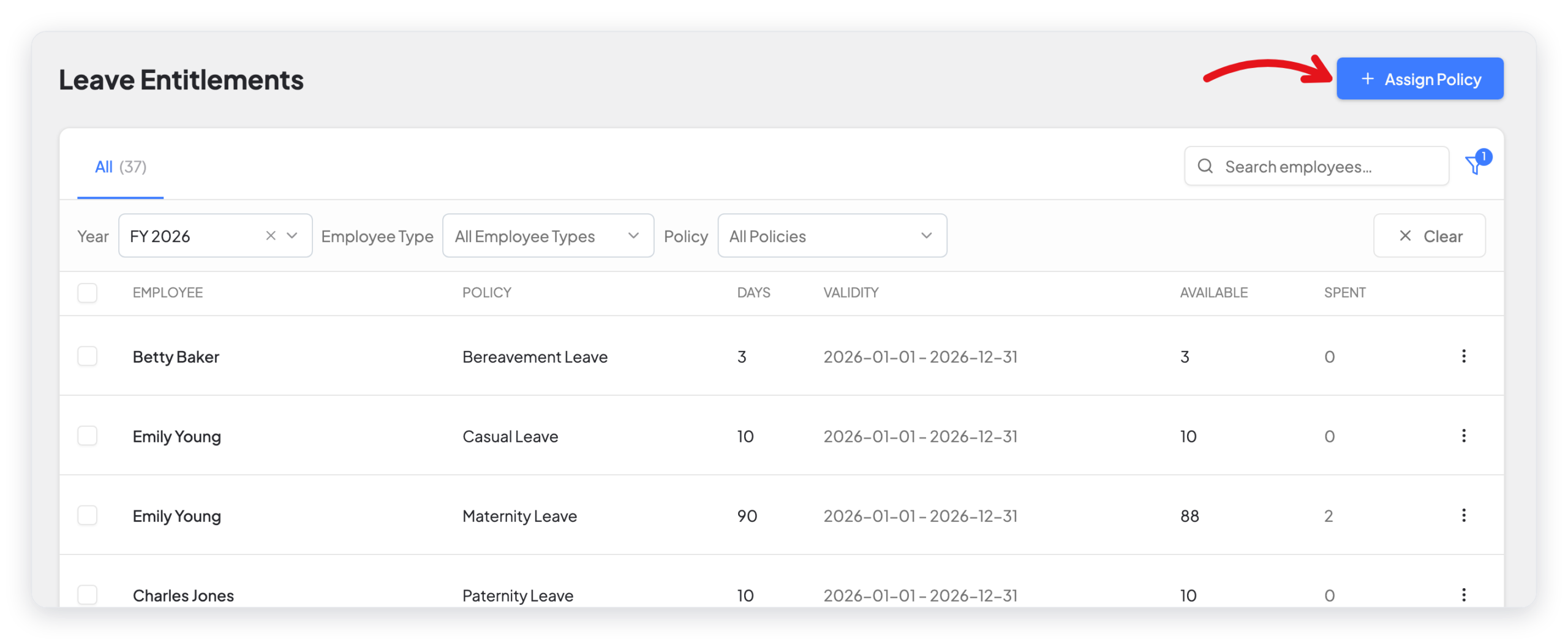
The Leave Entitlements page also shows how many days each employee has, has used, and has left.
Before you start
- You must be a WordPress administrator or an HR manager.
- You need a leave policy. See Create a Leave Policy.
Step 1: Open the Leave Entitlements page
- In your WordPress admin, go to WP ERP → HR.
- In the top menu, open Leave.
- Click Leave Entitlements.
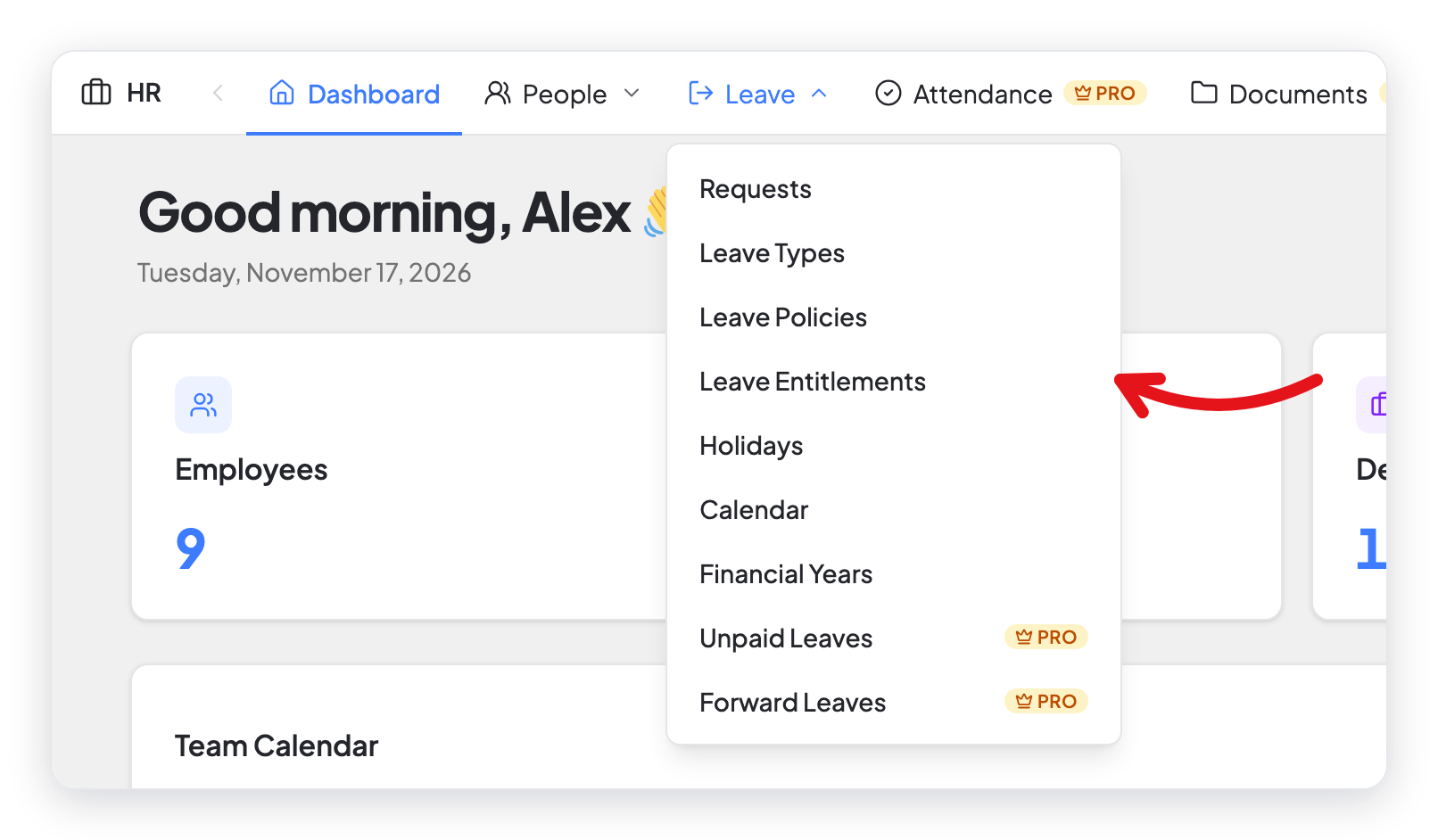
The list shows the entitlements of the current financial year. You can filter the list by Year, Employee Type, and Policy.
Step 2: Assign a policy
- Click Assign Policy at the top right.
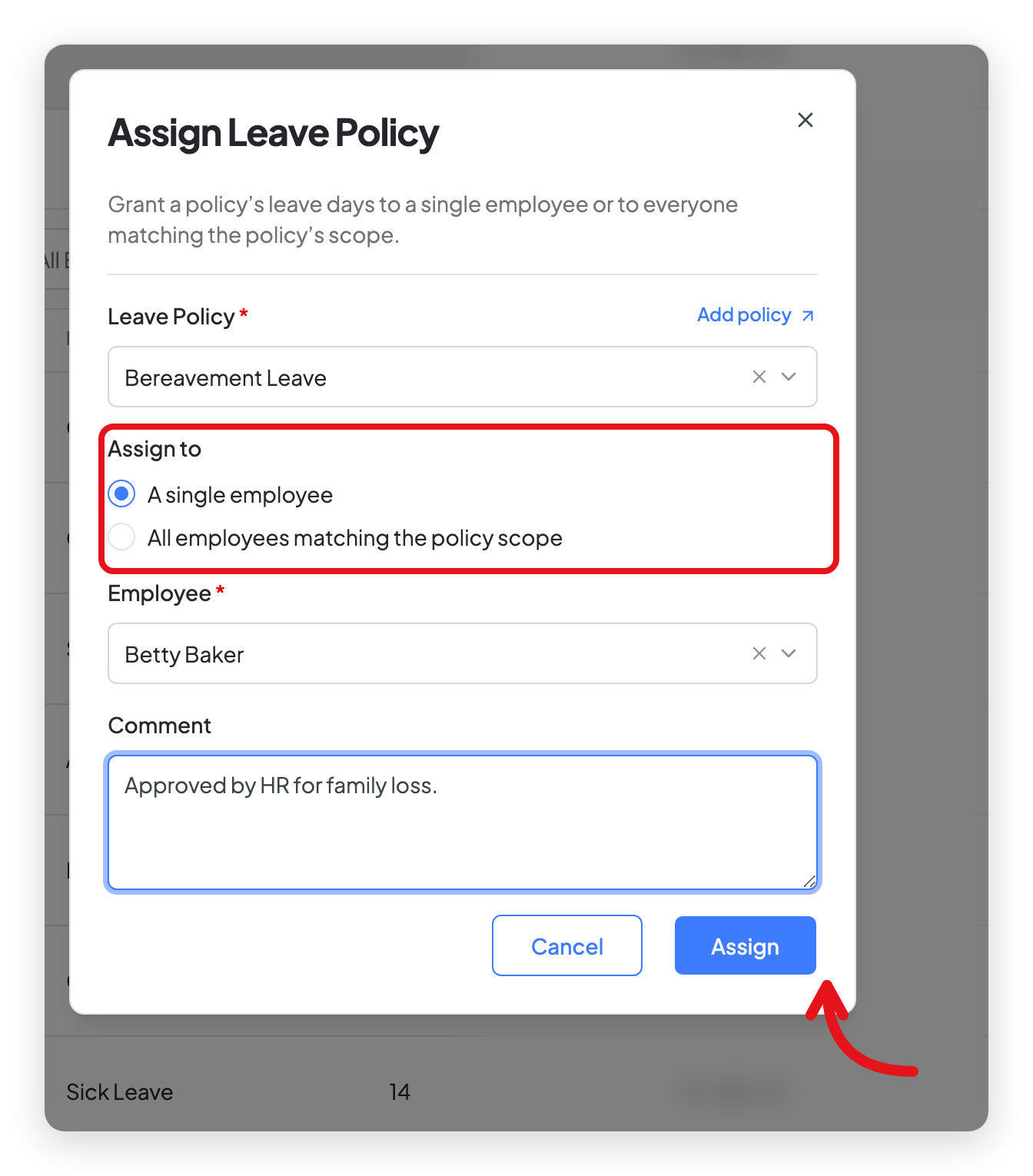
- Select the Leave Policy.
- In Assign to, select one of these options:
- A single employee gives the days to one employee. Then select the Employee.
- All employees matching the policy scope gives the days to each employee who matches the policy. The policy sets the matching department, designation, type, gender, marital status, and location.
- Type a Comment if you want to keep a note. This field is optional.
- Click Assign.
Result
WP ERP shows how many entitlements it assigned, for example "1 entitlement(s) assigned." The new entitlement is in the list.

The columns in the list
| Column | What it means |
|---|---|
| Employee | The employee who has the entitlement. |
| Policy | The leave policy. |
| Days | The days that the policy gives. |
| Validity | The first and the last day of the financial year. |
| Available | The days that the employee can still use. |
| Spent | The days that the employee already used. |
To remove an entitlement, click the three dots (⋮) at the end of the row, then click Delete.
What changed in WP ERP 2.0
The old form had an Assign to multiple employees check box with its own location and department fields. Now, select All employees matching the policy scope. The department, location, and other limits come from the policy.