
The HR Requests Page
All requests from employees are on one page in WP ERP. HR managers do not have to open a different screen for each type of request.
The Requests page has a tab for each type of request:
| Tab | Needs |
|---|---|
| Leave | WP ERP (free) |
| Resignation | WP ERP Pro |
| Remote Work | WP ERP Pro |
| Asset | WP ERP Pro with the Asset Management extension |
| Reimbursement | WP ERP Pro with the Reimbursement extension |
Without WP ERP Pro, the page shows only the Leave tab.
Before you start
- You must be a WordPress administrator or an HR manager.
- The HR module must be on. See Turn Modules On or Off.
Step 1: Open the Requests page
- In your WordPress admin, go to WP ERP → HR.
- In the top menu, open People.
- Click Requests.
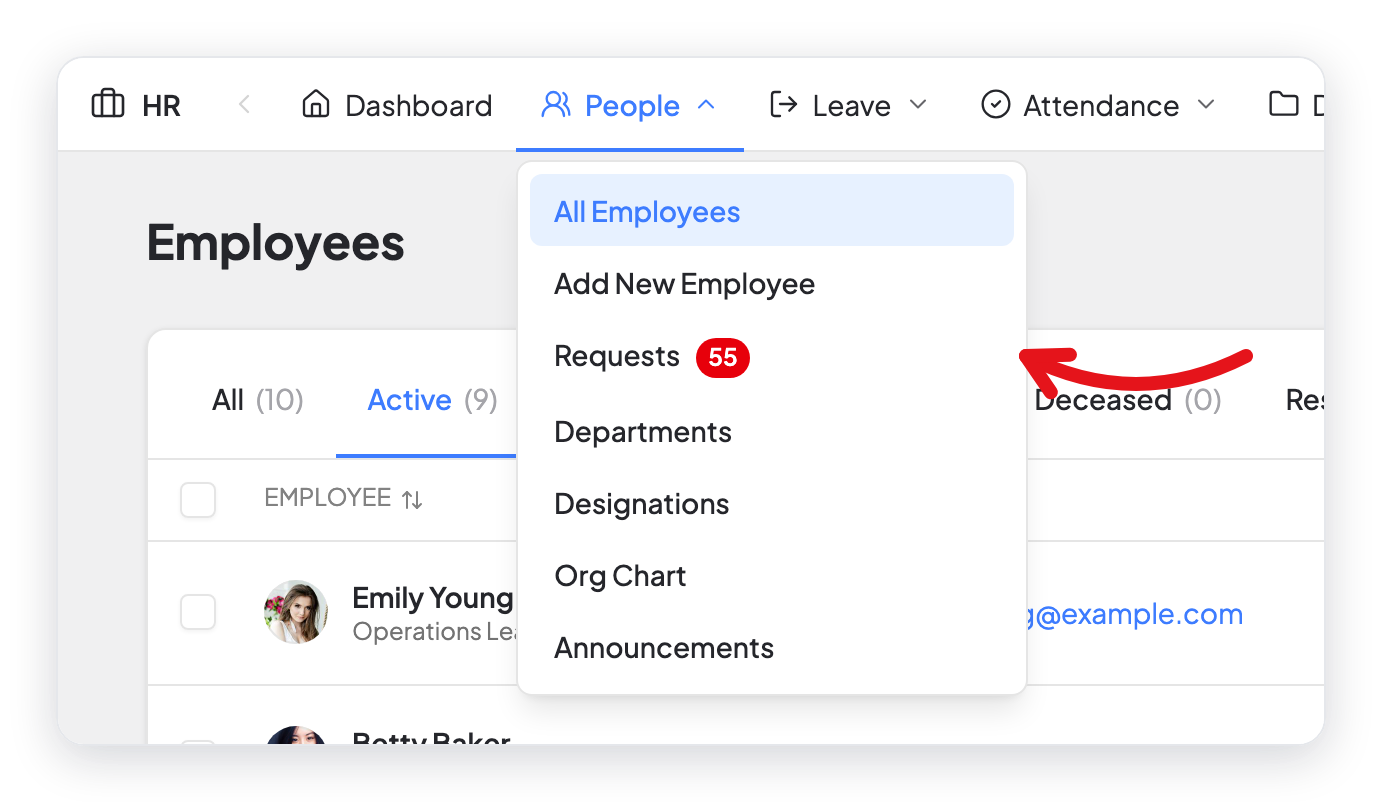
The red number next to Requests shows how many requests wait for a decision. The number includes all types of requests.
Step 2: Select a type of request
Click a tab to see the requests of that type. The number on each tab shows the total requests of that type.
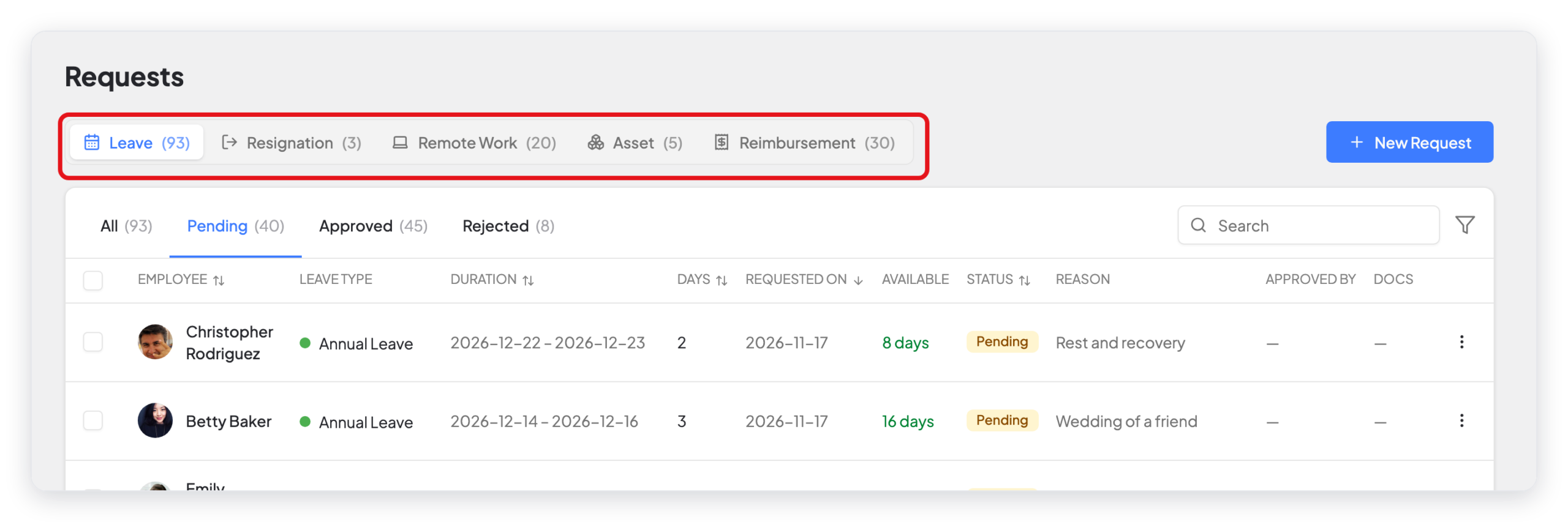
On the Leave tab, use All, Pending, Approved, and Rejected to filter the list. Use Search to find an employee.
Step 3: Approve or reject a request
- Find the request in the list.
- Click the ⋮ button at the end of the row.
- Click Approve or Reject. The menu shows only the actions that are possible for the request.
For the steps of each type, see the related doc:
- Manage Leave Requests
- Resignation Requests
- Remote Work Requests
- Asset Manager
- Reimbursement Requests
Add a request for an employee
HR managers can make a leave, resignation, or remote work request for an employee. For example, make a leave request for an employee who is not at a computer. The Asset and Reimbursement tabs do not have this button. Employees send these requests from their own profile.
- Open the Leave, Resignation, or Remote Work tab.
- Click New Request.
- Fill in the form, then submit it.
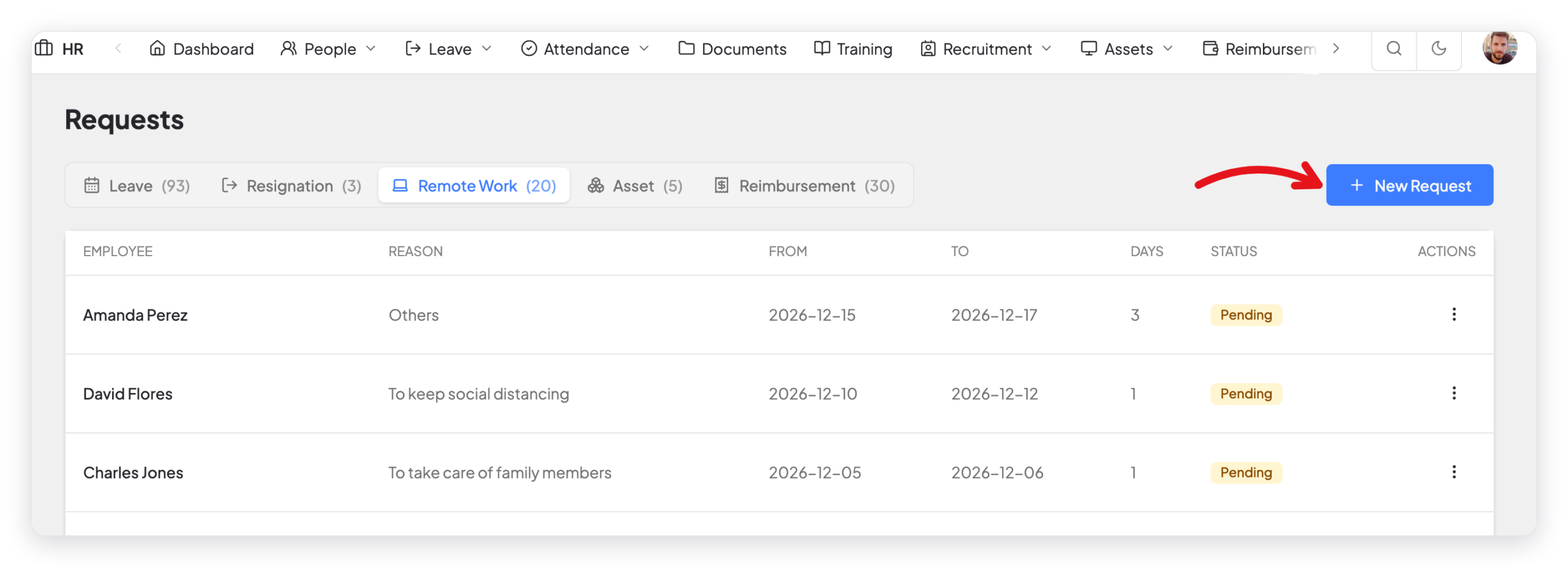
The form changes with the tab. On the Leave tab, the form is New Leave Request. On the Remote Work tab, the form is New Remote Work Request.
What changed in 2.0
- The Requests page is now part of the new HR screen. Open it from People → Requests.
- Each tab shows the total number of requests of that type.
- The New Request button is on the page. HR managers can add a leave, resignation, or remote work request for an employee.