
HRM Digest Email
The HRM digest email is a summary of what happens in your company in the next week or month. WP ERP Pro sends it to your HR managers. They do not have to open WP ERP to see who joins, who is on leave, or whose contract ends.
The email has these parts:
| Part | What it shows |
|---|---|
| New Team Members | Employees whose hire date is in the period. |
| Birthday this week (or month) | Employees who have a birthday in the period. |
| Who is Out This week (or month) | Employees with approved leave in the period. |
| Contract About to End | Employees on contract whose end date is near. |
| Trainee About to End | Trainees whose end date is near. |
| Work Anniversary This week (or month) | Employees who have a work anniversary in the period. |
The email does not include holidays. To see the holidays, open the leave calendar.
Before you start
- You must have WP ERP Pro with an active license.
- The HR module must be on.
- WP ERP sends the email to each user with the HR Manager role. A site administrator without this role does not get it. To give the role, see Give HR or Accounting Access to an Employee.
Step 1: Open the HRM Digest Email settings
- In your WordPress admin, go to WP ERP → Settings.
- Click Emails in the list on the left.
- Click the HRM Digest Email tab.
Step 2: Turn on the email
- Turn on Enable digest email.
- In Email sending schedule, select Weekly or Monthly.
- Click Save Changes.
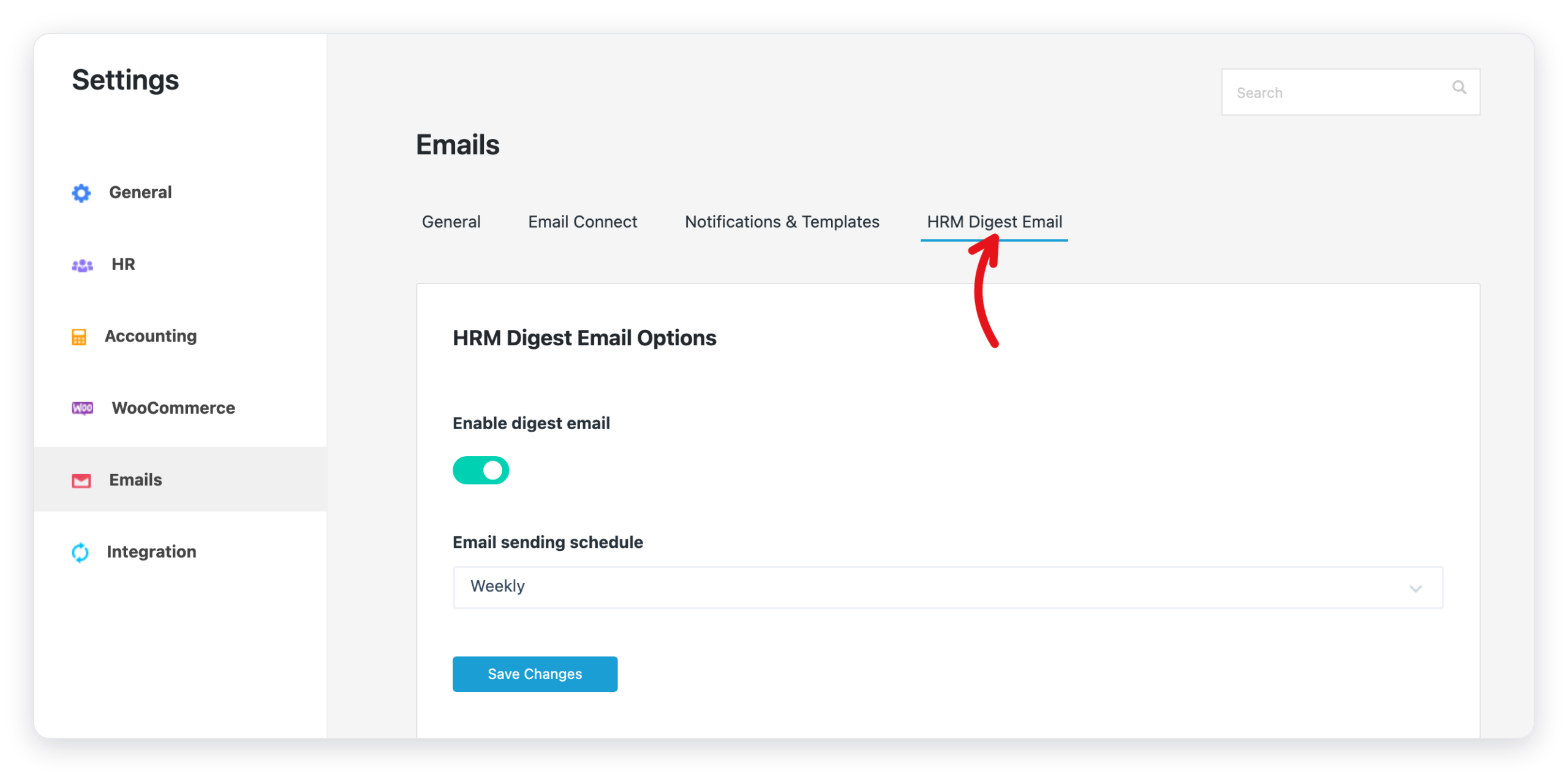
The email is off until you turn it on and save.
When the email is sent
| Schedule | Sent on | Covers |
|---|---|---|
| Weekly | Each Monday | That day and the next 6 days. |
| Monthly | The first day of each month | That day and the next 30 days. |
WP ERP sends the email with its daily scheduled task. If your site has few visitors, the email can come later in the day.
An example of the email
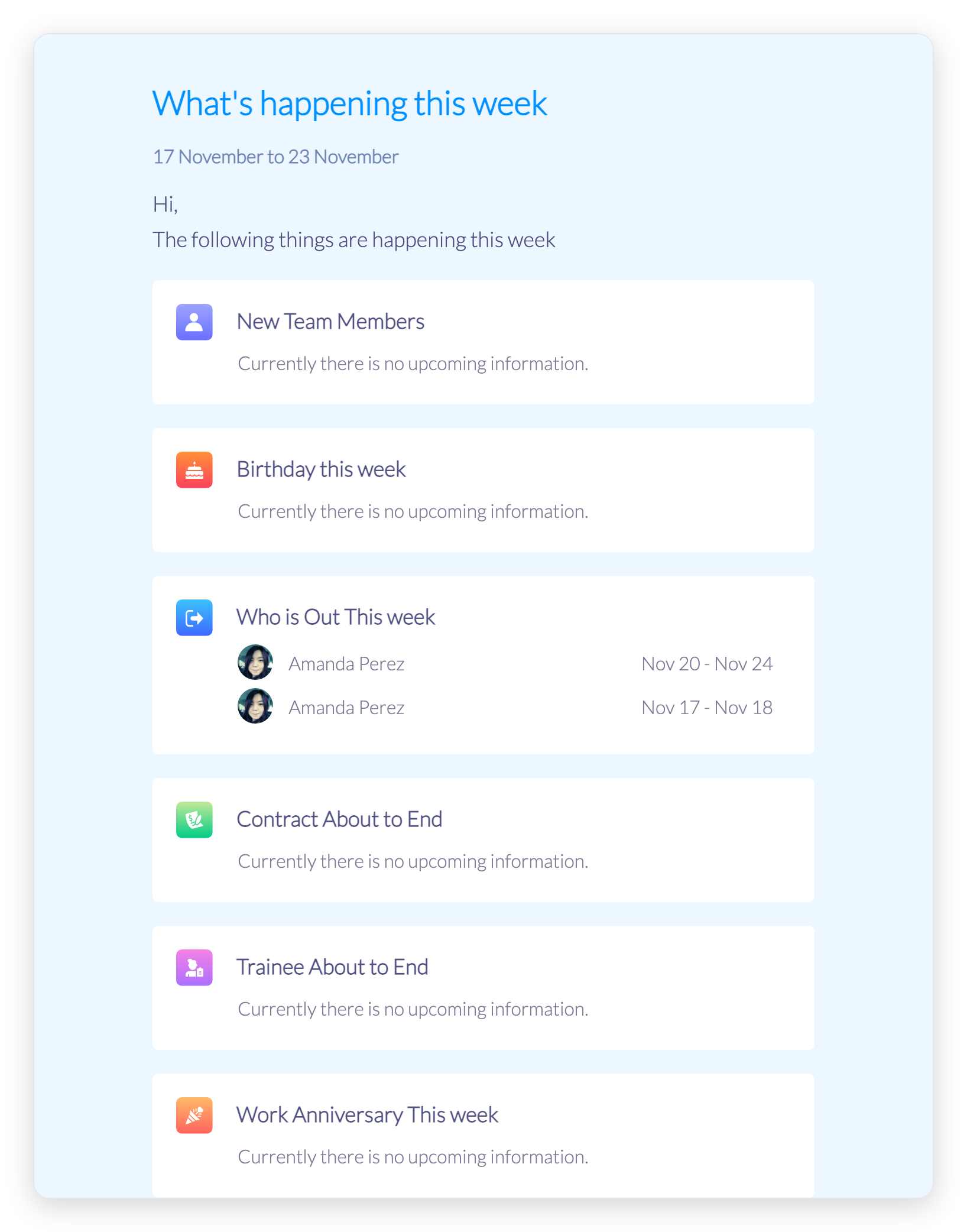
The subject is "What's happening this week at" followed by the name of your site. For the monthly email, the subject says "month".